

Dreamflow
Dreamflow is a visual AI builder that enables rapid app development with seamless design, AI prompts, and code.
tool Details
Explore More
Alternatives
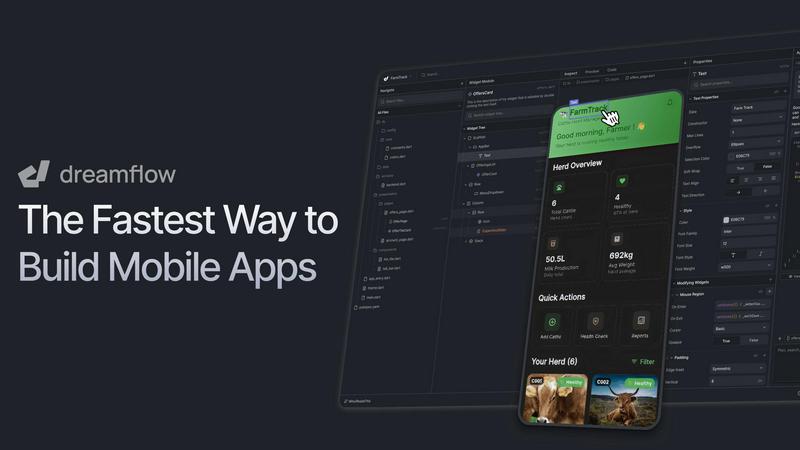
About Dreamflow
Dreamflow is a cutting-edge, cloud-based development platform designed to streamline the process of creating production-ready mobile and web applications. It effectively combines three interconnected development surfaces: an AI-powered conversational agent, a sophisticated visual editor, and direct access to the full Flutter source code. This unique tri-surface architecture caters to developers, product teams, and entrepreneurs who seek a balance between rapid prototyping capabilities and meticulous control over their projects. Dreamflow's primary value proposition revolves around eliminating the traditional compromises between speed and control in application development. Unlike conventional AI builders or restrictive no-code platforms, Dreamflow ensures that modifications made through AI prompts, visual canvas actions, or code edits are instantly synchronized across all surfaces. This seamless workflow empowers teams to initiate projects with AI-generated scaffolds, visually refine user interfaces and logic, and dive into Dart/Flutter code for intricate features or custom integrations, all while working from a single, cohesive codebase. With the backing of the FlutterFlow team and over 2 million trusted builders, Dreamflow allows users to output fully deployable Flutter projects that can be published directly to the Apple App Store, Google Play Store, and web with a single click or exported for further development in any standard IDE.
Features
Tri-Surface Editing
The tri-surface editing feature allows developers to switch seamlessly between an AI conversational agent, a visual canvas, and the underlying code. Each surface remains in sync, enabling real-time collaboration and immediate application of changes, enhancing productivity and creativity in the development process.
AI-Powered Development
Dreamflow employs an advanced AI that understands patterns and best practices to facilitate the efficient generation of app features. This context-aware generation ensures that the scaffolded features are not only functional but also adhere to industry standards, allowing developers to focus on innovation rather than basic setups.
Responsive Design Capabilities
With Dreamflow, users can build robust and responsive applications tailored to fit all device sizes, leveraging the power of Flutter. This feature addresses the need for versatile applications that maintain performance and aesthetic integrity across multiple platforms, ensuring a broader reach for end-users.
Backend Integrations
Dreamflow offers out-of-the-box integrations with Firebase and Supabase, empowering users to build full-stack applications from the get-go. This feature streamlines the backend development process, allowing for scalability and robust data management while minimizing setup time and complexity.
Use Cases
Rapid Prototyping for Startups
Entrepreneurs and startups can leverage Dreamflow's capabilities to transform their app ideas into functional prototypes swiftly. Using AI-assisted development, teams can experiment and iterate quickly, allowing them to test market viability without extensive resource investment.
Collaborative Development for Teams
Development teams can utilize Dreamflow to enhance collaboration through its tri-surface editing approach. By allowing team members to work concurrently on different aspects of the application, the platform fosters a collaborative environment that accelerates the development lifecycle.
Educational Tools for Learning
Educational institutions can use Dreamflow as a teaching tool for aspiring developers. The platform provides a hands-on experience with AI-powered development, visual design, and coding, making it an ideal environment for learning modern app development practices.
Enterprise Application Development
Larger organizations can harness Dreamflow to build enterprise-level applications with complex requirements. The platform's ability to integrate with robust backends while providing full control over the codebase allows enterprises to develop scalable solutions that meet their business needs effectively.
Frequently Asked Questions
What types of applications can be built with Dreamflow?
Dreamflow supports the development of a wide range of applications, including mobile apps for iOS and Android, web applications, and fully integrated full-stack solutions. Its flexibility accommodates various project types across industries.
Is Dreamflow suitable for beginners?
Yes, Dreamflow is designed to cater to users of all skill levels. With its intuitive visual editor and AI-powered assistance, beginners can start building applications without extensive coding knowledge while still having the option to dive into the code as they grow.
How does the AI-powered agent work?
The AI-powered agent understands user prompts in natural language and generates appropriate scaffolding for app features. It also adapts to user inputs and can suggest modifications, making the development process more intuitive and efficient.
Can I export my projects for further development?
Absolutely. Dreamflow allows users to export their fully developed Flutter projects, enabling further development in any standard IDE. This feature ensures that developers maintain flexibility and control over their projects, even after initial deployment.
Similar to Dreamflow
Egmatic
No-code 2D game editor: visual node logic, drag-and-drop scenes, live preview. Exports to Windows, macOS, Linux, Android, iOS, Web.
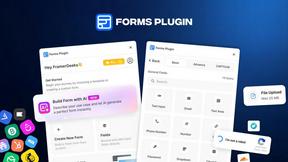
Forms Plugin
The #1 Native Form Builder Plugin for Framer - No Code, No Embeds, No External Platforms.

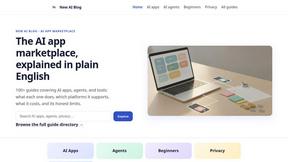
New AI Blog
Explore AI apps, agents and automation with New AI Blog. Read practical guides covering features, pricing, privacy and everyday workflows.

Traceback - Reveal No Caller ID
Traceback reveals the real number behind No Caller ID and unknown calls, so you always know who is really calling.
Spark7
Spark7 is like if Tetris, Dr. Mario, CandyCrush, Sudoku, and 2048 got together and had a baby that is even more satisfying and engaging.

Magic Eraser
AI-powered photo editor for removing objects, replacing backgrounds, enhancing images, and creating visuals.