

ScopeGuard
ScopeGuard uses AI to instantly detect and flag out-of-scope client requests to protect freelance revenue.

About ScopeGuard
ScopeGuard is a specialized, AI-powered software platform and browser extension engineered to protect freelancers and independent contractors from significant revenue loss due to scope creep. The platform directly addresses a critical industry-wide problem: an estimated 73% of freelancers never charge for extra work, leading to average annual losses exceeding $5,200. ScopeGuard's core technical function is to analyze client communications and requests against the original project contract or Statement of Work (SOW) to automatically determine if a task is in-scope, out-of-scope, or borderline. It operates through a secure web dashboard and a Chrome extension, enabling users to import contractual agreements and then right-click on text within web-based tools like Gmail, Slack, or Asana for an instant AI analysis. When out-of-scope work is identified, ScopeGuard provides a complete, integrated workflow to formally log the work with associated hours and rates, send secure approval requests to clients via a dedicated portal, and generate corresponding invoices. This systematic process transforms ad-hoc, unbilled requests into formalized, billable change orders, ensuring professionals are compensated for all work performed. The platform is designed for immediate use with enterprise-grade security, ensuring contract data remains protected on secure servers.
Features
AI-Powered Scope Analysis
This feature utilizes advanced artificial intelligence to parse and understand the nuanced language within project contracts and client requests. It performs a comparative analysis with a claimed 95% accuracy, delivering an instant verdict on whether a new task or request falls within the originally agreed-upon scope, is clearly out-of-scope, or is borderline. The analysis is the foundational technical capability that automates what was previously a manual and error-prone process of contract interpretation.
Integrated Chrome Extension
The ScopeGuard Chrome extension provides direct, contextual analysis from within a user's existing workflow. It allows freelancers to right-click on any text within a webpage or web application—such as an email in Gmail or a message in Slack—to instantly check it against the imported project scope. This eliminates the need to switch between applications, enabling real-time scope verification and decision-making directly at the point where client requests are received.
Client Approval Portal & Workflow
Upon identifying out-of-scope work, ScopeGuard facilitates a formalized approval process. The system generates a secure, shareable link for the client, directing them to a dedicated portal where they can review the scope change request, associated hours, and rates. Clients can approve the change with a single click, creating an auditable record of consent. This structured workflow replaces informal agreements and provides documented proof for billing disputes.
Centralized Project Dashboard
The platform offers a real-time command center that provides a consolidated view of all projects and their associated scope protection status. Users can monitor unbilled work across multiple clients, track pending and approved change orders, and view the financial impact of scope creep. This dashboard transforms disparate communications into a unified, actionable overview of project health and revenue at risk.
Use Cases
Managing Incremental Feature Requests
A freelance web developer has a contract to build a standard five-page website. The client begins requesting additional interactive elements like custom forms and animated galleries via email. Using ScopeGuard, the developer can instantly analyze these requests against the SOW. The AI flags them as out-of-scope, allowing the developer to formally log them and send a structured approval request to the client before proceeding, ensuring these extras become billable change orders.
Formalizing Ad-Hoc Consultations
A marketing consultant agrees to a project focused on strategy development. The client starts sending frequent Slack messages asking for quick opinions on tangential topics like specific ad copy or platform selections. The consultant uses the Chrome extension to highlight these messages, confirming they are outside the strategic scope. ScopeGuard then logs these as billable consultation hours, preventing valuable expert time from being given away for free.
Protecting Against "Mission Creep"
An independent software engineer is hired to fix specific bugs in an application. The client gradually begins describing these bugs as "small new features" or requests adjustments to unrelated modules. By pasting the original bug-fix list and the new client communications into ScopeGuard, the engineer gets an objective, AI-driven assessment that clearly distinguishes between corrective work and new development, providing the evidence needed to re-negotiate terms.
Streamlining Change Order Documentation
For freelancers handling multiple projects, manually documenting and tracking scope changes is administratively burdensome. ScopeGuard automates this by creating a permanent, organized record for every out-of-scope request identified. It automatically associates the original client communication, the scope analysis verdict, logged time, and the client's approval, generating a comprehensive audit trail that simplifies invoicing and protects against future disputes.
Pricing
ScopeGuard offers a single, straightforward pricing plan called "Solo," tailored for individual freelancers and independent contractors. The plan is priced at $29 per month and includes all core features: unlimited projects, AI-powered scope analysis, the client approval portal, PDF and screenshot import capability, the Chrome extension, automatic invoice generation, a real-time dashboard, and priority support. The service can be started with a 14-day free trial, which requires no credit card to begin. The pricing model is designed for a high return on investment, as recovering the value of a single average scope change (estimated at over $300) exceeds the annual cost of the software.
Frequently Asked Questions
How does the AI scope checking work?
The AI scope checking engine uses natural language processing (NLP) models trained on contractual language and project deliverables. When you import a contract or SOW, it extracts key scope items, deliverables, and exclusions. When analyzing a client request, it compares the semantic meaning and intent of the new request against this extracted project framework. It does not simply keyword match; it understands context to determine alignment or deviation, providing a confidence-based verdict (In-Scope, Out-of-Scope, Borderline).
What file formats can I import?
ScopeGuard supports multiple input methods for defining project scope. You can directly paste text from proposals or contracts into the dashboard. The platform also supports PDF uploads, from which it will extract textual content. Additionally, you can use screenshot functionality to capture scope definitions from other tools, and the system will use optical character recognition (OCR) to read the text, though accuracy is highest with direct text or PDF uploads.
How does the Chrome extension work?
After installing the ScopeGuard Chrome extension from the Chrome Web Store, you can authenticate it with your account. Once configured, you can highlight any text on a webpage (e.g., a client's email, project management ticket, or chat message), right-click, and select the ScopeGuard option from the context menu. The extension sends the selected text to the AI analysis engine, which checks it against your selected project scope and returns the verdict in a pop-up notification without needing to leave your current tab.
Is my contract data secure?
Yes. ScopeGuard employs enterprise-grade security protocols. All data transmission is encrypted using TLS. Your contract documents and project data are stored on secure, access-controlled servers. The company states that your contracts never leave their secure servers and are not used to train public AI models. You retain full ownership of your data, and the system is designed to be compliant with standard data protection practices for sensitive business information.
Similar to ScopeGuard
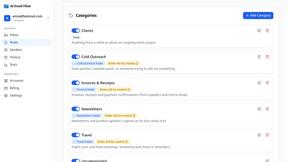
AI Email Filter
AI Email Filter sorts incoming mail into folders using plain-language prompts you write. Works with any IMAP mailbox; bring your own LLM if you want.
Egmatic
No-code 2D game editor: visual node logic, drag-and-drop scenes, live preview. Exports to Windows, macOS, Linux, Android, iOS, Web.
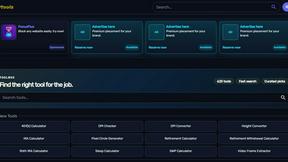
Kody Tools
Free collection of online developer utilities, code formatters, and digital converters designed to streamline your daily workflow.
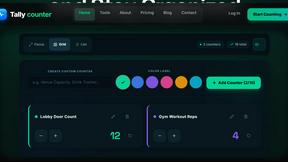
Tally Counter
Online tally counter for tracking attendance, workouts, inventory, visitors, sports scores, habits, and everyday counting tasks.
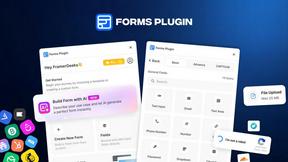
Forms Plugin
The #1 Native Form Builder Plugin for Framer - No Code, No Embeds, No External Platforms.
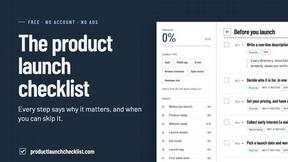
Product Launch Checklist
A free launch checklist for SaaS, apps, AI tools and more. Every step says why it matters and when you can skip it.

HomeAnswerBook
Practical, independent guides to home repairs, maintenance, costs, troubleshooting, and everyday fixes.

BlazePDF
Highlight faster. Study in flow with custom shortcuts and a workflow built around you. Print smarter, or turn any page into a tiled poster.