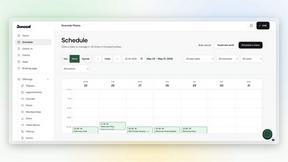
Invoice Guru
Invoice Guru enables UK tradespeople to create HMRC-compliant invoices in under 60 seconds with automated tracking.
tool Details
Explore More
Alternatives

About Invoice Guru
Invoice Guru is a mobile-first invoicing and accounting software designed specifically for tradespeople, freelancers, and small service businesses. Understanding the operational challenges these professionals face, Invoice Guru streamlines administrative tasks that typically consume valuable time. Unlike traditional desktop accounting systems, it enables users such as plumbers, electricians, builders, painters, and cleaners to manage their invoicing needs directly from their smartphones. The application allows for the creation, sending, and tracking of professional invoices in under 60 seconds, eliminating cumbersome paperwork through intelligent automation. Key features include AI-powered Optical Character Recognition (OCR) for receipt scanning and automated bank transaction matching, significantly reducing manual data entry. Additionally, Invoice Guru is built with compliance in mind, supporting HMRC's Making Tax Digital (MTD) in the UK and Poland's KSeF system, which helps users stay compliant without needing to switch software. Developed by a tradesperson for tradespeople, it prioritizes speed, simplicity, and reliability, making it an essential tool for any mobile-centric service provider.
Features
Instant Invoice Creation
With Invoice Guru, users can create and send a professional invoice in less than a minute. The process is streamlined to include automatic insertion of your logo, VAT details, payment terms, and due dates, ensuring that every invoice meets professional standards with minimal effort.
OCR Receipt Scanner (AI)
The AI-powered Optical Character Recognition feature allows users to snap a photo of their receipts. The intelligent system reads all the details and saves them as expense entries, completely eliminating the need for manual data entry. This functionality significantly enhances efficiency and reduces the risk of errors.
Smart Payment Tracking
This feature automatically matches incoming bank transactions with unpaid invoices. Users can easily see which clients have paid and which invoices are overdue. This level of tracking helps businesses maintain cash flow and stay on top of their financial obligations without additional admin work.
Custom Branding & Company Info
Invoice Guru allows users to personalize their invoices with custom branding. Automatically displayed on each invoice are your logo, company name, address, tax number, and Terms & Conditions. This professional touch enhances credibility and strengthens brand identity when dealing with clients.
Use Cases
On-Site Invoice Generation
Tradespeople can generate invoices on-site immediately after completing a job. This feature eliminates the delay associated with paperwork, allowing for faster payment processing and improved cash flow.
Receipt Management for Freelancers
Freelancers can utilize the OCR receipt scanning feature to manage their expenses effortlessly. By snapping photos of receipts, they can keep their financial records organized without the hassle of manual entry, saving them significant time during tax season.
Automated Payment Reminders
Invoice Guru's smart payment tracking and automated reminders help businesses stay proactive about collecting payments. Users can set reminders that automatically notify clients about overdue invoices, improving the chances of prompt payment.
Comprehensive Financial Insights
With advanced statistics and reporting features, businesses can gain insights into their financial performance. This capability aids in making informed decisions, optimizing pricing strategies, and identifying areas for growth, ultimately enhancing overall business performance.
Frequently Asked Questions
How does Invoice Guru ensure HMRC compliance?
Invoice Guru is designed to incorporate features that support HMRC's Making Tax Digital (MTD) regulations, ensuring that users can easily generate compliant invoices and submit their VAT returns without needing to switch to other software.
Is there a free trial available for Invoice Guru?
Yes, Invoice Guru offers a 10-day free trial along with a free plan that allows users to create up to 10 invoices. This enables potential customers to explore the platform's features without any financial commitment.
Can I use Invoice Guru for international transactions?
Absolutely. Invoice Guru supports over 12 languages and multiple currencies, making it suitable for international business dealings. This feature ensures that users can manage their invoicing needs regardless of their client's location.
How does the bank integration feature work?
Users can securely connect their business bank accounts to Invoice Guru. This integration allows the platform to automatically update payment statuses by matching incoming transactions with outstanding invoices, significantly simplifying financial management.
Similar to Invoice Guru
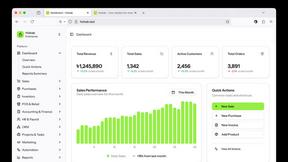
Hishab
All-in-One POS, Inventory & Accounting Software for Bangladeshi Businesses




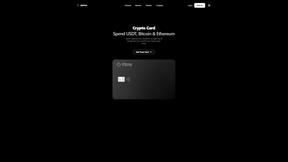
IZIPAY
IZIPAY is a virtual and physical crypto card service that lets users top up with digital assets and pay online like with a regular card.
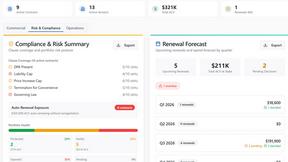
Venduris
Venduris is a renewal intelligence platform that gives mid-size companies control over SaaS & AI contract renewals before leverage disappears.