AI Line Art vs dmaya
Side-by-side comparison to help you choose the right tool.

AI Line Art
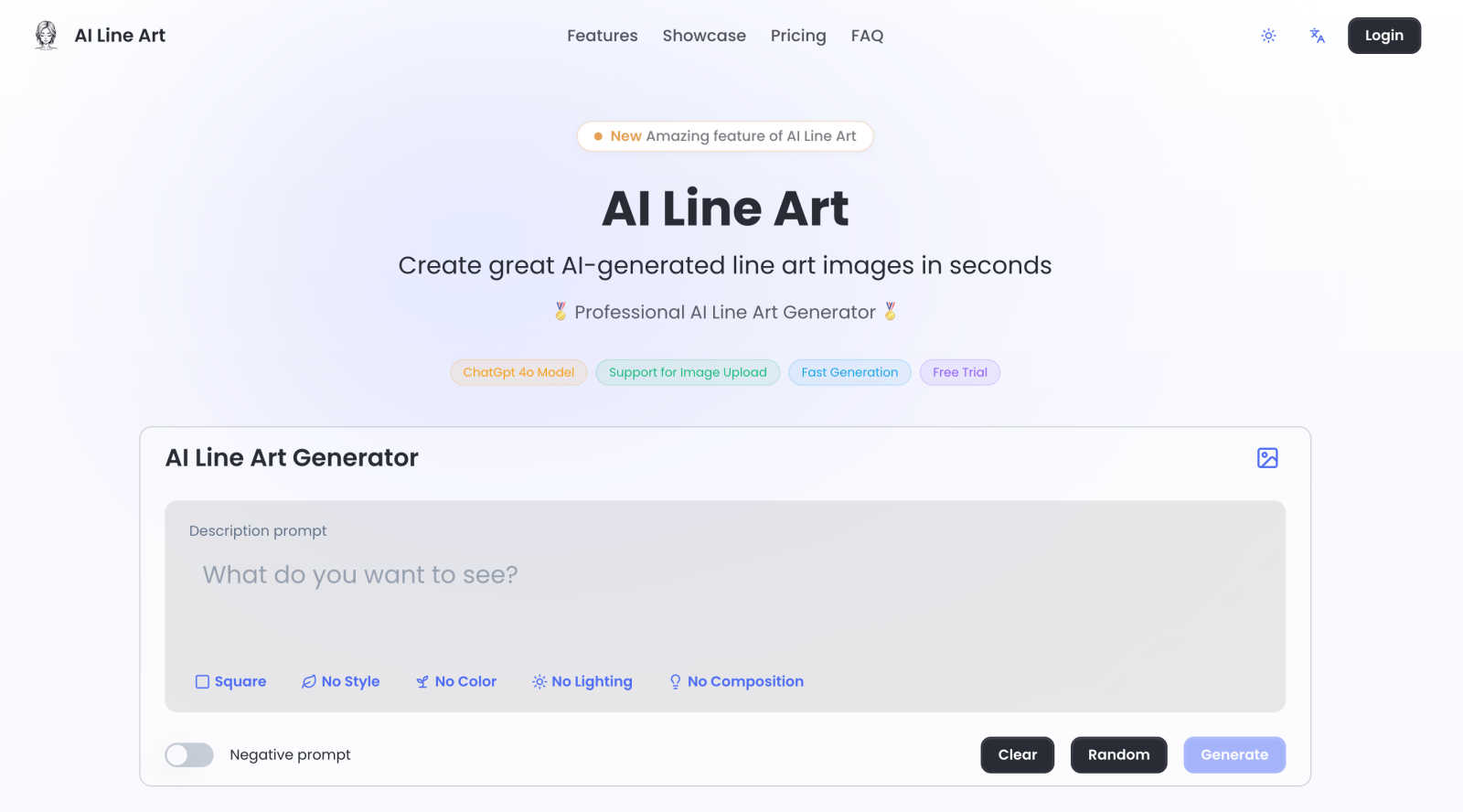
AI Line Art Generator transforms text or images into stunning high-quality line art in seconds using advanced AI.
Last updated: March 1, 2026

dmaya
dMaya is an AI design platform for agencies that generates production-ready UI designs and exports them to code.
Last updated: April 13, 2026
Visual Comparison
AI Line Art
dmaya
Feature Comparison
AI Line Art
One-Click Generation
The one-click generation feature allows users to create stunning line art illustrations with minimal effort. By simply uploading an image or entering a prompt, the AI processes the input and generates high-quality line art in seconds, enabling users to focus on their creative ideas without being bogged down by technical details.
Multiple Art Styles
AI Line Art offers a variety of art styles including sketching, pencil, woodcut, watercolor, and minimalist options. This feature ensures that users can select the style that best fits their creative vision, giving them flexibility and freedom in their artistic expression.
Image Upload Support
This feature allows users to upload their own images as reference points for transformation into line art. Whether to inspire new creations or to convert existing visuals, the image upload support enhances the creative workflow and allows for tailored artistic outputs.
Advanced Customization
AI Line Art provides users with advanced customization options that enable fine-tuning of their illustrations. Users can adjust parameters such as prompts, aspect ratios, composition settings, and lighting options, ensuring that the final output meets their exact specifications and artistic intentions.
dmaya
Conversational AI Design Generation
This core feature allows users to generate initial UI designs by describing their vision in plain English. Input a prompt for a specific interface, such as "a minimalist SaaS admin dashboard with dark mode," and dMaya's AI agent will produce a complete set of screens with coherent layouts, component systems, and responsive considerations. The generation process accounts for standard UI patterns and design principles, delivering a professional starting point in seconds, drastically reducing the time from concept to visual prototype.
Real-Time Conversational Iteration
Beyond initial generation, dMaya enables detailed refinement through an integrated chat interface. Designers can instruct the AI to make precise modifications using natural language, such as "swap the primary color to a blue palette," "convert this layout to a three-column grid," or "add a user profile section to the top navbar." Every change is applied instantly and accurately across the design, with underlying design tokens ensuring visual consistency is automatically maintained throughout all screens and components.
Client Presentation & Feedback Portal
dMaya streamlines the client review process by allowing designers to share projects via a simple, secure URL. Clients can view interactive, browser-based previews of the designs without needing to create an account. They can leave contextual feedback directly on the designs. This functionality consolidates the entire approval cycle within the platform, turning a process that traditionally takes days of email exchanges and meetings into one that can be completed in minutes, with all feedback tracked and actionable.
Design-to-Code Export for AI Development
Once a design is approved, dMaya provides a one-click export function that outputs production-ready front-end code. The export includes clean, well-structured HTML, CSS, and JavaScript that accurately reflects the visual design. This code is specifically formatted to be optimally consumed by AI coding assistants and agents like Claude Code, Cursor, or GitHub Copilot, enabling a seamless handoff for developers to build the final product in any modern framework like React, Next.js, or Flutter.
Use Cases
AI Line Art
Educational Materials
Educators can utilize AI Line Art to create visually appealing and engaging materials such as worksheets, coloring pages, and illustrations for textbooks. The ability to quickly generate high-quality line art enhances the educational experience, making complex concepts easier to understand.
Character Design
Artists and game developers can leverage AI Line Art to design unique characters for animations, games, and comics. The rapid generation of line art allows for the quick iteration of character concepts, facilitating the creative process and speeding up project timelines.
Marketing and Branding
Businesses can use AI Line Art to create distinctive branding elements, promotional graphics, and social media content. The platform's ability to produce print-ready illustrations ensures that marketing materials stand out and resonate with target audiences.
Personalized Gifts and Crafts
Craft enthusiasts can transform personal photos into customized line art for gifts, cards, or scrapbooks. This use case allows individuals to add a personal touch to their projects, making them more meaningful and special for recipients.
dmaya
Agency Client Pitches and Concepting
Agencies can use dMaya to rapidly visualize client ideas during discovery calls or pitch meetings. By generating multiple high-fidelity design directions from a brief in real-time, agencies can demonstrate capability and align on visual direction faster. This accelerates the sales cycle, improves win rates, and provides tangible assets for proposals and statements of work, all before committing significant internal resources to detailed design work.
Product Team UI Exploration and Prototyping
Product managers and designers can leverage dMaya to explore diverse UI solutions for new features or products without extensive manual design work. The platform allows for quick A/B testing of different layouts, color schemes, and information architectures. This enables data-informed visual decisions early in the product lifecycle, ensuring engineering resources are only committed to building well-validated and stakeholder-approved interfaces.
Freelancer Project Delivery and Scalability
Freelancers and independent contractors can utilize dMaya to increase their project throughput and service offerings. The tool enables a single designer to handle the ideation, iteration, and client approval phases for multiple projects concurrently with greater speed. This efficiency allows freelancers to take on more work or deliver higher-fidelity results in less time, directly increasing their earning potential and competitive advantage.
Cross-Functional Team Alignment and Handoff
dMaya serves as a single source of truth for design concepts within cross-functional teams. Designers, product managers, and engineers can collaborate in the shared workspace, review iterations, and leave comments. The definitive, approved design and its accompanying exported code package create a clear, unambiguous handoff point from design to development, reducing misinterpretation and rework.
Overview
About AI Line Art
AI Line Art is an advanced, AI-driven software platform designed to convert textual descriptions and photographic inputs into high-quality line art illustrations almost instantaneously. Catering to a diverse audience including artists, designers, educators, and content creators, AI Line Art provides a seamless solution for generating professional-grade, scalable vector-style artwork without the need for tedious manual drafting or tracing. The platform's core strength lies in its proprietary AI model that adeptly interprets both visual data and textual prompts, producing crisp and clean outlines with exceptional precision. With a versatile multi-modal workflow, users can either describe their artistic vision through text or upload images for conversion. Key benefits include a daily free credit system for experimentation, batch processing capabilities for enhanced efficiency, and advanced customization options allowing control over style, composition, and output format. By automating the technical extraction of contours and essential details, AI Line Art democratizes the creation of print-ready line art, making it accessible to users at all skill levels.
About dmaya
dMaya is a professional AI-powered design platform engineered specifically for agencies, product teams, and freelancers who operate within a client-driven, design-first workflow. It addresses a critical gap in the current AI tool landscape, which often bypasses visual design to generate code directly. dMaya reinstates the essential design phase, enabling teams to make intentional visual decisions, align stakeholders, and secure approvals before any development begins. The core value proposition lies in its conversational AI interface that generates complete, professional UI designs from text descriptions. Users can describe a SaaS dashboard, e-commerce user flow, or mobile application and receive polished, multi-screen designs in seconds. The platform facilitates rapid iteration through natural language commands to adjust colors, layouts, typography, and components. Once a design is finalized, it can be shared via a client-ready preview link for feedback and approval, eliminating lengthy review cycles. Finally, approved designs are exported as clean, structured HTML, CSS, and JavaScript code, ready to be handed off to AI coding agents like Cursor or Claude Code for implementation in frameworks such as React, Next.js, or Flutter. dMaya is built for speed, collaboration, and precision, ensuring teams can present, approve, and ship with confidence.
Frequently Asked Questions
AI Line Art FAQ
How does AI Line Art generate line art from images?
AI Line Art uses a proprietary AI model that detects subject edges and key details in uploaded images. The model processes the visual data and converts it into clean, crisp outlines, resulting in high-quality line art illustrations.
Is there a free trial available for new users?
Yes, AI Line Art offers a daily free credit system that allows users to experiment with the platform without any initial investment. This feature enables users to explore the software's capabilities before committing to a subscription.
What types of files can I upload for conversion?
Users can upload a variety of image file formats for conversion into line art. The platform supports common formats such as JPEG, PNG, and GIF, making it easy for users to integrate their existing visuals into the creative process.
Can I customize the output of my line art?
Absolutely! AI Line Art provides advanced customization options that allow users to adjust various aspects of their illustrations, including style, composition, and lighting. This feature ensures that users can achieve their desired artistic results with precision.
dmaya FAQ
How does dMaya differ from other AI design tools?
dMaya is purpose-built for professional, client-facing workflows where design approval precedes development. Unlike tools that generate code directly, dMaya focuses on producing high-fidelity visual designs that can be presented, iterated upon, and formally approved. It includes client collaboration features like shareable preview links and feedback collection, which are essential for agencies and teams but absent in most AI tools aimed at solo builders.
What kind of code does dMaya export?
dMaya exports clean, vanilla front-end code consisting of semantic HTML, CSS (including Flexbox/Grid for layout), and JavaScript for basic interactivity. The code is not tied to a specific framework but is structured and commented to be easily interpreted and adapted by AI coding agents or developers into any target framework such as React, Next.js, Vue, or Flutter.
Can I collaborate with my team on dMaya?
Yes, dMaya includes built-in team collaboration features. You can invite team members to projects with role-based permissions, work together in real-time on the same canvas, and use comment threads for discussion. This makes it suitable for design teams, product squads, and agency groups needing a shared environment for creation and review.
Do clients need a dMaya account to review designs?
No, clients and external stakeholders do not require any account to review designs. Designers simply generate a shareable preview link from within a dMaya project and send it to their clients. Clients can view the design in their web browser, interact with it, and leave feedback directly on the design without any login or software installation.
Alternatives
AI Line Art Alternatives
AI Line Art is a sophisticated software platform that employs advanced artificial intelligence to generate high-quality line art from textual descriptions or photographic inputs. This tool is categorized under design tools, specifically targeting artists, designers, educators, and content creators who seek a streamlined approach to producing professional-grade illustrations without the labor-intensive processes of manual drafting or tracing. Users often search for alternatives to AI Line Art due to factors such as pricing, feature sets, platform compatibility, or the need for specific customization options. When selecting an alternative, it is essential to consider aspects like ease of use, the variety of styles offered, customization capabilities, and any additional workflows that may enhance productivity. A thorough assessment of these elements will ensure that users find a solution that meets their unique artistic needs.
dmaya Alternatives
dmaya is an AI-powered vibe design platform that operates within the design-to-code software category. It enables agencies, teams, and freelancers to generate, iterate, and finalize professional UI designs through conversational AI before exporting clean, production-ready code. This process bridges the critical gap between conceptualization and development, ensuring visual and functional alignment before any engineering resources are committed. Users may explore alternatives to dmaya for various practical reasons. Common considerations include budget constraints and specific pricing models, the need for different feature sets or integration capabilities, and platform requirements such as operating system compatibility or collaboration tools. The search often stems from a need to find a tool that aligns precisely with a team's existing workflow, technical stack, or project scope. When evaluating an alternative design platform, key criteria should include the fidelity and control of the AI-generated output, the efficiency of the client review and approval cycle, and the quality and framework specificity of the exported code. The ideal solution should not only accelerate the initial design phase but also seamlessly integrate into the subsequent development pipeline without creating technical debt or requiring significant rework.