Casetutor vs Ultimate Forms
Side-by-side comparison to help you choose the right tool.

Casetutor
CaseTutor is an AI platform that simulates realistic consulting case interviews with detailed performance feedback.
Last updated: February 28, 2026

Ultimate Forms
Infowise Ultimate Forms is a no-code platform for creating forms and automating workflows in Microsoft SharePoint.
Last updated: February 28, 2026
Visual Comparison
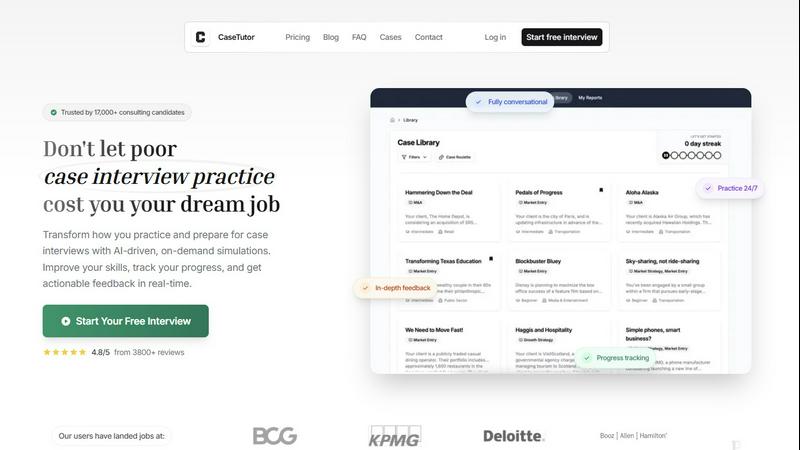
Casetutor
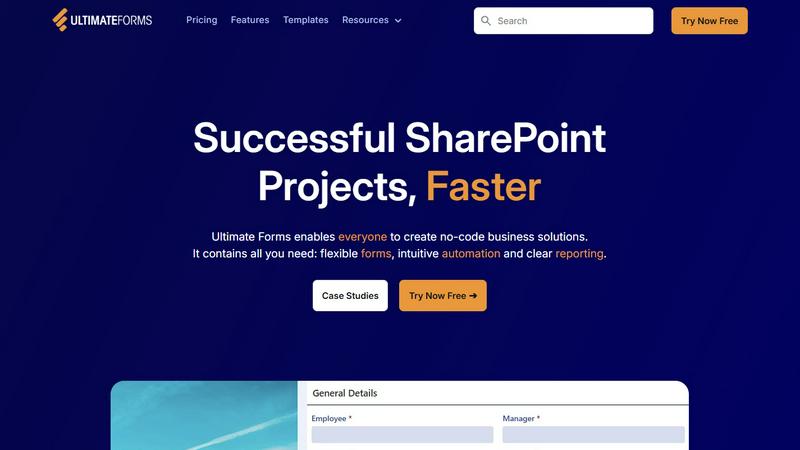
Ultimate Forms
Feature Comparison
Casetutor
Comprehensive Case Library
Casetutor provides access to a curated library of over 75 real-world case studies spanning multiple industries such as energy, technology, and retail. Each case is categorized by difficulty level, allowing users to progressively challenge themselves. The cases are engineered to mirror the exact structure, data formats, and prompt styles used in live consulting interviews, ensuring the practice material is directly applicable to the target assessment environment.
Realistic Voice-Based Simulation
The platform's core functionality is a fully interactive, voice-based AI interviewer. This simulation supports real-time transcription and follows the precise, phased structure of a real consulting case interview, from the opening to the final recommendation. This technical implementation creates an authentic practice environment that replicates the pressure and dynamic nature of a human-led interview, training users to think and communicate effectively under time constraints.
Granular Performance Analytics & Feedback
Following each simulation, Casetutor generates a detailed, AI-powered performance report. This feedback breaks down performance into specific, measurable competencies such as framework structuring, numerical accuracy, business insight quality, and communication clarity. Each category receives a numeric score accompanied by succinct, actionable comments, precise phrasing tips, and suggestions for follow-up cases, enabling targeted skill development.
Longitudinal Progress Tracking
Casetutor aggregates performance data across all practice sessions to provide users with a longitudinal view of their improvement. This tracking system quantifies progress in key skill areas over time, allowing candidates to identify persistent weaknesses, validate strengths, and make data-informed decisions about their study focus. This feature transforms subjective self-assessment into an objective, metrics-driven preparation journey.
Ultimate Forms
Flexible, Dynamic Forms
Ultimate Forms provides smart, responsive form design capabilities that go far beyond standard SharePoint lists. Features include a modern interface with tabs, repeating sections, and conditional logic (dynamic rules) that show or hide fields based on user input. It enforces data integrity through comprehensive input validation and supports electronic signatures for formal approvals. Crucially, all form data is stored directly within SharePoint lists, maintaining security and governance. Administrators can also set granular permissions at the section and column level within a single form, controlling data visibility and edit rights based on user roles.
Intuitive Process Automation (Actions)
The platform includes a powerful, no-code workflow engine called Actions, designed to simplify complex process automation. These Actions can create, update, and manipulate data within SharePoint and across integrated Microsoft 365 services like Exchange (Outlook), Teams, and SQL Server. This native approach is often more straightforward and integrated than configuring separate Power Automate flows, reducing the learning curve and enabling a broader range of users to automate business processes such as notifications, status updates, data synchronization, and task assignments without writing a single line of code.
Clear Reporting and Dashboards
Ultimate Forms offers advanced tools for transforming SharePoint list data into actionable business intelligence. Users can create detailed, shareable reports, interactive dashboards, key performance indicator (KPI) indicators, calendars, and charts. This visualization layer makes information accessible and understandable to all stakeholders, improving organizational responsiveness and accountability. Reports can be configured to display real-time data, providing teams with immediate insights into process status, bottlenecks, and overall performance directly from their SharePoint site.
Pre-built Solution Templates
To accelerate deployment, Ultimate Forms includes a vast library of pre-configured, industry-specific solution templates. These templates provide ready-to-use frameworks for common business scenarios like Project Management, HR Recruitment, and Leave Request systems. Users can deploy these templates as-is or easily customize them to fit exact requirements. Furthermore, the platform allows administrators to build their own custom templates once and deploy them multiple times across different sites or even tenants, ensuring consistency and saving significant development time and effort.
Use Cases
Casetutor
Structured Skill Development for Beginners
Aspiring consultants with limited case interview experience use Casetutor to build foundational skills from the ground up. The platform's structured, phased approach guides them through the complete case flow in the correct order, while the library's tiered difficulty levels allow for gradual progression from basic to advanced concepts, ensuring a solid understanding of core methodologies before advancing.
Firm-Specific Interview Preparation
Candidates targeting specific top-tier firms like McKinsey, BCG, or Bain utilize Casetutor's firm-specific simulation modes. These tailored simulations replicate each firm's unique interview formats, case styles, and evaluator expectations, providing practice that is highly relevant to the actual screening and final round interviews conducted by these organizations.
High-Volume, On-Demand Practice for Advanced Candidates
Experienced candidates preparing for final rounds engage in high-frequency, on-demand practice sessions to hone their performance under pressure. The unlimited access model allows for repetitive drilling of weak areas, exposure to a wide variety of industry cases, and the reinforcement of muscle memory for structuring and delivery, all without the logistical constraints of finding a human practice partner.
Quantitative Performance Benchmarking
Users leverage Casetutor's detailed scoring and analytics to benchmark their abilities against objective standards. By reviewing granular feedback on calculations, insight generation, and communication, candidates can move beyond vague feelings of preparedness to a quantified understanding of their readiness level, identifying exact point deductions and areas requiring focused remediation before the actual interview.
Ultimate Forms
HR and Recruitment Portal
Organizations can implement a multi-stage recruitment portal to streamline the entire hiring process. Ultimate Forms facilitates creating candidate intake forms, automated workflows to route applications to hiring managers, evaluation scorecards, interview scheduling integrated with Outlook calendars, and automated status notifications to candidates. All candidate data and communications are centralized within a secure SharePoint site, providing a single source of truth and improving the candidate experience while ensuring process compliance.
Project and Task Management
Teams can build comprehensive project management solutions to track customers, projects, tasks, and work hours. Using dynamic forms, team members can log time against specific tasks, while automated Actions can update project status, assign new tasks, and send alerts for deadlines. Dashboards and reports provide real-time visibility into project budgets, resource allocation, and milestone completion, enabling project managers to make data-driven decisions and keep stakeholders informed directly from SharePoint.
Asset and Inventory Tracking
Ultimate Forms is ideal for creating robust asset management systems to track company equipment, software licenses, or inventory. Forms can capture detailed asset specifications, assignment history, and maintenance records. Barcode scanning integration can be facilitated for check-in/check-out processes. Automated workflows can trigger maintenance reminders, low-stock alerts, or approval processes for new asset requests. Clear reporting provides an up-to-date register and audit trail for all physical and digital assets.
Employee Leave and Absence Management
Departments can automate the entire leave request and approval lifecycle. Employees submit requests through a user-friendly form, which then triggers a configurable approval workflow routed to the appropriate manager(s). The system can automatically check against company policies and team calendars for conflicts. Upon approval, Actions can update a central team calendar in SharePoint, sync the event to the manager's Outlook, and notify the requester and HR. All records are maintained for compliance and reporting on absenteeism.
Overview
About Casetutor
Casetutor is an advanced, AI-driven simulation platform engineered specifically for rigorous preparation for management consulting case interviews. The platform serves a targeted user base of over 17,000 aspiring consultants globally, including students and career-changers aiming for positions at elite firms such as McKinsey, BCG, Bain, Deloitte, and PwC. Its core value proposition lies in transforming unstructured, often inconsistent self-study into a systematic, data-driven training regimen. Casetutor achieves this by providing fully conversational, on-demand interview simulations that replicate the pressure, structure, and content of real consulting interviews. The platform's technical architecture supports voice interaction and real-time transcription, creating an authentic practice environment. Beyond simulation, its primary differentiator is the generation of granular, personalized feedback after each session, coupled with longitudinal progress tracking. This allows candidates to quantitatively measure improvement in critical competencies like analytical structuring, quantitative analysis, business insight generation, and professional communication, thereby systematically building the confidence required to excel in high-stakes interview scenarios.
About Ultimate Forms
Infowise Ultimate Forms is a comprehensive, no-code application platform engineered exclusively for the Microsoft 365 ecosystem, with a primary focus on Microsoft SharePoint. It is designed to transform standard SharePoint sites into sophisticated, user-friendly business application hubs without requiring custom code or development resources. The platform consolidates advanced form creation, business process automation, and interactive data visualization into a single, natively integrated solution. This ensures all organizational data, logic, and processes remain securely within the existing SharePoint infrastructure, eliminating data silos and compliance concerns associated with third-party cloud services. Ultimate Forms is built for a wide technical audience, including SharePoint administrators, IT professionals, department managers, and power users who need to deploy robust data collection and workflow solutions rapidly. Its core value proposition lies in significantly reducing the technical complexity and learning curve traditionally associated with building business applications on SharePoint. By democratizing the creation and management of digital processes, it enables faster solution deployment, enforces superior data quality and integrity through validation and structured workflows, and empowers organizations to achieve greater operational efficiency by leveraging their existing Microsoft 365 investment.
Frequently Asked Questions
Casetutor FAQ
What is Casetutor?
Casetutor is an AI-powered simulation platform specifically engineered for management consulting case interview preparation. It provides realistic, voice-based interview simulations across a library of 75+ industry-specific cases. Following each session, it delivers detailed, AI-generated performance reports that grade and provide actionable feedback on critical skills like problem-solving, analytical structuring, quantitative analysis, and professional communication, enabling structured, self-paced practice.
How realistic are the case simulations?
The simulations are designed to be highly realistic, mirroring the exact structure, data formats, prompt styles, and phased progression used in live consulting interviews at top firms. The integration of voice interaction and real-time transcription further enhances authenticity, replicating the pressure and dynamic flow of a human-conducted interview to provide valuable, applicable practice.
Can I prepare for specific firms like McKinsey or BCG?
Yes. Casetutor offers firm-specific simulation modes that are tailored to reflect the typical case formats, interviewer styles, and evaluation criteria unique to firms such as McKinsey, BCG, and Bain. This allows candidates to practice and adapt to the specific nuances and expectations of their target firm's interview process.
How detailed is the feedback provided after a case?
The feedback is highly granular and structured. Performance reports dissect your performance into distinct categories like framework structure, numerical calculations, business insight quality, and communication delivery. Each category receives a numeric score accompanied by concise, actionable comments, specific phrasing recommendations, and suggestions for which cases to practice next to address identified weaknesses.
Ultimate Forms FAQ
Is Ultimate Forms a cloud-based or on-premises solution?
Ultimate Forms is a hybrid-capable platform designed for the Microsoft ecosystem. It is fully compatible with SharePoint Online as part of Microsoft 365 (cloud). It also supports on-premises deployments for SharePoint Server 2013, 2016, 2019, and the Subscription Edition. The same no-code design principles and core features are available across both deployment models, allowing organizations to build solutions regardless of their infrastructure.
How does Ultimate Forms differ from Microsoft Power Apps?
While both tools enable form creation, Ultimate Forms is a specialized, native SharePoint extension focused on deep integration and simplifying complex scenarios within SharePoint itself. It stores all data directly in SharePoint lists and libraries, uses native SharePoint security, and its automation engine (Actions) is tightly coupled with SharePoint events. It is often cited as having a lower learning curve for SharePoint-specific solutions compared to the broader, more general-purpose Power Apps platform, making it highly efficient for building applications that are deeply rooted in SharePoint data and processes.
Does using Ultimate Forms require coding knowledge?
No, Ultimate Forms is explicitly designed as a no-code platform. Its core value proposition is enabling SharePoint administrators, power users, and business analysts to create sophisticated forms, workflows, and reports using intuitive, point-and-click configuration interfaces. All features--from dynamic form rules and repeating sections to multi-step automations and dashboard creation--are built through graphical configuration, eliminating the need for JavaScript, .NET, or other custom development.
Can I integrate Ultimate Forms with other business systems?
Yes, Ultimate Forms offers extensive integration capabilities beyond the core Microsoft 365 suite. Through its Actions automation engine, it can connect to and exchange data with external systems including Microsoft SQL Server, Exchange Online/Server, and various web services via REST API calls. This allows you to create workflows that, for example, submit data to an external database, fetch information from a legacy system to populate a form, or send structured data to other business applications.
Alternatives
Casetutor Alternatives
Casetutor is an AI-driven simulation platform within the HR & Recruiting technology category, specifically engineered for management consulting case interview preparation. It provides structured, conversational practice with detailed performance analytics to help candidates systematically build competency for roles at top-tier firms. Users may seek alternatives for various reasons, including budget constraints, a preference for different learning modalities like live human coaching, or a need for platforms with broader career preparation scopes beyond pure case interview simulation. Specific feature requirements, such as the depth of industry-specific case libraries or the availability of mobile applications, also drive the evaluation of other solutions. When assessing alternatives, key criteria include the realism and technical fidelity of the simulation engine, the granularity and actionability of performance feedback, and the platform's capacity for longitudinal skill progression tracking. The architectural capability for voice-based interaction and the curation of a comprehensive, up-to-date case library calibrated to actual firm methodologies are further critical technical specifications to consider.
Ultimate Forms Alternatives
Infowise Ultimate Forms is a no-code platform for creating forms and automating workflows within Microsoft SharePoint and Microsoft 365. It falls under the broader category of project management and business process automation tools, specifically designed to extend SharePoint's native capabilities into a comprehensive application development environment without custom code. Users may explore alternatives to Ultimate Forms for several strategic reasons. These include budget constraints and specific pricing model preferences, the need for features or integrations outside the SharePoint ecosystem, or a requirement for a platform-agnostic solution that operates independently of Microsoft 365. The technical complexity or specific governance requirements of an organization can also drive the evaluation of other options. When selecting an alternative, key evaluation criteria should include the platform's core architecture and hosting model, such as cloud-based versus on-premises. Assess the depth of form design capabilities, including conditional logic and data validation, alongside the robustness of the workflow automation engine. Native integration paths with your existing software stack, total cost of ownership, and the administrative controls for security and compliance are also critical decision factors.