Promotron vs Ultimate Forms
Side-by-side comparison to help you choose the right tool.

Promotron
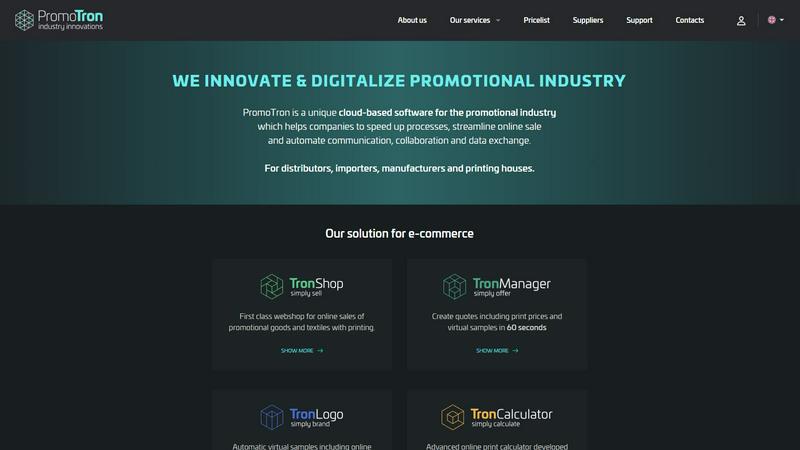
Promotron is a cloud platform that automates e-commerce and Web2Print workflows for the promotional products industry.
Last updated: February 28, 2026

Ultimate Forms
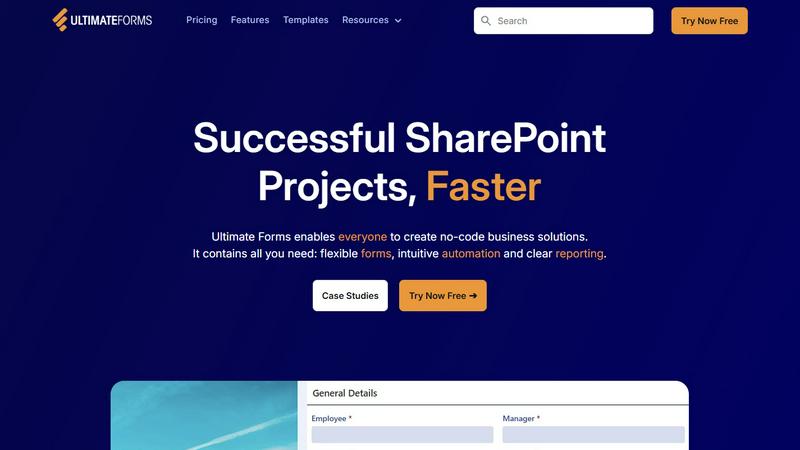
Infowise Ultimate Forms is a no-code platform for creating forms and automating workflows in Microsoft SharePoint.
Last updated: February 28, 2026
Visual Comparison
Promotron
Ultimate Forms
Feature Comparison
Promotron
Advanced Web2Print Technology
This proprietary technology is engineered specifically for promotional products and textiles, enabling the automated generation of print-ready data and client-ready proof visualizations within 60 seconds. It integrates a comprehensive online editor for graphic adjustments, drastically reducing the traditional proofing cycle from days to minutes and minimizing manual back-and-forth communication between stakeholders.
Integrated E-Commerce & White-Label Webshop
The platform provides a first-class, fully-featured webshop module for the online sales of promotional goods, complete with integrated printing services. This solution can be deployed as a white-label storefront, allowing distributors and printing houses to offer a branded digital storefront with thousands of products sourced from dozens of integrated EU importers through a single-click expansion of their catalog.
Automated Quoting & Virtual Sampling Engine
Promotron's system automates the creation of detailed, accurate quotes that include precise print pricing. It simultaneously generates high-fidelity virtual samples that depict the final product with the customer's artwork applied. This process, completed in approximately 60 seconds, provides clients with a realistic preview, enhancing decision-making speed and accuracy while eliminating guesswork.
Specialized Online Print Calculator
Developed with the specific complexities of the promotional industry in mind, this advanced calculator automatically factors in variables such as product type, material, print location, color count, and printing technology. It ensures accurate, instant, and transparent pricing for custom print jobs, removing the need for manual estimation and reducing pricing errors.
Ultimate Forms
Flexible, Dynamic Forms
Ultimate Forms provides smart, responsive form design capabilities that go far beyond standard SharePoint lists. Features include a modern interface with tabs, repeating sections, and conditional logic (dynamic rules) that show or hide fields based on user input. It enforces data integrity through comprehensive input validation and supports electronic signatures for formal approvals. Crucially, all form data is stored directly within SharePoint lists, maintaining security and governance. Administrators can also set granular permissions at the section and column level within a single form, controlling data visibility and edit rights based on user roles.
Intuitive Process Automation (Actions)
The platform includes a powerful, no-code workflow engine called Actions, designed to simplify complex process automation. These Actions can create, update, and manipulate data within SharePoint and across integrated Microsoft 365 services like Exchange (Outlook), Teams, and SQL Server. This native approach is often more straightforward and integrated than configuring separate Power Automate flows, reducing the learning curve and enabling a broader range of users to automate business processes such as notifications, status updates, data synchronization, and task assignments without writing a single line of code.
Clear Reporting and Dashboards
Ultimate Forms offers advanced tools for transforming SharePoint list data into actionable business intelligence. Users can create detailed, shareable reports, interactive dashboards, key performance indicator (KPI) indicators, calendars, and charts. This visualization layer makes information accessible and understandable to all stakeholders, improving organizational responsiveness and accountability. Reports can be configured to display real-time data, providing teams with immediate insights into process status, bottlenecks, and overall performance directly from their SharePoint site.
Pre-built Solution Templates
To accelerate deployment, Ultimate Forms includes a vast library of pre-configured, industry-specific solution templates. These templates provide ready-to-use frameworks for common business scenarios like Project Management, HR Recruitment, and Leave Request systems. Users can deploy these templates as-is or easily customize them to fit exact requirements. Furthermore, the platform allows administrators to build their own custom templates once and deploy them multiple times across different sites or even tenants, ensuring consistency and saving significant development time and effort.
Use Cases
Promotron
Distributor/Reseller Sales Expansion & Efficiency
Distributors utilize Promotron to rapidly expand their product offerings by integrating catalogs from multiple EU importers with minimal effort. The platform allows them to sell custom-made products easily, provide an exceptional digital shopping experience, and accelerate the print-proof process from days to seconds, thereby attracting new clients and increasing sales velocity with existing accounts.
Importer/Wholesaler B2B Network Support
Importers and wholesalers deploy Promotron's tools to empower their B2B partner network. They can present their product catalogs in an interactive 3D format with printing simulations, attract new distributors across the European Union, and provide partners with modern white-label webshop solutions. This digitalizes their supply chain, enhances partner efficiency, and expands market reach.
Manufacturer Direct Export & Partner Enablement
Manufacturers and producers leverage the platform to gain unique online presentation and sales tools for their products. Promotron facilitates expansion into new international markets by connecting them with a network of EU distributors. Additionally, they can support their existing B2B partners by providing them with innovative e-commerce capabilities and streamlined proofing tools integrated directly with their production data.
Printing House Revenue Diversification
Printing houses use Promotron to diversify their revenue streams beyond pure print services. They can launch a promotional product webshop at a minimal cost, instantly offering a vast catalog of products from integrated suppliers. By adding online print calculators for their specific technologies and speeding up graphic proof approvals, they capture more value from each customer interaction.
Ultimate Forms
HR and Recruitment Portal
Organizations can implement a multi-stage recruitment portal to streamline the entire hiring process. Ultimate Forms facilitates creating candidate intake forms, automated workflows to route applications to hiring managers, evaluation scorecards, interview scheduling integrated with Outlook calendars, and automated status notifications to candidates. All candidate data and communications are centralized within a secure SharePoint site, providing a single source of truth and improving the candidate experience while ensuring process compliance.
Project and Task Management
Teams can build comprehensive project management solutions to track customers, projects, tasks, and work hours. Using dynamic forms, team members can log time against specific tasks, while automated Actions can update project status, assign new tasks, and send alerts for deadlines. Dashboards and reports provide real-time visibility into project budgets, resource allocation, and milestone completion, enabling project managers to make data-driven decisions and keep stakeholders informed directly from SharePoint.
Asset and Inventory Tracking
Ultimate Forms is ideal for creating robust asset management systems to track company equipment, software licenses, or inventory. Forms can capture detailed asset specifications, assignment history, and maintenance records. Barcode scanning integration can be facilitated for check-in/check-out processes. Automated workflows can trigger maintenance reminders, low-stock alerts, or approval processes for new asset requests. Clear reporting provides an up-to-date register and audit trail for all physical and digital assets.
Employee Leave and Absence Management
Departments can automate the entire leave request and approval lifecycle. Employees submit requests through a user-friendly form, which then triggers a configurable approval workflow routed to the appropriate manager(s). The system can automatically check against company policies and team calendars for conflicts. Upon approval, Actions can update a central team calendar in SharePoint, sync the event to the manager's Outlook, and notify the requester and HR. All records are maintained for compliance and reporting on absenteeism.
Overview
About Promotron
Promotron is a sophisticated, cloud-native software platform architected specifically to digitalize and automate the end-to-end B2B supply chain within the promotional products and textile industry. It functions as a centralized ecosystem that integrates the four key stakeholder groups: distributors/resellers, importers/wholesalers, manufacturers/producers, and printing houses. The platform's core technical value proposition is the elimination of manual, error-prone processes through extensive IT automation and seamless data synchronization. By leveraging advanced data integration protocols and top-tier cloud infrastructure, Promotron enables businesses to accelerate sales cycles, streamline complex print-on-demand operations, and facilitate real-time collaboration. Its architecture supports global scaling and robust data management, allowing users to offer a modern digital commerce experience. The platform's capabilities include generating quotes with print-ready virtual samples in under 60 seconds, managing intricate print calculations, and providing white-label e-commerce solutions. Ultimately, Promotron transforms the workflow for custom promotional goods, from initial quotation and graphic proofing to final sale, delivering significant operational efficiency and a superior, data-driven customer experience.
About Ultimate Forms
Infowise Ultimate Forms is a comprehensive, no-code application platform engineered exclusively for the Microsoft 365 ecosystem, with a primary focus on Microsoft SharePoint. It is designed to transform standard SharePoint sites into sophisticated, user-friendly business application hubs without requiring custom code or development resources. The platform consolidates advanced form creation, business process automation, and interactive data visualization into a single, natively integrated solution. This ensures all organizational data, logic, and processes remain securely within the existing SharePoint infrastructure, eliminating data silos and compliance concerns associated with third-party cloud services. Ultimate Forms is built for a wide technical audience, including SharePoint administrators, IT professionals, department managers, and power users who need to deploy robust data collection and workflow solutions rapidly. Its core value proposition lies in significantly reducing the technical complexity and learning curve traditionally associated with building business applications on SharePoint. By democratizing the creation and management of digital processes, it enables faster solution deployment, enforces superior data quality and integrity through validation and structured workflows, and empowers organizations to achieve greater operational efficiency by leveraging their existing Microsoft 365 investment.
Frequently Asked Questions
Promotron FAQ
What core problem does Promotron solve for the promotional industry?
Promotron addresses the industry's reliance on fragmented, manual processes for quoting, proofing, and order management. It solves inefficiencies in the B2B supply chain by digitalizing and automating data exchange between distributors, suppliers, manufacturers, and printers. The platform eliminates errors, accelerates sales cycles from days to minutes, and provides a scalable, modern commerce infrastructure for all stakeholders.
How does the platform integrate with existing supplier catalogs?
Promotron employs advanced data integration know-how and standardized protocols to connect with supplier Product Information Management (PIM) systems, ERP software, and product databases. This allows for the automated ingestion, normalization, and enrichment of product data, including images, specifications, and pricing. Integrated suppliers see their catalogs become instantly available to the platform's entire network of distributors.
Can the webshop be customized to match my company's branding?
Yes, the e-commerce and webshop component is offered as a white-label solution. This means distributors, importers, and printing houses can fully customize the storefront with their own logo, color schemes, domain name, and branding elements. The platform provides the underlying technology and product catalog, while the front-end presentation is tailored to represent your business exclusively.
What is required to start using Promotron's services?
Getting started typically involves an onboarding process where Promotron's team assists with account setup, initial configuration, and integration requirements. For distributors, this includes connecting to desired supplier catalogs and customizing their webshop. For suppliers, it involves technical integration for data synchronization. The cloud-based nature of the platform means no complex local software installation is required.
Ultimate Forms FAQ
Is Ultimate Forms a cloud-based or on-premises solution?
Ultimate Forms is a hybrid-capable platform designed for the Microsoft ecosystem. It is fully compatible with SharePoint Online as part of Microsoft 365 (cloud). It also supports on-premises deployments for SharePoint Server 2013, 2016, 2019, and the Subscription Edition. The same no-code design principles and core features are available across both deployment models, allowing organizations to build solutions regardless of their infrastructure.
How does Ultimate Forms differ from Microsoft Power Apps?
While both tools enable form creation, Ultimate Forms is a specialized, native SharePoint extension focused on deep integration and simplifying complex scenarios within SharePoint itself. It stores all data directly in SharePoint lists and libraries, uses native SharePoint security, and its automation engine (Actions) is tightly coupled with SharePoint events. It is often cited as having a lower learning curve for SharePoint-specific solutions compared to the broader, more general-purpose Power Apps platform, making it highly efficient for building applications that are deeply rooted in SharePoint data and processes.
Does using Ultimate Forms require coding knowledge?
No, Ultimate Forms is explicitly designed as a no-code platform. Its core value proposition is enabling SharePoint administrators, power users, and business analysts to create sophisticated forms, workflows, and reports using intuitive, point-and-click configuration interfaces. All features--from dynamic form rules and repeating sections to multi-step automations and dashboard creation--are built through graphical configuration, eliminating the need for JavaScript, .NET, or other custom development.
Can I integrate Ultimate Forms with other business systems?
Yes, Ultimate Forms offers extensive integration capabilities beyond the core Microsoft 365 suite. Through its Actions automation engine, it can connect to and exchange data with external systems including Microsoft SQL Server, Exchange Online/Server, and various web services via REST API calls. This allows you to create workflows that, for example, submit data to an external database, fetch information from a legacy system to populate a form, or send structured data to other business applications.
Alternatives
Promotron Alternatives
Promotron is a cloud-based platform engineered for the promotional products and textile industry, specializing in the automation of e-commerce and Web2Print workflows. It falls within the business intelligence and supply chain digitalization category, focusing on streamlining the end-to-end B2B process from quotation to fulfillment. Users may seek alternatives for various operational reasons. Common drivers include budget constraints, specific feature requirements not covered by the platform, or a need for a solution tailored to a different business model or scale. The search often centers on finding a system that aligns with unique technical and commercial workflows. When evaluating alternatives, key considerations should include the platform's core architecture, its ability to handle complex print-on-demand data, integration capabilities with existing ERP or CRM systems, and the scalability of its cloud infrastructure. The depth of Web2Print functionality, automation of quoting, and the quality of virtual proof generation are critical technical benchmarks.
Ultimate Forms Alternatives
Infowise Ultimate Forms is a no-code platform for creating forms and automating workflows within Microsoft SharePoint and Microsoft 365. It falls under the broader category of project management and business process automation tools, specifically designed to extend SharePoint's native capabilities into a comprehensive application development environment without custom code. Users may explore alternatives to Ultimate Forms for several strategic reasons. These include budget constraints and specific pricing model preferences, the need for features or integrations outside the SharePoint ecosystem, or a requirement for a platform-agnostic solution that operates independently of Microsoft 365. The technical complexity or specific governance requirements of an organization can also drive the evaluation of other options. When selecting an alternative, key evaluation criteria should include the platform's core architecture and hosting model, such as cloud-based versus on-premises. Assess the depth of form design capabilities, including conditional logic and data validation, alongside the robustness of the workflow automation engine. Native integration paths with your existing software stack, total cost of ownership, and the administrative controls for security and compliance are also critical decision factors.