

Filerity
Filerity is a secure, fast browser-based file converter for images, documents, and videos with no sign-up required.
tool Details
About Filerity
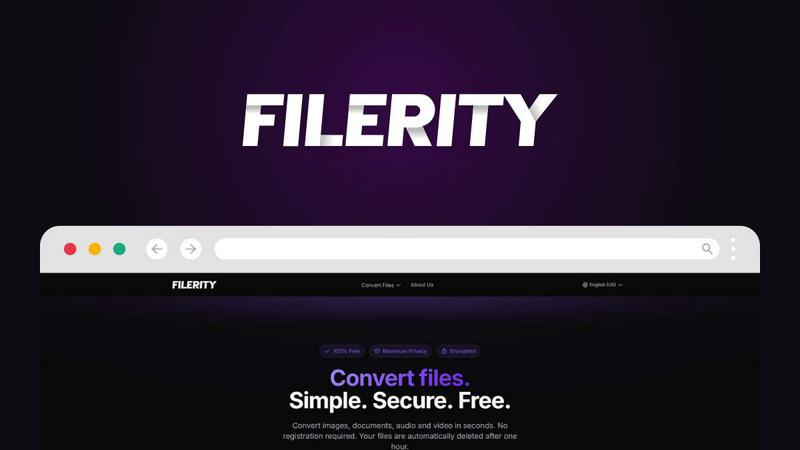
Filerity is a robust, free online file conversion platform that enables users to seamlessly transform files between hundreds of formats directly through their web browser. It eliminates the need for software installation and registrations, making the process straightforward and user-friendly. Users can quickly upload their files, select the desired output format, and download the converted files in seconds. This tool is ideal for a diverse range of users, including freelancers, students, content creators, and teams who require efficient and reliable file conversions. With a focus on speed and security, Filerity processes files securely and ensures automatic deletion after a short period, making it a trusted choice for everyday conversions. The service supports a wide variety of file types, including documents, images, audio, and video formats, ensuring that users can find a solution for almost any conversion need.
Features
User-Friendly Interface
Filerity boasts an intuitive interface that allows users to easily navigate the platform. The drag-and-drop feature enables users to upload files effortlessly, while a simple selection process for target formats facilitates quick conversions without any learning curve.
Fast Conversion Speed
One of the standout features of Filerity is its lightning-fast conversion capabilities. Users can expect their files to be converted in seconds, rather than minutes, which significantly enhances productivity and efficiency for those needing quick results.
High-Level Security
Filerity prioritizes user privacy and data security. All file conversions are processed on secure EU servers, and files are automatically deleted within one hour of conversion. This ensures that sensitive data remains confidential and reduces the risk of unauthorized access.
Extensive Format Support
With support for hundreds of file formats, Filerity caters to a wide array of conversion needs. Users can convert images, documents, audio files, videos, and more, making it a versatile tool suitable for various applications.
Use Cases
Freelancing and Content Creation
Freelancers and content creators often need to convert files quickly for presentations or project submissions. Filerity enables them to convert PDFs to editable formats like Word or transform images into various formats, streamlining their workflow.
Academic Use
Students frequently encounter the need to convert documents and presentations for assignments or projects. Filerity aids in converting lecture notes from PDF to Word or transforming image files for inclusion in reports, saving them valuable time.
Team Collaboration
For teams working on collaborative projects, Filerity simplifies the process of sharing files in the appropriate formats. Whether converting video files for presentations or images for marketing materials, it ensures everyone has access to the necessary formats.
Personal Use
Individuals may find Filerity useful for personal tasks, such as converting photos to different formats for social media or transforming audio files for music playlists. Its ease of use makes it a go-to tool for quick personal file conversions.
Frequently Asked Questions
How do I use Filerity for file conversion?
Using Filerity is easy. Simply drag and drop your file into the upload area or click to select it. Then, choose your desired target format and click "Convert." Your converted file will be ready for download in seconds.
Is Filerity completely free to use?
Yes, Filerity offers all its file conversion services completely free of charge. There are no hidden fees or subscription costs associated with using the platform.
What happens to my files after conversion?
Filerity automatically deletes your files from its servers within one hour after conversion. This practice ensures maximum privacy and security for your data.
Can I convert multiple files at once with Filerity?
Yes, Filerity allows users to upload and convert multiple files simultaneously. This bulk conversion feature saves time and enhances efficiency for users needing to process several files in one go.