

Alternatives to Muse AI Video Generator
Muse AI Video Generator transforms text or photo inputs into share-ready video clips in seconds with consistent characters, legible text, and 720p.
Explore 20 alternatives to Muse AI Video Generator. Compare features, pricing, and find the best fit for your needs.
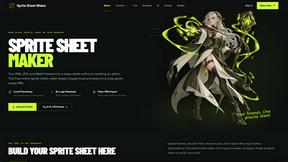
Sprite Sheet Maker
A free browser-based toolkit for creating, cutting, converting, and previewing sprite sheet animations.

FaceCoda
Free AI attractiveness test and face analysis with private, on-device photo processing.


Magic Eraser
AI-powered photo editor for removing objects, replacing backgrounds, enhancing images, and creating visuals.

AI Image Editor
Free AI image editor that edits, retouches, and transforms photos with natural-language text prompts.
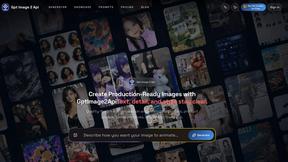
GPT Image 2 API
Generate and edit production-ready images with GPT Image 2 API, detailed prompts, reference images, clear text, and developer-friendly workflows.
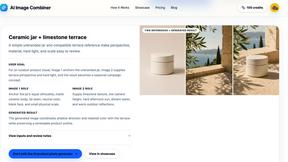
AI Image combinder
Create professional product images with AI. Upload your product photo and transform it into stunning marketing visuals, lifestyle scenes, and e-commer
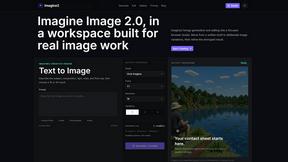
Imagine2
Private browser-based AI image generation and editing with text-to-image, targeted edits, and multi-image references.

Kogashitsuka AI
An online AI image tool that enhances photos and illustrations at their original size or upscales them by 2x or 4x.

HubVanta
HubVanta is an AI image toolkit for creating, editing, enhancing, and transforming visual assets in the browser.

IsThisAIImage
Ask is this AI image? Free online checker: upload a photo for AI-generated and deepfake scores plus a clear verdict band.
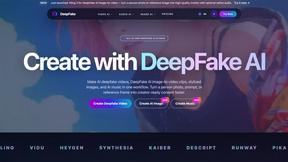
DeepFake AI
DeepFake AI is an all-in-one studio for creating realistic face-swap videos, image-to-video motion clips, stylized images, and AI-generated audio in.

SLABCALC
SlabCalc provides 34 free concrete calculators plus AI tools for crack diagnosis, quote analysis, and instant volume, bag, and cost estimates for any.
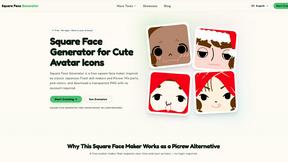
Square Face Generator
Square Face Generator is a free browser-based avatar maker inspired by classic Flash doll makers that lets you mix parts, pick colors, and download.

Art & See Custom Oil Painting Portraits
Art & See converts your photos into handmade oil paintings with museum-grade materials and multiple artistic styles.

Nano Banana AI
Nano Banana AI is an all-in-one platform for generating and editing images using natural language, streamlining visual creation for any project.
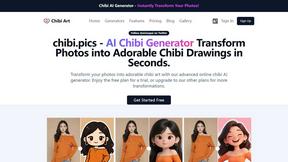
Chibi Pics
Chibi Pics instantly transforms your photos into customizable chibi art, making it perfect for avatars, stickers, and social media sharing.

Nano Banana
Nano Banana empowers you to effortlessly create and edit stunning images through simple chat interactions with its advanced AI.
About Muse AI Video Generator Alternatives
Muse AI Video Generator is a free, web-based tool that falls under the category of AI-driven visual content generation, specifically designed to convert text prompts or static images into short, share-ready video clips in seconds. It operates at the intersection of text-to-video and image-to-video technology, prioritizing speed and accessibility over complex editing suites. Users commonly seek alternatives to Muse AI for several technical reasons: the need for longer video durations beyond a standard clip length, requirements for higher native resolution outputs (such as 4K or 8K), demand for advanced customization controls like keyframe animation or multi-layer compositing, or the necessity for integration with specific platforms like Adobe Premiere or DaVinci Resolve. Additionally, some users may require commercial licensing for high-volume production or specific style consistency across a series of outputs, which may not be fully addressed by a free-tier tool. When evaluating an alternative to Muse AI Video Generator, focus on specifications that align with your production pipeline. Key technical criteria include the maximum output resolution and frame rate, the supported input formats for image-to-video workflows, the rendering speed relative to video length, and the granularity of prompt control (e.g., negative prompts, seed control, or motion strength sliders). Consider the platform’s API availability for automated batch processing, the extent of post-processing capabilities (such as built-in trimming or transitions), and the licensing terms for generated assets, particularly for commercial or redistributable content. For professional environments, also evaluate the tool’s support for watermark-free exports, color grading options, and the stability of its generation engine across multiple runs to ensure predictable, reproducible results.
FAQs about Muse AI Video Generator Alternatives
What is Muse AI Video Generator?
Muse AI Video Generator is a free, web-based AI tool that transforms text prompts or uploaded photos into share-ready video clips within seconds. It belongs to the image and photo category of AI generators, focusing on rapid visual asset creation without requiring editing skills or expensive software. The platform uses a unified interface for both video and image generation, supporting high-resolution output and lightning-fast processing to bridge the gap between imagination and creation.
Who is Muse AI Video Generator for?
Muse AI Video Generator is designed for content creators, marketers, educators, and social media enthusiasts who need to rapidly prototype visual assets without a production budget. It is particularly suited for users who require quick, professional-looking promotional clips or engaging educational material from simple text prompts or existing images. The tool eliminates the need for technical editing expertise, making it accessible to both beginners and professionals seeking efficient visual content generation.
Is Muse AI Video Generator free?
Yes, Muse AI Video Generator is explicitly described as a revolutionary free tool that removes barriers between imagination and creation. It does not require payment for generating share-ready video clips from text or photo inputs, though specific usage limits or resolution tiers may apply based on the free-tier implementation. The platform prioritizes accessibility by offering its core functionality at no cost, enabling users to produce professional-looking content without financial investment.
What are the main features of Muse AI Video Generator?
The main features include lightning-fast processing that delivers video clips in seconds, high-resolution output for professional-quality results, and a seamless workflow that prioritizes ease of use. The platform supports both text-to-video and image-to-video generation from a single intuitive interface, eliminating the need for multiple tools. Key capabilities include rapid prototyping of visual assets, eye-catching promotional clip creation, and engaging educational material production without requiring editing skills or expensive software.