

Alternatives to Picture Enhancer
Picture Enhancer uses AI to deblur, upscale, and restore photos in your browser with three intensity levels for sharp, watermark-free results.
Explore 20 alternatives to Picture Enhancer. Compare features, pricing, and find the best fit for your needs.

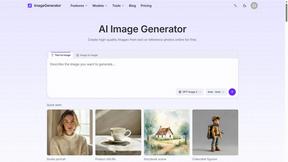
ImageGenerator
Create and edit AI images online with multiple models, text-to-image, image-to-image, background removal, and upscaling.

nanobanana 2.1
A fast, simple image studio powered by Nano Banana 2.1. Create and edit high-quality images with accurate details and readable text.
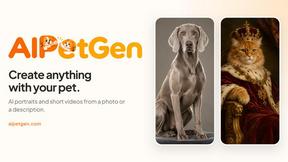
AIPetGen
AIPetGen turns a photo of your dog, cat, or other pet, or a written description, into a new picture or a short animation.


ImageGPT
ImageGPT is an all-in-one AI creative platform for generating, editing and transforming images and videos using AI.

AI Album Cover Maker
Create release-ready album covers from a prompt or photo. Generate, refine, and export art for singles, EPs, mixtapes, and playlists.

AIEnhancer
Enhance photos, create images, and generate videos with flexible AI workflows, creative effects, and a shared asset library.

Sprite Sheet Maker
A free browser-based toolkit for creating, cutting, converting, and previewing sprite sheet animations.

Wan Video
Create Wan video content from text, images, references, or clips with Wan Video, a flexible Wan 2.7 video generator.


Ideogram Studio
Create text-rich logos, posters, ads, packaging, and ecommerce visuals with Ideogram 4 AI workflows.

Vynzo
AI image and video studio. Generate from a prompt, animate stills, swap faces, restyle clips and edit — one credit pool, no subscription.


Vismuse
Create polished AI images and videos from prompts or references for social posts, ads, flyers, album covers, and campaigns.

GPT Image 2 API
Generate and edit production-ready images with GPT Image 2 API, detailed prompts, reference images, clear text, and developer-friendly workflows.
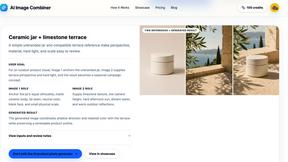
AI Image combinder
Create professional product images with AI. Upload your product photo and transform it into stunning marketing visuals, lifestyle scenes, and e-commer
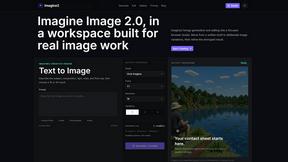
Imagine2
Private browser-based AI image generation and editing with text-to-image, targeted edits, and multi-image references.

Kogashitsuka AI
An online AI image tool that enhances photos and illustrations at their original size or upscales them by 2x or 4x.

Trushot AI
TruShot creates ultra-realistic AI dating photos from just 4 selfies. Generate natural-looking, verification-friendly profile pictures for Tinder, Hin
About Picture Enhancer Alternatives
Picture Enhancer is a free, browser-based AI tool designed for image enhancement, falling under the broad category of image generation and restoration software. It specifically addresses common issues like blur, low resolution, and visual degradation in digital photos, operating entirely online without the need for local software installation. Users typically seek alternatives due to the platform's credit-based pricing model, where free guest access is limited to three lifetime attempts per IP, and subsequent use requires purchasing credits that are consumed per successful enhancement. Additionally, some users may require features not available in the free tier, such as batch processing beyond 10 images, higher intensity enhancement modes without credit costs, or offline functionality for environments with unreliable internet access. When evaluating an alternative, it is critical to examine the specific technical specifications that align with your workflow. Look for clarity on processing algorithms—whether the tool uses generative adversarial networks or convolutional neural networks for upscaling—and the supported input and output formats, such as RAW or TIFF for professional use. Consider the pricing structure transparently: some alternatives offer unlimited processing for a flat subscription fee, while others charge per image or per megapixel, which can be more economical for high-volume users. Also assess platform compatibility, such as native desktop clients for offline work, API access for automation, and the absence of watermark imposition on free or trial outputs, as these factors directly impact usability for e-commerce, social media, and archival restoration projects.
FAQs about Picture Enhancer Alternatives
What is Picture Enhancer?
Picture Enhancer is a free, online AI-powered tool for photo deblurring, upscaling, and restoration that runs entirely in your browser without requiring any software installation. It uses artificial intelligence to process JPG, PNG, and WebP image files, allowing users to select from three enhancement modes—Deblur, Upscale, or Restore—and choose an intensity level of Standard, Strong, or Super. The tool provides a side-by-side before-and-after preview before the final download, and credits are only charged upon a successful enhancement.
Is Picture Enhancer completely free to use?
Picture Enhancer offers a free tier for guest users, granting three lifetime attempts per IP address without requiring any signup or account creation. For continued use, users must create an account, which comes with starter credits, and then purchase additional credit packs or monthly subscriptions. Credits are consumed per successful job at rates of 2 for Standard, 4 for Strong, and 6 for Super intensity, with paid users unlocking batch processing of up to 10 images and access to the Super tier.
Who is Picture Enhancer designed for?
Picture Enhancer is designed for a broad range of users including content creators, e-commerce sellers, social media managers, and everyday individuals who need to quickly improve image quality without specialized software. It is particularly suitable for enhancing social media posts, product listing photos, screenshots, and family photos where sharpness and clarity are critical. The tool's browser-based interface makes it accessible to non-technical users, while the credit system accommodates both occasional and frequent users through flexible purchasing options.
What are the main features of Picture Enhancer?
The main features include three AI enhancement modes: Deblur for reducing motion or focus blur, Upscale for increasing image resolution, and Restore for repairing damaged or low-quality photos. Users can select from three intensity levels—Standard, Strong, and Super—with the latter requiring paid credits. Additional capabilities include a side-by-side preview for comparing original and enhanced images, watermark-free downloads on successful jobs, and batch enhancement for up to 10 images on paid plans. The tool supports common web formats like JPG, PNG, and WebP.