

Alternatives to QUVIAI
QUVIAI generates photorealistic architectural renders, videos, 3D scenes, sketches, and music from text or image inputs.
Explore 20 alternatives to QUVIAI. Compare features, pricing, and find the best fit for your needs.

Wan Video
Create Wan video content from text, images, references, or clips with Wan Video, a flexible Wan 2.7 video generator.
Ideogram Studio
Create text-rich logos, posters, ads, packaging, and ecommerce visuals with Ideogram 4 AI workflows.
Vynzo
AI image and video studio. Generate from a prompt, animate stills, swap faces, restyle clips and edit — one credit pool, no subscription.

Vismuse
Create polished AI images and videos from prompts or references for social posts, ads, flyers, album covers, and campaigns.
GPT Image 2 API
Generate and edit production-ready images with GPT Image 2 API, detailed prompts, reference images, clear text, and developer-friendly workflows.
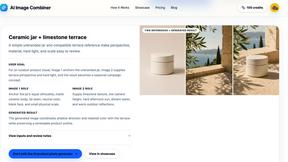
AI Image combinder
Create professional product images with AI. Upload your product photo and transform it into stunning marketing visuals, lifestyle scenes, and e-commer
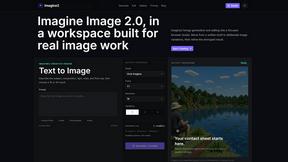
Imagine2
Private browser-based AI image generation and editing with text-to-image, targeted edits, and multi-image references.

Kogashitsuka AI
An online AI image tool that enhances photos and illustrations at their original size or upscales them by 2x or 4x.

Trushot AI
TruShot creates ultra-realistic AI dating photos from just 4 selfies. Generate natural-looking, verification-friendly profile pictures for Tinder, Hin
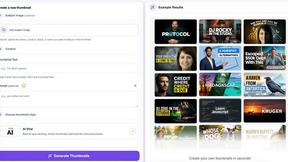
StopScroll
StopScroll helps YouTube creators generate AI thumbnails and improve images for higher-click videos.
HubVanta
HubVanta is an AI image toolkit for creating, editing, enhancing, and transforming visual assets in the browser.

Headshot.ltd AI Headshot Generator
Turn a few phone selfies into professional headshots in ~5 minutes. 200+ backgrounds, one-time payment starting from $8.

IsThisAIImage
Ask is this AI image? Free online checker: upload a photo for AI-generated and deepfake scores plus a clear verdict band.
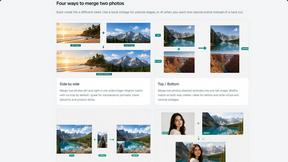
Merge Two Photos
Merge two photos free in browser: side by side, stacked, overlay, or AI fusion. Private local modes; download clean PNG, no watermark.
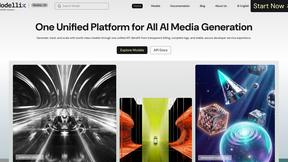
Modellix
Modellix provides a single API key for transparent pay-as-you-go access to leading AI image, video, and audio models with full logs.

Picture Enhancer
Picture Enhancer uses AI to deblur, upscale, and restore photos in your browser with three intensity levels for sharp, watermark-free results.
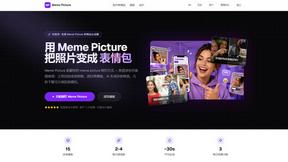
Meme Picture
Meme Picture uses AI to transform selfies and pet photos into classic memes with 15 templates, generating 3 free candidates daily in under 30 seconds.

GIF Face Swap
GIF Face Swap lets you replace a face in any animated GIF using one clear photo, preserving timing and expression for instant shareable results.

About QUVIAI Alternatives
QUVIAI is a comprehensive, AI-powered creative platform that falls under the image generation and 3D visualization category, specifically designed for architectural and design workflows. It distinguishes itself by offering an all-in-one ecosystem where users can upload sketches, images, or 3D models and transform them into photorealistic renders, cinematic videos, multi-angle views, and even original music, all within a single interface. Despite its robust feature set, users frequently seek alternatives for several reasons, including budget constraints, a need for more specialized output formats, or a preference for a different workflow integration with existing software like Blender or Autodesk. Some users may find the platform’s subscription pricing prohibitive for occasional use, while others might require more granular control over the AI’s output parameters or a lighter, more focused tool for specific tasks like texture generation rather than a full suite. When evaluating alternatives to QUVIAI, you should prioritize platforms that align with your specific technical requirements and hardware capabilities. Key factors to consider include the fidelity of the AI rendering engine, support for native file formats like OBJ, FBG, or GLTF, and the platform’s ability to handle high-resolution outputs without significant degradation. Additionally, assess the depth of the 3D workspace, particularly whether it allows for direct mesh editing, material assignment, and scene composition, as these are critical for iterative design. For users focused on speed, look for alternatives that offer batch processing or real-time previews, while those concerned with cost should examine usage-based pricing models or open-source tools that provide similar generative capabilities without recurring fees. Ultimately, the best alternative will offer a balance between creative control, output quality, and integration with your existing digital pipeline.
FAQs about QUVIAI Alternatives
What is QUVIAI?
QUVIAI is an all-in-one AI-powered creative platform designed for architects, designers, and creators. It allows users to upload sketches, images, or 3D models and transform them into photorealistic renders, cinematic videos, multi-angle views, floor plan renders, 3D objects, and original music. The platform features a built-in 3D workspace for modeling, rendering, and iterating without switching between tools.
Who is QUVIAI for?
QUVIAI is specifically designed for architects, designers, and creators who need to generate high-quality visual content quickly. It is ideal for professionals who want to transform rough sketches or 3D models into photorealistic renders, cinematic walkthroughs, and staged interior scenes. The platform caters to users who require an integrated workflow for modeling, rendering, and scene editing without relying on multiple separate applications.
Is QUVIAI free?
QUVIAI offers a free trial option, allowing new users to explore its core features before committing to a paid plan. Users can try it for free at quvi.ai, though ongoing or advanced usage typically requires a subscription. The specific limitations of the free tier, such as output resolution or number of generations, are defined on the platform’s pricing page.
What are the main features of QUVIAI?
QUVIAI provides a comprehensive suite of features including AI-powered photorealistic rendering from sketches, images, or 3D models, cinematic video generation from start and end frames, and multi-angle view creation. It also includes a built-in 3D workspace for modeling and editing scenes with text prompts, as well as the ability to generate furniture, decorative objects, and original music. The platform is accessible via web, iOS, and Android.