

Alternatives to TinyFast
TinyFast is a native Mac app that compresses images, videos, and PDFs locally with drag and drop simplicity.
Explore 20 alternatives to TinyFast. Compare features, pricing, and find the best fit for your needs.

nanobanana 2.1
A fast, simple image studio powered by Nano Banana 2.1. Create and edit high-quality images with accurate details and readable text.

Panzoe
Panzoe is an all-in-one AI platform for personal productivity, business automation, AI assistants, content creation, and custom AI solutions.

AIPetGen
AIPetGen turns a photo of your dog, cat, or other pet, or a written description, into a new picture or a short animation.





Stefan Supply
Ready-to-use Notion templates for personal planning and small business workflows, with realistic example data.

AI Email Filter
AI Email Filter sorts incoming mail into folders using plain-language prompts you write. Works with any IMAP mailbox; bring your own LLM if you want.

Egmatic
No-code 2D game editor: visual node logic, drag-and-drop scenes, live preview. Exports to Windows, macOS, Linux, Android, iOS, Web.

Kody Tools
Free collection of online developer utilities, code formatters, and digital converters designed to streamline your daily workflow.

Tally Counter
Online tally counter for tracking attendance, workouts, inventory, visitors, sports scores, habits, and everyday counting tasks.

Sprite Sheet Maker
A free browser-based toolkit for creating, cutting, converting, and previewing sprite sheet animations.
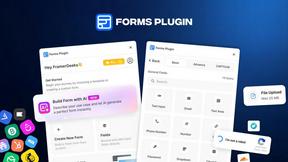
Forms Plugin
The #1 Native Form Builder Plugin for Framer - No Code, No Embeds, No External Platforms.

FaceCoda
Free AI attractiveness test and face analysis with private, on-device photo processing.

Product Launch Checklist
A free launch checklist for SaaS, apps, AI tools and more. Every step says why it matters and when you can skip it.

HomeAnswerBook
Practical, independent guides to home repairs, maintenance, costs, troubleshooting, and everyday fixes.
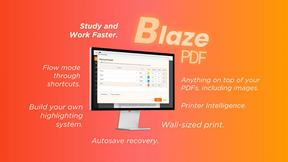
BlazePDF
Highlight faster. Study in flow with custom shortcuts and a workflow built around you. Print smarter, or turn any page into a tiled poster.


Build Mode for Mac
Build Mode is a Mac app that turns focused sessions into visible progress, so you can see the work adding up before the results arrive.
About TinyFast Alternatives
TinyFast is a specialized macOS application for local file compression, falling into the category of desktop optimization and productivity tools. It processes images, videos, and PDFs directly on a user's Mac, ensuring privacy and speed through its native, offline architecture. Users may seek alternatives for various reasons, including budget constraints, a need for cross-platform compatibility beyond macOS, or requirements for different feature sets such as integration with cloud storage, support for additional file formats, or more granular control over compression parameters. The search often stems from a need to balance core functionality with specific workflow or technical demands. When evaluating an alternative, key considerations should include the processing model (local versus cloud-based), supported file formats, batch processing capabilities, output quality controls, and overall integration into your existing digital asset workflow. Prioritizing these specifications ensures the selected tool effectively addresses your primary use case for file size reduction.
FAQs about TinyFast Alternatives
What is TinyFast?
TinyFast is a native macOS application that compresses images, videos, and PDFs locally on your Mac using optimized, offline processing engines.
Who is TinyFast for?
It is designed for developers, designers, and professional creators who need fast, private, batch compression of digital assets as part of their workflow.
What are the main features of TinyFast?
Its core features are 100% local and private on-device processing and blazing-fast batch compression for a wide array of file formats via drag-and-drop.
Why choose TinyFast?
It is chosen for its guaranteed data sovereignty and speed, providing a secure, offline alternative to web-based compression services.