
AutoPhish vs Never Drop
Side-by-side comparison to help you choose the right tool.

AutoPhish uses AI to run automated phishing simulations and deliver targeted security training.
Last updated: March 1, 2026

Never Drop
NeverDrop captures contacts instantly and drafts personalized follow-ups, ensuring you never lose a lead at events.
Last updated: February 28, 2026
Visual Comparison
AutoPhish
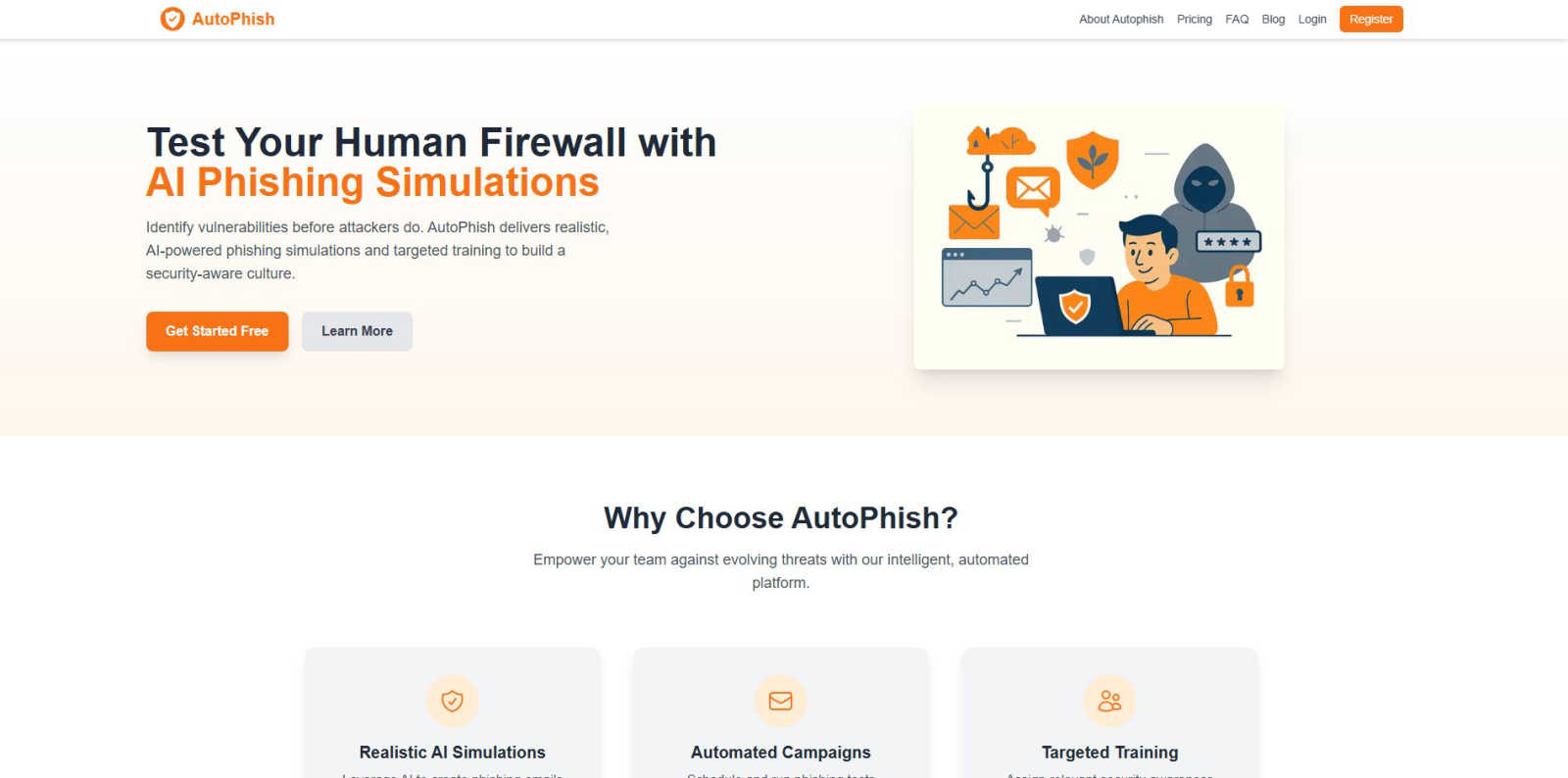
Never Drop

Feature Comparison
AutoPhish
AI-Powered Phishing Simulation Engine
The platform's core engine utilizes artificial intelligence to dynamically generate and adapt phishing email templates. This AI analyzes current threat intelligence and real-world attack patterns to create simulations that accurately mimic the latest tactics, techniques, and procedures (TTPs) used by malicious actors. The content is context-aware, allowing for customization based on industry, department, or specific known threats, ensuring a realistic and challenging test of employee awareness beyond generic, easily recognizable templates.
Automated Campaign Management
AutoPhish provides full automation for the phishing simulation lifecycle. Administrators can schedule campaigns in advance, define target user groups, and set launch parameters. The platform handles the entire execution process, including email delivery, click and interaction tracking, and post-campaign reporting. This automation ensures consistent, ongoing testing without requiring manual intervention from security teams, saving significant time and operational overhead while maintaining program regularity.
Granular Reporting and Analytics
Following each simulation campaign, the platform delivers detailed, actionable analytics. Reports provide metrics on click-through rates, credential submission attempts, and user susceptibility across different departments or roles. Data is presented in dashboards that highlight high-risk individuals and trends over time. This granular visibility allows security teams to quantitatively measure the human risk surface and track the effectiveness of their awareness training initiatives with precision.
Targeted, Automated Training Assignment
Based on simulation results, AutoPhish automatically assigns relevant security awareness training modules to users. This targeted approach ensures that individuals who fail a simulation receive immediate, context-specific education on the phishing tactics they encountered. Training assignments can also be role-based, providing finance teams with different content than engineering staff, for example. This closed-loop system of test, measure, and educate accelerates the development of a security-conscious workforce.
Never Drop
Instant Business Card Scanning
Never Drop allows users to scan business cards within seconds using their smartphones. The app's AI-powered Optical Character Recognition (OCR) technology extracts crucial contact details—name, company, title, phone number, and email—without requiring any manual input. This feature eliminates the hassle of typing and ensures that no information is lost due to misplaced cards.
Automatic Email Enrichment
Understanding that business cards often contain generic or incomplete email addresses, Never Drop enhances the captured profiles by automatically finding verified work emails based on the name and company. This feature removes guesswork and manual searches, ensuring that users have accurate contact information ready for follow-up.
AI-Generated Follow-Up Emails
With Never Drop, users can generate personalized follow-up emails in under two minutes. By utilizing the voice notes and conversation context provided by the user, the app drafts unique emails that reflect the tone and content of the interaction. This feature ensures that every follow-up feels personal and engaging, rather than being a generic template.
Team Collaboration and Management
Never Drop is designed for teamwork, allowing sales representatives to organize scanned leads by event and reassign contacts among team members. The dashboard provides an overview of activity, ensuring that everyone remains aligned and no leads fall through the cracks, even in high-pressure scenarios.
Use Cases
AutoPhish
Proactive Human Risk Assessment
Organizations use AutoPhish to conduct regular, controlled phishing simulations across their entire employee base. This proactive testing identifies which users are most susceptible to social engineering attacks, quantifying the human element of security risk. The data gathered provides a baseline security posture metric and helps prioritize security awareness efforts and budget allocation towards the most vulnerable segments of the workforce.
Compliance and Audit Readiness
For companies subject to regulatory frameworks like GDPR, HIPAA, or ISO 27001, AutoPhish provides documented evidence of ongoing security awareness training and testing. The platform's detailed reporting and audit trails demonstrate due diligence in educating employees about phishing threats, which is a common requirement for compliance. This helps organizations pass security audits and meet regulatory mandates for employee cybersecurity training.
Security Awareness Program Automation
IT and security teams leverage AutoPhish to automate the repetitive tasks associated with running a security awareness program. Instead of manually creating emails, sending tests, and tracking responses, the platform handles these operations. This allows security professionals to focus on analyzing results, developing strategic improvements, and responding to actual security incidents rather than administrative program management.
Post-Incident Reinforcement Training
Following a real phishing incident or a failed simulation where multiple users clicked a malicious link, AutoPhish enables rapid deployment of targeted training. Administrators can immediately assign specific training modules related to the attack vector used, reinforcing correct behavior and ensuring employees understand the specific red flags they missed. This timely intervention strengthens institutional memory and reduces the likelihood of repeat failures.
Never Drop
Trade Shows and Conferences
Sales teams can use Never Drop at trade shows and conferences to capture leads efficiently. By scanning business cards on-site, enriching contact information, and sending personalized follow-ups before leaving the booth, teams can enhance their chances of converting leads into clients.
Networking Events
At networking events, where interactions are fast-paced, Never Drop enables users to quickly scan and manage multiple contacts. The ability to add context and generate immediate follow-ups ensures that connections made during the event are not forgotten.
Business Dinners and Meetings
During business dinners or meetings, sales professionals can utilize Never Drop to capture leads from informal settings. The app allows them to document conversations and follow up with personalized emails, making a lasting impression on potential clients.
Lead Management and Organization
Never Drop serves as a central hub for lead management across various events. Users can categorize leads by event, track interactions, and monitor team activities, ensuring a streamlined approach to nurturing relationships and closing deals.
Overview
About AutoPhish
AutoPhish is an advanced, AI-powered cybersecurity platform engineered to proactively strengthen an organization's human firewall through realistic phishing simulations and targeted security awareness training. The platform is designed for IT security teams, compliance officers, and organizational leaders across all industries who are responsible for mitigating the risk posed by social engineering attacks. Its core value proposition lies in its ability to leverage artificial intelligence to generate highly convincing, context-aware phishing email templates that mimic current, real-world threat actor tactics, techniques, and procedures (TTPs). This moves beyond generic simulations to provide a true test of employee vigilance. The platform automates the entire lifecycle of a security awareness program, from campaign scheduling and execution to detailed analytics and the automated assignment of role-specific training modules based on individual user performance. By identifying behavioral vulnerabilities before malicious actors can exploit them, AutoPhish enables organizations to cultivate a resilient, security-aware culture, reduce incident response costs, and demonstrably improve their overall security posture against evolving email-based threats.
About Never Drop
Never Drop is a cutting-edge lead-capture application meticulously crafted for sales teams operating in dynamic environments such as trade shows, conferences, and networking events. It revolutionizes the lead management process by enabling users to effortlessly scan business cards using their smartphones. Once a card is scanned, users can enhance the captured data by adding voice notes or text context regarding their interactions, ensuring essential details about each lead are preserved. The app leverages advanced artificial intelligence to generate tailored follow-up emails within two minutes, significantly reducing the chances of leads being overlooked. With seamless integration into popular Customer Relationship Management (CRM) systems like HubSpot, Never Drop maintains a clean and organized sales pipeline, empowering teams to convert leads into successful deals. Say goodbye to lost opportunities and embrace efficient follow-up processes that foster meaningful relationships with potential clients.
Frequently Asked Questions
AutoPhish FAQ
How does AutoPhish ensure simulation emails are safe?
AutoPhish simulations are conducted in a fully controlled environment. All links within simulation emails point to internal, secure servers owned and operated by AutoPhish, not to external malicious websites. No actual malware is deployed, and any credentials entered by users during a test are captured in a secure, encrypted database solely for reporting purposes and are never used for authentication. The platform is designed to educate, not harm, user systems or data.
What is required to start sending phishing simulations?
To begin, an administrator must verify ownership of the company domain they intend to use for sending simulations. This involves configuring specific DNS records (like SPF) to authorize AutoPhish to send email on the organization's behalf, ensuring deliverability and preventing the simulations from being marked as spam. The platform provides step-by-step guidance for this domain verification and connection process.
Can I customize the phishing templates?
Yes, AutoPhish offers extensive customization capabilities. While the AI engine provides a library of realistic, up-to-date templates, administrators can fully edit email subject lines, body content, sender addresses (from verified domains), and landing pages. This allows for the creation of hyper-targeted simulations that reflect internal communication styles or mimic specific, credible threats relevant to the organization.
How does the targeted training work?
When a user interacts with a simulated phishing email (e.g., clicks a link), AutoPhish logs this event. The platform can be configured to automatically enroll that user in a pre-defined training course relevant to the type of phishing attack simulated. Training modules are typically short, interactive videos or quizzes focused on identifying phishing indicators. Assignment rules can also be based on user department or job role for broader, proactive education.
Never Drop FAQ
What is Never Drop?
Never Drop is a lead-capture application designed for sales teams attending events. Users can scan business cards, add context, and generate personalized follow-up emails, all while integrating seamlessly with CRMs like HubSpot.
How does business card scanning work?
To scan a business card, users take a photo with the Never Drop mobile app. The app's AI-powered OCR technology quickly extracts essential contact information such as name, company, title, phone number, and email, simplifying the data entry process.
What types of events is Never Drop suitable for?
Never Drop is ideal for various events, including trade shows, conferences, networking events, meetups, and business dinners. It helps users capture and manage leads efficiently in any situation where new contacts are made.
Do I need the mobile app to use Never Drop?
Yes, the mobile app is essential for scanning business cards, recording voice notes, and triggering follow-ups on the go. Additionally, the web dashboard allows users to manage their team, review scans, and configure settings, providing a comprehensive solution for lead management.
Alternatives
AutoPhish Alternatives
AutoPhish is an AI-powered cybersecurity platform within the business intelligence and productivity management category. It specializes in automating sophisticated phishing simulations and targeted security awareness training to proactively strengthen an organization's human layer of defense. Organizations may seek alternatives to AutoPhish for various operational and strategic reasons. Common drivers include budget constraints and specific pricing model requirements, the need for different feature integrations or platform capabilities, and preferences for alternative deployment methods or user interface designs. When evaluating alternative solutions, key criteria should include the sophistication and realism of the simulation engine, the depth of analytics and reporting provided, the flexibility and automation of campaign management, and the relevance and personalization of the accompanying training modules. The chosen platform must align with both technical requirements and organizational security culture goals.
Never Drop Alternatives
Never Drop is an innovative lead-capture app that enhances productivity and management for sales teams, particularly in dynamic environments such as trade shows, conferences, and networking events. It allows users to effortlessly scan business cards with their smartphones, capturing essential contact information while providing tools to enrich this data with contextual notes for better follow-up. Users often seek alternatives to Never Drop due to various factors, including pricing structures, feature sets, and compatibility with existing platforms. When exploring alternative solutions, it is crucial to consider aspects such as ease of use, integration capabilities with popular CRMs, and the effectiveness of lead management and follow-up processes to ensure that the chosen app meets specific sales needs efficiently.