
Cleanlist AI vs Clipt
Side-by-side comparison to help you choose the right tool.

Cleanlist AI enriches leads with verified emails and phone numbers for seamless B2B outreach and CRM integration.
Last updated: February 27, 2026

Clipt streamlines video editing by automating tasks like transcription and captioning, enabling teams to focus on.
Last updated: February 26, 2026
Visual Comparison
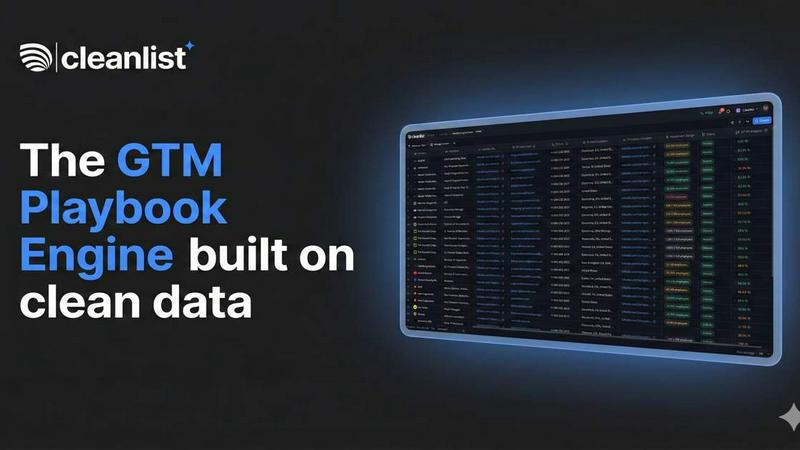
Cleanlist AI
Clipt

Feature Comparison
Cleanlist AI
Waterfall Enrichment
Cleanlist AI utilizes a unique waterfall enrichment engine that accesses over 15 data providers. This feature allows for automatic cascading through multiple data sources to maximize coverage and ensure that users only pay for successful matches, enhancing the overall quality of contact data.
Email Verification
This feature guarantees that the email addresses collected through Cleanlist AI are valid and deliverable. By verifying email addresses, users can significantly reduce bounce rates and improve the effectiveness of their email outreach campaigns.
Smart Agents
The smart agents within Cleanlist AI automate the data cleaning process, ensuring that contact information is not only accurate but also formatted correctly. These agents enhance data quality by normalizing job titles, parsing names, and categorizing industries, making data structured and actionable.
Pre-built Playbooks
Cleanlist AI offers a variety of pre-built playbooks that facilitate rapid deployment of GTM motions. These templates are industry-specific and cover various strategies such as outbound sales, ABM campaigns, and event follow-ups, allowing teams to implement proven strategies without the need for extensive setup or customization.
Clipt
Video Ingestion and Captioning
Clipt supports seamless ingestion of videos from over 50 websites, alongside the option to upload raw files. It generates precise, word-accurate captions in various customizable styles, enhancing accessibility and viewer engagement.
Slideshow Maker
The Slideshow Maker feature empowers users to create viral carousel posts effortlessly. With AI-generated scripts, images, and voice narration, users can generate up to five slides from a single sentence request, streamlining the content creation process.
Talking Heads
Talking Heads eliminates the need for traditional video production setups by allowing users to create professional spokesperson videos. Users can type in their script, and Clipt’s AI will plan scenes, select delivery styles, and generate unique AI characters for the video.
Customizable AI Characters
Clipt enables the creation of unique AI-generated characters from textual descriptions. Users can customize characters by specifying traits like age and style, and the platform generates multiple variations, ensuring consistent brand representation across videos.
Use Cases
Cleanlist AI
Sales Lead Enrichment
Sales teams can utilize Cleanlist AI to enrich their lead databases with verified email and phone numbers. This ensures that sales professionals have the most up-to-date contact information, leading to more effective outreach and higher conversion rates.
CRM Data Maintenance
Using Cleanlist AI, organizations can regularly clean and update their CRM data. This helps eliminate data decay, ensuring that the information remains fresh and reliable, which is crucial for effective sales and marketing efforts.
Account-Based Marketing (ABM)
Cleanlist AI supports ABM strategies by enabling marketers to build hyper-targeted account lists with verified decision makers. This targeted approach leads to higher engagement rates and improved campaign performance.
Event Follow-ups
After events, Cleanlist AI can be used to convert leads while they are still warm. By quickly enriching and verifying contact information, sales teams can follow up with potential clients effectively, resulting in faster conversions.
Clipt
Marketing Campaigns
Clipt is ideal for marketers who want to create engaging promotional content quickly. With features like Talking Heads and customizable captions, users can produce high-quality videos that resonate with their target audience.
Social Media Content Creation
Content creators can leverage Clipt to generate viral clips for platforms like TikTok and Instagram. The Slideshow Maker and captioning features allow for quick, visually appealing posts that capture viewers' attention.
Brand Representation
Businesses can use Clipt to create reusable AI characters that embody their brand identity. These characters can appear consistently across multiple videos, strengthening brand recognition and creating a cohesive marketing strategy.
Educational Content
Educators and trainers can utilize Clipt to develop engaging instructional videos. The platform's captioning and narration capabilities make it easy to produce accessible content that enhances learning experiences.
Overview
About Cleanlist AI
Cleanlist AI is an advanced data operating system tailored for modern go-to-market (GTM) teams, fundamentally transforming how sales and marketing professionals manage and utilize contact data. It simplifies lead enrichment by providing access to high-quality, verified data, ensuring that teams can engage effectively with potential clients. Users can upload CSV files or connect directly to their CRM systems, allowing Cleanlist AI to leverage its proprietary waterfall enrichment engine. This engine taps into over 15 data providers, including renowned services such as Wiza, Findymail, and Lusha, to deliver an impressive data accuracy rate of 98%. Cleanlist AI is designed for sales teams, marketers, and organizations seeking to optimize their outreach efforts, enhance lead conversion rates, and ultimately drive growth. Key features such as email verification, smart agents for data cleaning, and seamless CRM integration empower teams to operate with efficiency and effectiveness, ensuring their outreach initiatives are grounded in reliable data.
About Clipt
Clipt is an innovative AI-powered platform designed to simplify video creation and enhance content production for individuals and businesses alike. It enables users to ingest videos from popular platforms such as YouTube, X (formerly Twitter), LinkedIn, TikTok, and Instagram, or upload raw video files for processing. Clipt's advanced features allow for the generation of word-accurate captions with customizable fonts, colors, and animation presets, ensuring that content stands out. The platform also boasts parallelized cloud rendering, which optimizes processing efficiency and keeps video queues moving swiftly. With tools like the Slideshow Maker and Talking Heads, Clipt transforms ideas into engaging carousels and professional spokesperson videos, making it a versatile solution for marketers, content creators, and brands looking to produce high-quality video content effortlessly.
Frequently Asked Questions
Cleanlist AI FAQ
What types of data can Cleanlist AI enrich?
Cleanlist AI can enrich a variety of data types including email addresses, phone numbers, and additional contextual information about leads, ensuring that users have comprehensive contact data.
How does the waterfall enrichment engine work?
The waterfall enrichment engine automatically cascades through multiple data sources to find the best possible matches for your leads. It taps into over 15 providers to ensure maximum data coverage and accuracy.
Can Cleanlist AI integrate with my existing CRM?
Yes, Cleanlist AI offers seamless integrations with various CRM platforms. Users can connect their CRM directly to streamline data syncing and enrichment processes.
Is there a free trial available for Cleanlist AI?
Yes, Cleanlist AI offers a free trial that allows users to explore the platform's features without the need for a credit card. Setup is quick and can be completed in just two minutes.
Clipt FAQ
How many characters can I create?
Clipt allows you to create multiple AI characters, enabling you to customize and reuse them across all your video content for enhanced brand consistency.
Can I use characters across different video types?
Yes, the AI characters created in Clipt can be utilized across various video formats, including Talking Heads, UGC content, and more, ensuring a cohesive visual identity.
Are the characters unique to me?
While the characters are generated based on your descriptions, they are not exclusive. However, you can customize each character to align closely with your brand's identity.
Can I edit a character after creating it?
Yes, Clipt provides options to edit your AI characters after creation, allowing for adjustments in appearance or personality traits to better fit your evolving branding needs.
Alternatives
Cleanlist AI Alternatives
Cleanlist AI is a sophisticated data operating system tailored for modern go-to-market (GTM) teams, primarily falling under the marketing category. It specializes in lead enrichment, providing verified emails and phone numbers essential for effective B2B outreach. Users often seek alternatives due to various factors like pricing structures, specific feature sets, or compatibility with existing platforms. Additionally, as businesses grow and evolve, their needs may shift, prompting a search for solutions that better align with their operational requirements. When selecting an alternative to Cleanlist AI, users should consider several key aspects. These include the accuracy and reliability of the data sources, the ease of integration with current CRM systems, and the overall user experience. Furthermore, it is crucial to evaluate the platform's ability to scale with your business and the availability of customer support to ensure a smooth transition and ongoing efficiency in lead enrichment processes.
Clipt Alternatives
Clipt is an advanced automation tool designed to streamline video editing processes, primarily focusing on transcription, caption styling, resizing, and rendering tasks. It caters to professionals in marketing and content creation by allowing them to efficiently ingest videos from various platforms, including YouTube, X, LinkedIn, TikTok, and Instagram. Users often seek alternatives to Clipt for reasons such as pricing, specific feature sets, or compatibility with their preferred platforms and workflows. When evaluating alternatives, users should consider key factors such as ease of use, the range of supported file formats, customization options for captions and visuals, as well as the speed and efficiency of rendering capabilities. Additionally, features like AI-assisted content generation and the ability to create engaging visuals with minimal effort can significantly influence the decision-making process.