
Coloring Book Engine vs SimpleDraw
Side-by-side comparison to help you choose the right tool.

Coloring Book Engine
Coloring Book Engine is a desktop tool that creates commercial-quality coloring books and assets locally.
Last updated: February 28, 2026

SimpleDraw
SimpleDraw is a free online tool for creating precise floor plans and scale drawings without any software installation.
Last updated: March 1, 2026
Visual Comparison
Coloring Book Engine

SimpleDraw
Feature Comparison
Coloring Book Engine
BYOK AI Integration Architecture
Coloring Book Engine implements a Bring Your Own Key (BYOK) model for artificial intelligence tasks. This architecture allows users to connect their own API keys from services like OpenAI or Anthropic, or leverage their local GPU's computational power for on-device processing. This design provides creators with full control over AI model selection, ensures data privacy by keeping sensitive artwork and prompts local, and converts AI costs from a fixed monthly subscription to a transparent, pay-as-you-go expense based on actual usage.
Automated KDP-Ready File Generation
The software automates the technical specifications required for professional publishing, specifically for platforms like Amazon KDP. It handles the complex layout requirements including precise trim sizes, consistent bleed areas, and correct margins automatically. Users input their desired book parameters, and CBE generates perfectly formatted, print-ready PDFs and cover files that meet platform guidelines, eliminating manual layout work and the risk of rejection due to file errors.
GPU-Accelerated Batch Processing
For efficient production, CBE utilizes GPU acceleration to process tasks in high-volume batches. This capability is critical for operations like generating multiple pages of line art, applying colorization tests, or rendering video clips from completed pages. By offloading these computationally intensive tasks to the graphics processing unit (GPU), the software significantly reduces processing time compared to CPU-only workflows, enabling creators to scale production from a single idea to a full series rapidly.
Integrated Social Media Video Creation
The engine includes a dedicated module for creating marketing assets directly from your book files. It can transform static coloring book pages into engaging, time-lapse coloring videos optimized for vertical formats like YouTube Shorts and TikTok. This feature bridges the gap between product creation and promotion, allowing creators to generate ready-to-publish promotional content without needing separate video editing software, streamlining the entire go-to-market process.
SimpleDraw
Floor Plan Mode
This specialized mode is tailored for creating detailed floor plans of rooms, apartments, and houses. Users can effortlessly draw walls, add doors and windows, and visualize measurements in real-time as they make adjustments to their designs. This feature simplifies the process of planning renovations or new constructions.
Smart Alignment System
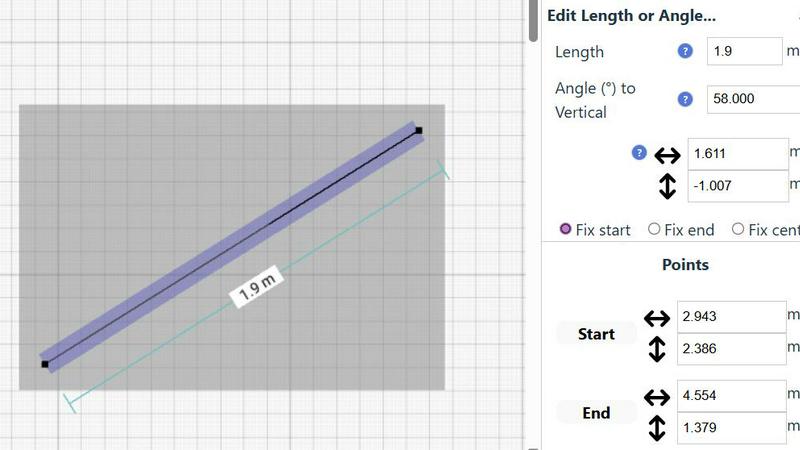
The smart alignment system assists users in placing points and lines with remarkable accuracy. By simply pointing the mouse in the desired area, the system intelligently positions elements with clear visual cues. This feature enhances precision, enabling users to create intricate designs without the frustration of misalignment.
Comprehensive Measurement System
SimpleDraw boasts a comprehensive measurement system that allows users to display and control measurements dynamically. Users can choose between metric and standard US units, ensuring that their drawings reflect the exact dimensions required for their projects. Contextual measurements help maintain accuracy throughout the design process.
Non-Destructive Editing
With 100% non-destructive editing, every element within a drawing can be modified or adjusted at any time. Users can easily revert changes using undo and redo options, streamlining the design process. Grouping elements for simultaneous movement or duplication further enhances productivity, making it easier to manage complex projects.
Use Cases
Coloring Book Engine
Solo Entrepreneur & Self-Publisher
Individual creators and solo entrepreneurs can leverage CBE to manage the entire coloring book production cycle independently. From initial concept brainstorming using integrated AI prompts to generating KDP-ready files and creating promotional videos for social media, the tool consolidates multiple software requirements into one. This enables a single person to operate a professional-grade publishing business with high efficiency and lower overhead, maintaining full creative and commercial control.
Small Studio or Publishing Team
For small teams, studios, or educational institutions, the Organization license facilitates collaborative workflow. Multiple users can work within the standardized CBE environment to plan series, batch-produce artwork, ensure consistent file formatting, and coordinate marketing asset creation. The software's structured, step-by-step process (Plan, Sketch, Book, Coloring, Assets, Video) provides a clear production pipeline that teams can follow to scale output and maintain quality across projects.
AI-Assisted Artwork Generation & Refinement
Artists and designers can use CBE as a powerful ideation and refinement tool. The AI integration assists in sketching concepts and generating base line art based on textual descriptions. Subsequently, the engine's tools allow for the refinement of this art, specifically by cleaning up fuzzy AI-generated edges to produce crisp, print-sharp lines suitable for physical coloring books. This use case blends creative direction with AI-powered execution speed.
Traditional Artist Transitioning to Digital Publishing
Artists who create hand-drawn coloring pages can utilize the software's AI-optional workflow. They can import their scanned traditional artwork, and CBE will handle the technical publishing steps: properly formatting the pages into a print-ready book layout, generating required front/back matter, and creating promotional videos. This allows traditional artists to bridge the gap to digital self-publishing without their core artwork being processed by AI.
SimpleDraw
Home Renovation Planning
SimpleDraw is ideal for homeowners planning renovations, allowing them to create precise kitchen, bathroom, and living space layouts. Users can visualize their designs and make adjustments before physical work begins, saving time and resources.
Furniture Arrangement
For individuals looking to rearrange furniture or design new room layouts, SimpleDraw provides an intuitive platform to experiment with different configurations. This feature helps users determine if their desired furniture will fit in the intended space, facilitating better purchasing decisions.
Rental Property Listings
Landlords and real estate agents can utilize SimpleDraw to create comprehensive floor plans for rental listings. Accurately detailed diagrams enhance property presentations and help potential tenants envision their future living spaces.
Space Planning for Offices
Office planners can use SimpleDraw to design effective workspace layouts. By creating accurate floor plans, they can optimize space utilization, ensuring that each area meets the functional needs of employees and enhances productivity.
Overview
About Coloring Book Engine
Coloring Book Engine (CBE) is a comprehensive, standalone desktop application engineered to serve as a complete production toolkit for creators and entrepreneurs in the coloring book space. It is a locally-run software solution designed for individuals and teams who aim to operate a professional coloring book business, moving beyond simple PDF creation to a scalable, asset-driven publishing model. The core value proposition lies in its end-to-end workflow automation, which consolidates the entire process from initial concept to final marketing deliverables within a single interface. This tool specifically addresses the technical and logistical challenges of self-publishing, such as generating print-ready files compliant with platforms like Amazon KDP, which require precise bleed, margins, and pagination. A key differentiator is its BYOK (Bring Your Own Key) architecture for AI integrations, granting users full control over model selection, data privacy, and operational costs by utilizing their own API keys or local GPU resources. By integrating promotional video creation for platforms like TikTok and YouTube Shorts, CBE provides a holistic solution for not only producing books but also effectively marketing them, making it an indispensable asset for serious creators focused on quality, efficiency, and commercial growth.
About SimpleDraw
SimpleDraw is a powerful, browser-based application designed specifically for creating precise, dimensionally accurate scale drawings and technical diagrams. It caters to a diverse audience, including casual users, DIY enthusiasts, homeowners, and professionals engaging in early-stage planning. The main value proposition of SimpleDraw lies in its unique combination of simplicity and precision, making it a user-friendly alternative to complex CAD software. Users can access the tool directly in their web browser without the need for software installation, account registration, or financial commitment. This accessibility empowers individuals to produce detailed floor plans, elevation drawings, and scaled layouts for various projects. With features like a dedicated Floor Plan Mode, smart alignment system, and comprehensive measurement controls, SimpleDraw enhances the drawing experience, allowing users to visualize and plan their spaces with confidence and accuracy.
Frequently Asked Questions
Coloring Book Engine FAQ
Is Coloring Book Engine a desktop app or a cloud service?
Coloring Book Engine is a standalone desktop application installed and run locally on your Windows computer. The majority of its processing tasks, including layout, video generation, and local GPU operations, are performed on your own hardware. It only connects to the cloud when you explicitly choose to use your own external AI API keys for specific ideation or generation tasks, ensuring data privacy and operational control.
What exactly does it speed up for coloring book creators?
CBE significantly accelerates the entire production pipeline. It streamlines the process of turning an idea into a sketch via AI assistance, batches the creation and organization of multiple pages, automates the technical layout for publishing platforms like KDP, and generates marketing videos from finished pages. This consolidation eliminates the need to manually switch between disparate tools for sketching, graphic design, page layout, and video editing, saving substantial time.
Is this a subscription?
No, Coloring Book Engine is not a subscription service. It is offered via a one-time payment for a lifetime license, which includes the core software and future bug-fix updates. The only ongoing costs are optional and controlled by the user: if you choose to use cloud-based AI services, you pay directly to your API provider (e.g., OpenAI) based on your usage. This is the BYOK (Bring Your Own Key) model.
Can I use this tool without AI?
Yes, absolutely. Coloring Book Engine supports a complete AI-free workflow. You can import your own hand-drawn or digitally created line art. The software will then handle all subsequent steps: compiling the artwork into a properly formatted book, applying print-ready specifications (bleed, margins), and generating coloring videos for social media. The AI features are entirely optional modules within the broader production toolkit.
SimpleDraw FAQ
Is SimpleDraw free to use?
Yes, SimpleDraw is completely free to use, offering a wide range of features without any hidden costs or subscription fees.
Do I need to create an account to use SimpleDraw?
No, users can start drawing immediately without the need for account registration or software installation, making it highly accessible.
What types of projects can I create with SimpleDraw?
SimpleDraw is versatile and supports a variety of projects, including floor plans for homes, office layouts, furniture arrangements, and even technical diagrams for professional use.
Can I share my drawings with others?
Yes, once you create a drawing in SimpleDraw, you can easily share it with others by providing them with a link to your work, facilitating collaboration and feedback.
Alternatives
Coloring Book Engine Alternatives
Coloring Book Engine is a standalone desktop application categorized as a professional design and publishing tool. It provides a complete, locally-run production workflow for creating commercial-grade coloring books, from initial concept to print-ready files and marketing assets. This positions it as a specialized solution for serious creators and entrepreneurs. Users may seek alternatives for various reasons, including budget constraints, a preference for subscription-based software-as-a-service models, or a need for a simpler tool that does not require managing technical specifications like KDP compliance. Others might prioritize a different feature set, such as integrated stock libraries or collaborative cloud editing, over the local control and BYOK AI architecture that CBE emphasizes. When evaluating alternatives, key considerations should include the tool's output quality, its ability to generate print-ready files for major platforms, the flexibility and cost structure of any AI features, and whether the workflow supports the creator's entire process from production to promotion. The ideal choice balances required functionality with operational preferences for local versus cloud-based processing.
SimpleDraw Alternatives
SimpleDraw is a free, web-based tool designed for creating precise scale drawings and floor plans, falling into the category of design tools. Users often seek alternatives to SimpleDraw due to various reasons, such as the need for advanced features, compatibility with different platforms, or specific project requirements that SimpleDraw may not fully address. Additionally, budget constraints or the desire for unique functionalities can drive users to explore other options. When choosing an alternative to SimpleDraw, it is crucial to consider features that align with your specific design needs, the ease of use of the interface, and the availability of essential tools for your projects. Compatibility with various operating systems and the ability to handle complex designs can also be significant factors in making an informed decision.