dmaya vs Refbox
Side-by-side comparison to help you choose the right tool.

dmaya
dMaya is an AI design platform for agencies that generates production-ready UI designs and exports them to code.
Last updated: April 13, 2026

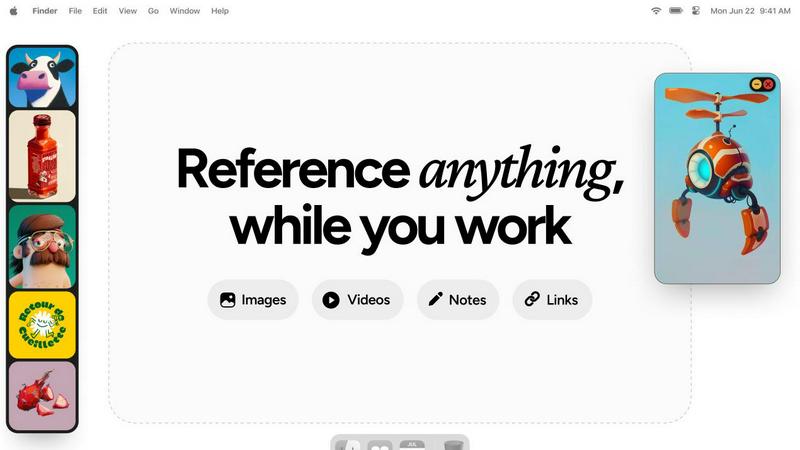
Refbox is a floating desktop app that keeps reference images, videos, and notes visible above your workspace.
Last updated: February 28, 2026
Visual Comparison
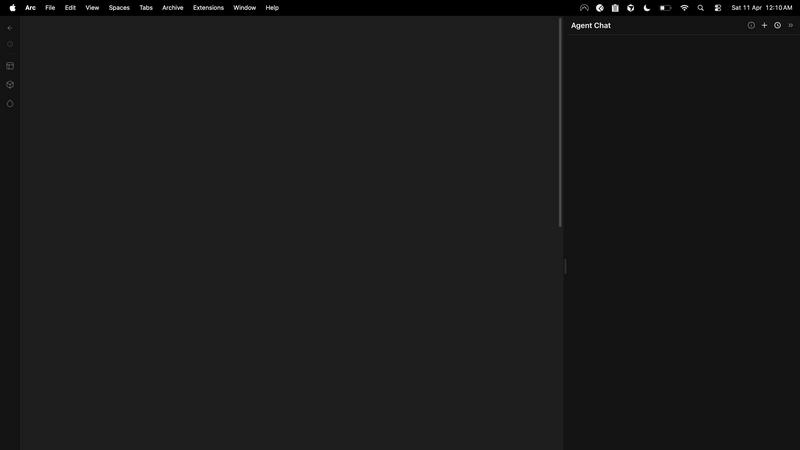
dmaya
Refbox
Feature Comparison
dmaya
Conversational AI Design Generation
This core feature allows users to generate initial UI designs by describing their vision in plain English. Input a prompt for a specific interface, such as "a minimalist SaaS admin dashboard with dark mode," and dMaya's AI agent will produce a complete set of screens with coherent layouts, component systems, and responsive considerations. The generation process accounts for standard UI patterns and design principles, delivering a professional starting point in seconds, drastically reducing the time from concept to visual prototype.
Real-Time Conversational Iteration
Beyond initial generation, dMaya enables detailed refinement through an integrated chat interface. Designers can instruct the AI to make precise modifications using natural language, such as "swap the primary color to a blue palette," "convert this layout to a three-column grid," or "add a user profile section to the top navbar." Every change is applied instantly and accurately across the design, with underlying design tokens ensuring visual consistency is automatically maintained throughout all screens and components.
Client Presentation & Feedback Portal
dMaya streamlines the client review process by allowing designers to share projects via a simple, secure URL. Clients can view interactive, browser-based previews of the designs without needing to create an account. They can leave contextual feedback directly on the designs. This functionality consolidates the entire approval cycle within the platform, turning a process that traditionally takes days of email exchanges and meetings into one that can be completed in minutes, with all feedback tracked and actionable.
Design-to-Code Export for AI Development
Once a design is approved, dMaya provides a one-click export function that outputs production-ready front-end code. The export includes clean, well-structured HTML, CSS, and JavaScript that accurately reflects the visual design. This code is specifically formatted to be optimally consumed by AI coding assistants and agents like Claude Code, Cursor, or GitHub Copilot, enabling a seamless handoff for developers to build the final product in any modern framework like React, Next.js, or Flutter.
Refbox
Always-on-Top Floating Frames
Refbox's core functionality allows users to pin reference media—including images, GIFs, and videos—in resizable, transparent frames that remain visible above all other application windows. This ensures critical references are perpetually accessible without obstructing the primary workspace in tools like Photoshop or Blender. Frames can be minimized, locked in place to work behind, or auto-hidden to appear only on demand, providing complete control over screen real estate and visual clutter.
Multi-Source Media Aggregation
The application features a centralized sidebar, known as the Box, which serves as a hub for collecting reference material from diverse sources. Users can import content directly from their local file system, drag and drop from web browsers, or paste from the clipboard. This consolidates scattered assets into a single, organized library, eliminating the need to navigate through multiple folders or browser tabs during the creative process.
Advanced Media Viewing & Manipulation
Refbox supports sophisticated handling of various media types beyond simple display. It includes frame-by-frame scrubbing for GIFs and videos, precise pixel rendering for pixel art, and the ability to create website screenshots by pasting a URL. Additional utilities include an integrated color picker for sampling colors from any media, image cropping tools, and support for viewing SVG files as images, all accessible without leaving the application.
Flexible Viewing Modes & Organization
To suit different workflow stages, Refbox offers multiple viewing modalities. The Masonry grid provides an overview of all collected references, individual floating frames allow for precise placement, and a full-screen gallery or slideshow mode facilitates rapid comparison. Media can be organized into instant-swap Collections, and the entire interface can be controlled via customizable keyboard shortcuts for efficient navigation and frame management.
Use Cases
dmaya
Agency Client Pitches and Concepting
Agencies can use dMaya to rapidly visualize client ideas during discovery calls or pitch meetings. By generating multiple high-fidelity design directions from a brief in real-time, agencies can demonstrate capability and align on visual direction faster. This accelerates the sales cycle, improves win rates, and provides tangible assets for proposals and statements of work, all before committing significant internal resources to detailed design work.
Product Team UI Exploration and Prototyping
Product managers and designers can leverage dMaya to explore diverse UI solutions for new features or products without extensive manual design work. The platform allows for quick A/B testing of different layouts, color schemes, and information architectures. This enables data-informed visual decisions early in the product lifecycle, ensuring engineering resources are only committed to building well-validated and stakeholder-approved interfaces.
Freelancer Project Delivery and Scalability
Freelancers and independent contractors can utilize dMaya to increase their project throughput and service offerings. The tool enables a single designer to handle the ideation, iteration, and client approval phases for multiple projects concurrently with greater speed. This efficiency allows freelancers to take on more work or deliver higher-fidelity results in less time, directly increasing their earning potential and competitive advantage.
Cross-Functional Team Alignment and Handoff
dMaya serves as a single source of truth for design concepts within cross-functional teams. Designers, product managers, and engineers can collaborate in the shared workspace, review iterations, and leave comments. The definitive, approved design and its accompanying exported code package create a clear, unambiguous handoff point from design to development, reducing misinterpretation and rework.
Refbox
3D Modeling and Texturing
For 3D artists working in software like Blender or Maya, maintaining visual consistency is paramount. Refbox allows them to float reference images for character design, material textures, and lighting setups directly beside their viewport. This enables constant visual comparison without window switching, ensuring accurate modeling, UV unwrapping, and texture painting based on precise real-world or conceptual references.
UI/UX and Digital Product Design
Designers in Figma, Sketch, or Adobe XD can use Refbox to pin competitor app screenshots, style guides, mood boards, and user flow diagrams around their canvas. The always-on-top frames keep brand assets and inspiration visible, facilitating adherence to design systems and accelerating the iterative design process by reducing context shifts between reference material and the active design file.
Illustration and Concept Art
Illustrators and concept artists can aggregate inspiration from various sources into Refbox, creating a dynamic mood board that floats over their painting software like Photoshop or Clip Studio Paint. They can scrub through GIFs for motion study, keep color palettes sampled from references handy, and maintain notes on artistic direction—all within a persistent, non-intrusive layer that supports deep creative focus.
Animation and Motion Graphics
Animators can leverage Refbox to study motion reference videos or sprite sheets frame-by-frame while working in timeline-based software. By pinning sequential frames or video tutorials in a floating player, they can meticulously analyze movement and timing without pausing their primary animation software, streamlining the process of translating reference motion into their original work.
Overview
About dmaya
dMaya is a professional AI-powered design platform engineered specifically for agencies, product teams, and freelancers who operate within a client-driven, design-first workflow. It addresses a critical gap in the current AI tool landscape, which often bypasses visual design to generate code directly. dMaya reinstates the essential design phase, enabling teams to make intentional visual decisions, align stakeholders, and secure approvals before any development begins. The core value proposition lies in its conversational AI interface that generates complete, professional UI designs from text descriptions. Users can describe a SaaS dashboard, e-commerce user flow, or mobile application and receive polished, multi-screen designs in seconds. The platform facilitates rapid iteration through natural language commands to adjust colors, layouts, typography, and components. Once a design is finalized, it can be shared via a client-ready preview link for feedback and approval, eliminating lengthy review cycles. Finally, approved designs are exported as clean, structured HTML, CSS, and JavaScript code, ready to be handed off to AI coding agents like Cursor or Claude Code for implementation in frameworks such as React, Next.js, or Flutter. dMaya is built for speed, collaboration, and precision, ensuring teams can present, approve, and ship with confidence.
About Refbox
Refbox is a specialized desktop application engineered to eliminate workflow disruption for visual creatives by providing instant, always-accessible reference material. It functions as a floating utility that pins images, GIFs, videos, and notes in resizable, always-on-top frames directly above your primary working applications like Photoshop, Blender, or Figma. This architecture negates the need for constant alt-tabbing between windows or digging through cluttered folders, allowing artists, designers, and animators to maintain an uninterrupted state of flow. The core value proposition is a significant reduction in cognitive load and context-switching, translating directly to increased productivity and focus. Users can aggregate media from the web, their local computer, or clipboard into a centralized sidebar and then deploy individual references across their desktop workspace. With support for multiple viewing modes—including a Masonry grid, individual floating frames, and a full-screen gallery—Refbox adapts to any workflow. It further enhances utility with features like frame-by-frame GIF scrubbing, Markdown-enabled notes, and clickable bookmarks, consolidating tools that would typically require several separate applications. Designed for professionals in 3D art, animation, UI/UX design, illustration, concept art, motion graphics, photography, and pixel art, Refbox is the essential digital companion for keeping inspiration and critical references persistently at your fingertips.
Frequently Asked Questions
dmaya FAQ
How does dMaya differ from other AI design tools?
dMaya is purpose-built for professional, client-facing workflows where design approval precedes development. Unlike tools that generate code directly, dMaya focuses on producing high-fidelity visual designs that can be presented, iterated upon, and formally approved. It includes client collaboration features like shareable preview links and feedback collection, which are essential for agencies and teams but absent in most AI tools aimed at solo builders.
What kind of code does dMaya export?
dMaya exports clean, vanilla front-end code consisting of semantic HTML, CSS (including Flexbox/Grid for layout), and JavaScript for basic interactivity. The code is not tied to a specific framework but is structured and commented to be easily interpreted and adapted by AI coding agents or developers into any target framework such as React, Next.js, Vue, or Flutter.
Can I collaborate with my team on dMaya?
Yes, dMaya includes built-in team collaboration features. You can invite team members to projects with role-based permissions, work together in real-time on the same canvas, and use comment threads for discussion. This makes it suitable for design teams, product squads, and agency groups needing a shared environment for creation and review.
Do clients need a dMaya account to review designs?
No, clients and external stakeholders do not require any account to review designs. Designers simply generate a shareable preview link from within a dMaya project and send it to their clients. Clients can view the design in their web browser, interact with it, and leave feedback directly on the design without any login or software installation.
Refbox FAQ
What types of media files does Refbox support?
Refbox supports a wide array of media formats critical for creative workflows. This includes common image formats (JPG, PNG, WEBP, SVG), animated GIFs with frame-by-frame control, various video files for motion reference, and text-based notes with Markdown support for styling and checklists. Users can also capture website screenshots directly by pasting URLs.
How does Refbox handle screen real estate and window management?
Refbox is designed to be minimally intrusive. Floating frames can be resized, set to a locked transparent state to work behind, or minimized to just their title bar. The main sidebar (the Box) can be set to auto-hide, appearing only when you need to access your library. This ensures your primary application remains the focus while keeping references instantly accessible.
Can I use Refbox with multiple monitors?
Yes, Refbox is fully compatible with multi-monitor setups. The application's main interface and the individual floating reference frames can be moved and positioned across any connected display. This allows artists to dedicate one screen entirely to their creative software while using another monitor to host an organized gallery of Refbox references and tools.
Is there a subscription fee for Refbox?
Based on the provided context, Refbox is offered as a one-time purchase license. This means users pay a single, upfront fee to obtain the software for perpetual use on their machine, without recurring monthly or annual subscription charges. This model is often preferred by professionals seeking predictable long-term tooling costs.
Alternatives
dmaya Alternatives
dmaya is an AI-powered vibe design platform that operates within the design-to-code software category. It enables agencies, teams, and freelancers to generate, iterate, and finalize professional UI designs through conversational AI before exporting clean, production-ready code. This process bridges the critical gap between conceptualization and development, ensuring visual and functional alignment before any engineering resources are committed. Users may explore alternatives to dmaya for various practical reasons. Common considerations include budget constraints and specific pricing models, the need for different feature sets or integration capabilities, and platform requirements such as operating system compatibility or collaboration tools. The search often stems from a need to find a tool that aligns precisely with a team's existing workflow, technical stack, or project scope. When evaluating an alternative design platform, key criteria should include the fidelity and control of the AI-generated output, the efficiency of the client review and approval cycle, and the quality and framework specificity of the exported code. The ideal solution should not only accelerate the initial design phase but also seamlessly integrate into the subsequent development pipeline without creating technical debt or requiring significant rework.
Refbox Alternatives
Refbox is a specialized productivity application designed for visual professionals. It functions as a floating desktop utility that pins reference images, videos, and notes in always-on-top windows, eliminating disruptive context switching between applications like Photoshop or Blender. This places it within the niche category of workflow optimization and reference management tools for creatives. Users may seek alternatives to Refbox for various practical reasons. Common motivations include budget constraints, as some users require a free or lower-cost solution. Others may need specific features not present in Refbox, such as advanced collaboration tools or integration with particular cloud storage platforms. Platform compatibility is another key factor, as some professionals work exclusively on operating systems not supported by the primary application. When evaluating an alternative, key criteria should align with your core workflow needs. Essential considerations include the tool's ability to maintain windows above other applications, the range of supported media formats, and the efficiency of its import and organization system. Performance impact on system resources, customization options for the viewing interface, and the overall stability of the software are also critical technical specifications to assess before committing to a solution.