

Refbox
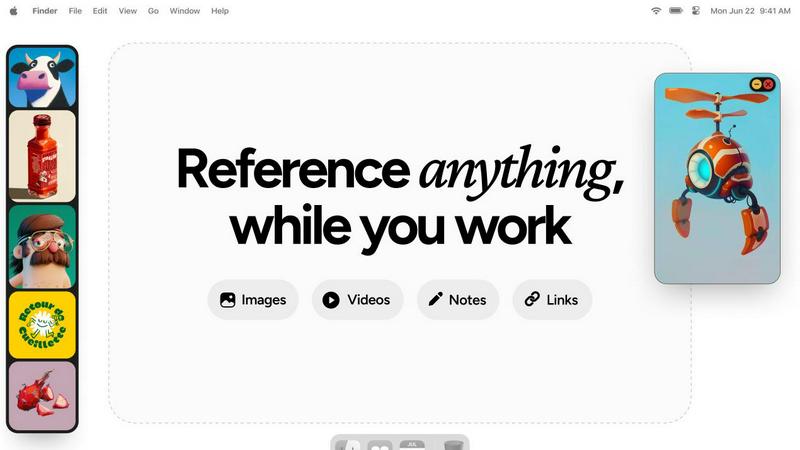
Refbox is a floating desktop app that keeps reference images, videos, and notes visible above your workspace.
About Refbox
Refbox is a specialized desktop application engineered to eliminate workflow disruption for visual creatives by providing instant, always-accessible reference material. It functions as a floating utility that pins images, GIFs, videos, and notes in resizable, always-on-top frames directly above your primary working applications like Photoshop, Blender, or Figma. This architecture negates the need for constant alt-tabbing between windows or digging through cluttered folders, allowing artists, designers, and animators to maintain an uninterrupted state of flow. The core value proposition is a significant reduction in cognitive load and context-switching, translating directly to increased productivity and focus. Users can aggregate media from the web, their local computer, or clipboard into a centralized sidebar and then deploy individual references across their desktop workspace. With support for multiple viewing modes—including a Masonry grid, individual floating frames, and a full-screen gallery—Refbox adapts to any workflow. It further enhances utility with features like frame-by-frame GIF scrubbing, Markdown-enabled notes, and clickable bookmarks, consolidating tools that would typically require several separate applications. Designed for professionals in 3D art, animation, UI/UX design, illustration, concept art, motion graphics, photography, and pixel art, Refbox is the essential digital companion for keeping inspiration and critical references persistently at your fingertips.
Features
Always-on-Top Floating Frames
Refbox's core functionality allows users to pin reference media—including images, GIFs, and videos—in resizable, transparent frames that remain visible above all other application windows. This ensures critical references are perpetually accessible without obstructing the primary workspace in tools like Photoshop or Blender. Frames can be minimized, locked in place to work behind, or auto-hidden to appear only on demand, providing complete control over screen real estate and visual clutter.
Multi-Source Media Aggregation
The application features a centralized sidebar, known as the Box, which serves as a hub for collecting reference material from diverse sources. Users can import content directly from their local file system, drag and drop from web browsers, or paste from the clipboard. This consolidates scattered assets into a single, organized library, eliminating the need to navigate through multiple folders or browser tabs during the creative process.
Advanced Media Viewing & Manipulation
Refbox supports sophisticated handling of various media types beyond simple display. It includes frame-by-frame scrubbing for GIFs and videos, precise pixel rendering for pixel art, and the ability to create website screenshots by pasting a URL. Additional utilities include an integrated color picker for sampling colors from any media, image cropping tools, and support for viewing SVG files as images, all accessible without leaving the application.
Flexible Viewing Modes & Organization
To suit different workflow stages, Refbox offers multiple viewing modalities. The Masonry grid provides an overview of all collected references, individual floating frames allow for precise placement, and a full-screen gallery or slideshow mode facilitates rapid comparison. Media can be organized into instant-swap Collections, and the entire interface can be controlled via customizable keyboard shortcuts for efficient navigation and frame management.
Use Cases
3D Modeling and Texturing
For 3D artists working in software like Blender or Maya, maintaining visual consistency is paramount. Refbox allows them to float reference images for character design, material textures, and lighting setups directly beside their viewport. This enables constant visual comparison without window switching, ensuring accurate modeling, UV unwrapping, and texture painting based on precise real-world or conceptual references.
UI/UX and Digital Product Design
Designers in Figma, Sketch, or Adobe XD can use Refbox to pin competitor app screenshots, style guides, mood boards, and user flow diagrams around their canvas. The always-on-top frames keep brand assets and inspiration visible, facilitating adherence to design systems and accelerating the iterative design process by reducing context shifts between reference material and the active design file.
Illustration and Concept Art
Illustrators and concept artists can aggregate inspiration from various sources into Refbox, creating a dynamic mood board that floats over their painting software like Photoshop or Clip Studio Paint. They can scrub through GIFs for motion study, keep color palettes sampled from references handy, and maintain notes on artistic direction—all within a persistent, non-intrusive layer that supports deep creative focus.
Animation and Motion Graphics
Animators can leverage Refbox to study motion reference videos or sprite sheets frame-by-frame while working in timeline-based software. By pinning sequential frames or video tutorials in a floating player, they can meticulously analyze movement and timing without pausing their primary animation software, streamlining the process of translating reference motion into their original work.
Pricing
Refbox is available for a one-time purchase price. This perpetual license grants you full access to all current features and future updates for the purchased version, with no recurring subscription fees. This pricing model provides cost certainty for professionals and studios, making it a straightforward investment into a permanent productivity tool for the creative workflow.
Frequently Asked Questions
What types of media files does Refbox support?
Refbox supports a wide array of media formats critical for creative workflows. This includes common image formats (JPG, PNG, WEBP, SVG), animated GIFs with frame-by-frame control, various video files for motion reference, and text-based notes with Markdown support for styling and checklists. Users can also capture website screenshots directly by pasting URLs.
How does Refbox handle screen real estate and window management?
Refbox is designed to be minimally intrusive. Floating frames can be resized, set to a locked transparent state to work behind, or minimized to just their title bar. The main sidebar (the Box) can be set to auto-hide, appearing only when you need to access your library. This ensures your primary application remains the focus while keeping references instantly accessible.
Can I use Refbox with multiple monitors?
Yes, Refbox is fully compatible with multi-monitor setups. The application's main interface and the individual floating reference frames can be moved and positioned across any connected display. This allows artists to dedicate one screen entirely to their creative software while using another monitor to host an organized gallery of Refbox references and tools.
Is there a subscription fee for Refbox?
Based on the provided context, Refbox is offered as a one-time purchase license. This means users pay a single, upfront fee to obtain the software for perpetual use on their machine, without recurring monthly or annual subscription charges. This model is often preferred by professionals seeking predictable long-term tooling costs.
Similar to Refbox
AI Email Filter
AI Email Filter sorts incoming mail into folders using plain-language prompts you write. Works with any IMAP mailbox; bring your own LLM if you want.

Egmatic
No-code 2D game editor: visual node logic, drag-and-drop scenes, live preview. Exports to Windows, macOS, Linux, Android, iOS, Web.
Kody Tools
Free collection of online developer utilities, code formatters, and digital converters designed to streamline your daily workflow.
Tally Counter
Online tally counter for tracking attendance, workouts, inventory, visitors, sports scores, habits, and everyday counting tasks.
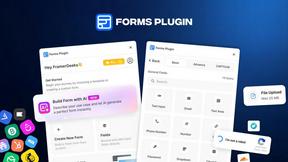
Forms Plugin
The #1 Native Form Builder Plugin for Framer - No Code, No Embeds, No External Platforms.

Product Launch Checklist
A free launch checklist for SaaS, apps, AI tools and more. Every step says why it matters and when you can skip it.

HomeAnswerBook
Practical, independent guides to home repairs, maintenance, costs, troubleshooting, and everyday fixes.
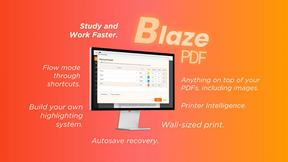
BlazePDF
Highlight faster. Study in flow with custom shortcuts and a workflow built around you. Print smarter, or turn any page into a tiled poster.