DR Checker vs TrafficClaw
Side-by-side comparison to help you choose the right tool.

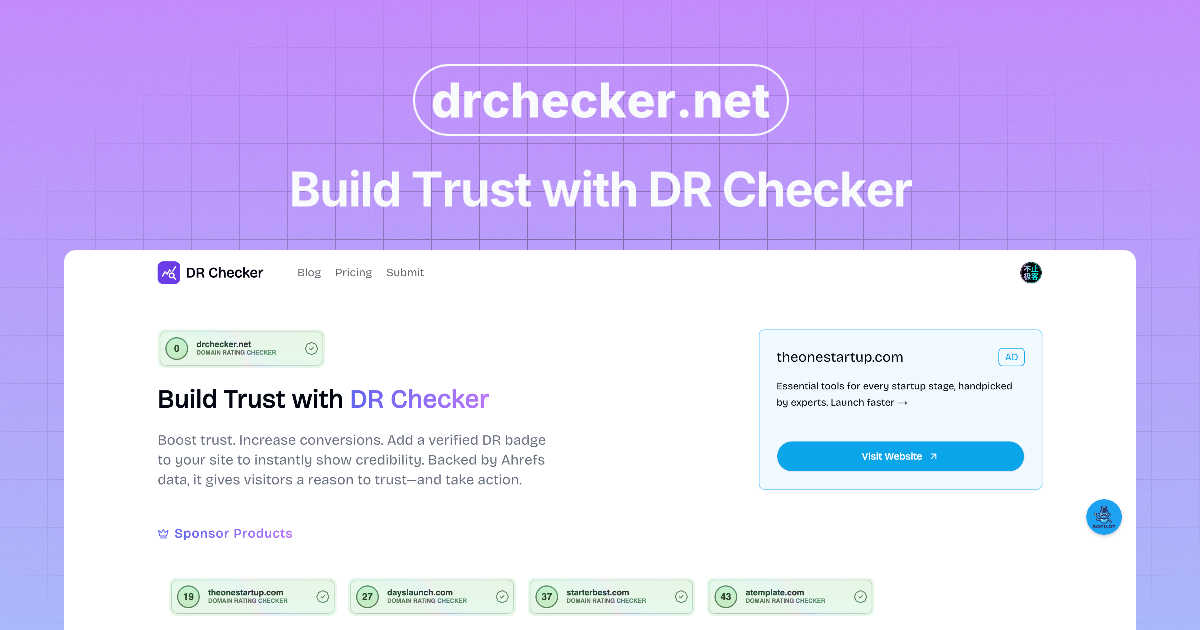
DR Checker verifies the authenticity of digital content to establish and maintain user trust.

TrafficClaw
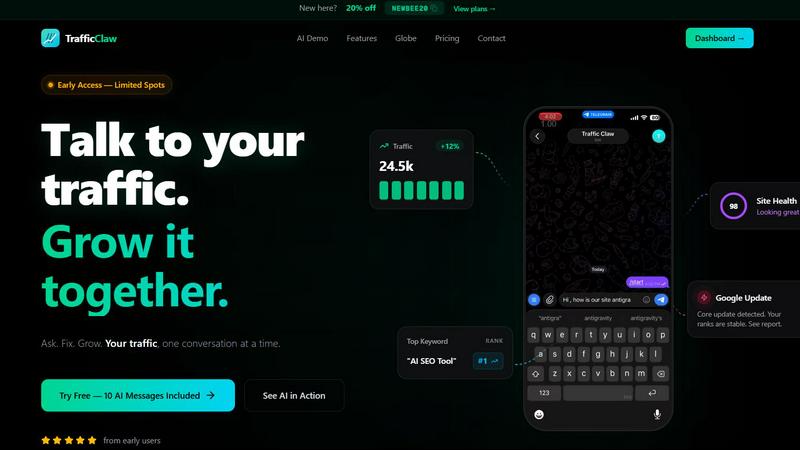
TrafficClaw is an AI analyst that converses with your live SEO and analytics data to deliver actionable growth verdicts.
Last updated: April 13, 2026
Visual Comparison
DR Checker
TrafficClaw
Feature Comparison
DR Checker
Advanced Web Crawling Engine
DR Checker utilizes a robust, configurable web crawling engine designed to navigate complex website architectures, including JavaScript-rendered content and single-page applications (SPAs). This engine systematically maps all discoverable links, ensuring a thorough examination of both internal page connections and outbound external links. It respects robots.txt directives while providing depth and scope controls, allowing for targeted scans of specific site sections or comprehensive full-site audits to ensure no problematic link goes undetected.
Comprehensive Link Health Analysis
The platform performs a multi-faceted diagnostic on each identified link, checking for a variety of failure states and security concerns. This analysis goes beyond simple HTTP status code checks (like 404, 500, or 403 errors) to include validation of URL syntax, detection of redirect chains, identification of links to parked or expired domains, and proactive screening for connections to URLs known for phishing, malware, or other malicious activities, thereby safeguarding your site's reputation.
Actionable Reporting and Prioritization
Following a scan, DR Checker compiles findings into detailed, structured reports that categorize issues by severity and type. These reports highlight the exact URL where the broken or malicious link is located, the destination it points to, and the specific HTTP response code or security flag received. This prioritization enables users to efficiently address critical issues first, such as security threats or high-traffic page errors, streamlining the remediation workflow for developers and site administrators.
Intuitive Dashboard and Management Interface
Designed for usability, DR Checker presents its complex data through a clean, organized dashboard interface. Users can easily initiate new scans, review historical audit reports, monitor scan progress, and export data for further analysis or sharing with team members. The interface abstracts the technical complexity of web crawling and diagnostics, making the tool effective for both technical developers and non-technical stakeholders like content managers or digital marketers.
TrafficClaw
AI Chat Analyst
The AI Chat Analyst is the core interactive engine of TrafficClaw. It processes natural language queries to analyze your connected GA4 and Search Console data in real-time. Unlike static reports or generic blogs, it delivers specific verdicts with supporting evidence, such as identifying ranking drops due to content cannibalization or pinpointing referral traffic loss. The AI can generate charts, list affected pages, and provide direct, actionable recommendations for fixes, transforming complex data analysis into a simple conversation.
SEO Intelligence Suite
This feature provides automated, ongoing SEO analysis beyond basic rank tracking. It proactively identifies keyword gaps by comparing your content against competitor rankings and search demand. It detects content decay by monitoring pages losing traffic over time and alerts you to keyword cannibalization issues where multiple pages compete for the same terms. Furthermore, it includes an AEO (Answer Engine Optimization) engine designed to optimize content for AI-powered search experiences, ensuring your site is prepared for evolving search paradigms.
Integrated Analytics Dashboard
TrafficClaw unifies critical metrics into a single, configurable dashboard. It displays real-time visitor counts, geographic distribution, traffic trends over time, bounce rates, and conversion funnel performance. This consolidation eliminates the need to switch between GA4 and other tools, providing a holistic, real-time overview of site health and user behavior from one centralized location, complete with an interactive 3D globe visualizing live visitor activity.
Automated Site Audit & Content Tools
The platform conducts deep, page-level technical SEO audits, generating performance scores based on Core Web Vitals, mobile usability, and indexing status. It provides auto-fix suggestions for identified issues. Complementing this, the content tools suite includes an AI-powered schema markup generator, a blog post writer informed by your keyword research, an internal linking optimizer, and a keyword researcher, creating a full cycle for content optimization and creation within the ecosystem.
Use Cases
DR Checker
Pre-Launch Website Audits
Before launching a new website or a major content update, development teams can use DR Checker to perform a final integrity audit. This process identifies broken internal links, incorrect staging environment URLs, and untested external resources that could undermine the user experience immediately upon launch. Resolving these issues preemptively ensures a professional, seamless debut and prevents early negative impressions from visitors and search engine crawlers.
Ongoing SEO Maintenance and Optimization
SEO professionals and website managers employ DR Checker as part of a routine maintenance schedule to protect and improve search engine rankings. Search engines penalize sites with excessive broken links, viewing them as poorly maintained. Regular scans help identify and fix these "crawl errors," ensuring search engine bots can efficiently index all content, preserving link equity, and maintaining a healthy site profile that supports strong organic search performance.
Security Posture Enhancement
Security-conscious administrators use DR Checker to identify a critical vulnerability: outbound links to compromised or malicious websites. Such links can be introduced through user-generated content, compromised third-party widgets, or outdated resource references. By detecting and removing these hazardous connections, the tool helps prevent drive-by download attacks, phishing redirects, and association with blacklisted domains, thereby directly strengthening the site's security posture and user trust.
Content Migration and Platform Transition
When migrating a website to a new Content Management System (CMS) or restructuring a site's URL architecture, link integrity is paramount. DR Checker can scan the old and new environments to compare link maps, identifying broken links resulting from incorrect redirect mappings or missed content transfers. This ensures a smooth transition for users and preserves existing inbound SEO value by maintaining valid pathways to all migrated content.
TrafficClaw
Diagnosing Sudden Traffic Drops
When a website experiences an unexpected traffic decline, a marketer can directly ask the AI Analyst "Why did my traffic drop last Tuesday?". The AI cross-references GA4 traffic data with Search Console ranking data, potentially identifying a specific Google core update impact, a lost backlink, a technical crawl error, or cannibalization between articles, providing a clear, data-driven root cause and steps for remediation.
Proactive Content Gap Analysis
A content manager planning their editorial calendar can use the SEO Intelligence suite to run a keyword gap analysis. The system compares the site's current rankings against a defined competitor set and search volume data to surface high-opportunity, relevant keywords the site is not currently targeting, providing a direct list of topics for new content creation to capture unmet demand.
Real-Time Performance Monitoring
A website owner or developer can use the integrated Analytics Dashboard and live visitor globe to monitor site health and user engagement in real-time. They can instantly see current active users, their geographic origins, the pages they are visiting, and referral sources, allowing for immediate observation of campaign launches or detection of anomalous traffic patterns.
Streamlining Technical SEO Audits
Instead of manually running scattered audits with various tools, a developer can trigger TrafficClaw's Site Audit feature. It automatically crawls the site, evaluates Core Web Vitals (LCP, FID, CLS), checks for mobile-friendliness and indexation blocks, and compiles a prioritized list of technical issues with specific fix suggestions, all within the same platform used for performance analysis.
Overview
About DR Checker
DR Checker is a sophisticated, web-based diagnostic platform engineered to audit and fortify website integrity by comprehensively scanning for and identifying problematic hyperlinks. It serves as an essential tool for website owners, web developers, SEO specialists, and digital marketers who are responsible for maintaining optimal site performance, security, and search engine visibility. The core value proposition of DR Checker lies in its ability to proactively detect a spectrum of link-related issues, including broken links (404 errors), invalid or malformed URLs, links pointing to expired domains, and, critically, connections to potentially malicious or suspicious external resources. By leveraging advanced crawling technology, the platform meticulously analyzes website structures and both internal and external link profiles to generate detailed, actionable reports. These insights empower users to eliminate navigational dead-ends that frustrate visitors, remove security vulnerabilities that could compromise user data, and rectify SEO liabilities that negatively impact search rankings. Although the service deployment is currently temporarily paused, its design principle remains focused on simplifying complex website maintenance tasks through an intuitive interface, making professional-grade site auditing accessible to users with varying levels of technical expertise.
About TrafficClaw
TrafficClaw is an AI-powered analytics and SEO command center designed to eliminate the guesswork from website growth. It directly addresses the core frustration faced by website owners, marketers, and developers: disparate data sources like Google Analytics 4 (GA4) and Google Search Console provide raw metrics and graphs but lack immediate, actionable interpretation. TrafficClaw solves this by integrating these data sources into a single intelligent interface where users can converse with their data using natural language. The platform's core value proposition is its AI Analyst, which provides specific, data-backed verdicts rather than generic advice. By connecting your GA4 and Search Console accounts, TrafficClaw enables you to ask direct questions like "Why did my traffic drop?" or "What are my top keyword opportunities?" and receive instant analysis, visualizations, and prescribed fixes derived from your live data. It consolidates real-time analytics dashboards, deep SEO intelligence, automated site audits, and content generation tools into one workflow, significantly reducing the time spent on data triangulation and increasing the speed of actionable insight generation for sustainable traffic growth.
Frequently Asked Questions
DR Checker FAQ
What types of links does DR Checker check?
DR Checker performs a comprehensive audit of all hyperlinks (anchor tags with href attributes) discovered on your website. This includes internal links that navigate between pages on your own domain, external links that point to other websites, image source links, script and stylesheet references, and links within iframes. It validates each for functionality, correct HTTP status, and potential security threats.
How deep does the crawler scan my website?
The crawling depth is typically configurable within the DR Checker platform. You can usually define the scope of a scan, such as limiting it to a specific subdirectory (e.g., /blog/), setting a maximum number of pages to crawl, or defining the link depth from the starting URL. This allows for targeted audits of new sections or full, site-wide comprehensive checks as needed.
Can DR Checker handle websites that require login?
Standard configurations of most web-based crawlers, including DR Checker, are designed to scan publicly accessible content. Scanning password-protected areas or sites behind a login typically requires advanced configuration, such as providing session cookies or configuring the crawler to authenticate, which may or may not be a supported feature depending on the specific implementation of the service.
What should I do with the results from a DR Checker report?
The actionable report provides a prioritized list of issues. For broken internal links, you should either correct the destination URL or implement a proper 301 redirect to a relevant live page. For broken external links, you should either find a new, valid source to link to or remove the link entirely. For links flagged as potentially malicious, they should be removed or replaced immediately. The report serves as a direct task list for developers and content managers to rectify.
TrafficClaw FAQ
How does TrafficClaw access and use my data?
TrafficClaw uses secure, read-only Google OAuth to connect to your Google Analytics 4 and Search Console accounts. This means the platform can only view your data; it cannot edit, delete, or modify anything within your Google accounts. Your data is processed to generate insights within TrafficClaw and is not sold or shared with third parties. You can revoke access at any time.
What makes the AI advice better than generic SEO tips?
The AI Analyst is fundamentally different because it grounds its responses in your proprietary live data. Instead of offering broad best practices, it analyzes your specific traffic patterns, keyword rankings, and page performance to deliver tailored verdicts. For example, it won't just say "improve page speed"; it will identify which specific pages have degraded Core Web Vitals and estimate their impact on your traffic.
Is there a code or widget I can add to my website?
Yes, TrafficClaw offers a free, embeddable 3D interactive globe widget. This single iframe code snippet can be added to any website or CMS. It displays a real-time visualization of your GA4 visitor data, showing active user locations and a live activity feed without requiring any additional tracking scripts, serving as both a monitoring tool and an engagement element for your site visitors.
What is the setup process and time required?
Setup is designed for immediate use. You sign in with Google, and TrafficClaw automatically detects your available GA4 properties and Search Console sites. You grant read-only permissions, and the system begins syncing your historical data. The entire process typically completes in under 30 seconds, with your dashboard and AI Chat becoming fully functional immediately after, requiring zero technical configuration.