Hush Touch | Voice-to-Text for MacOS vs Wisprs
Side-by-side comparison to help you choose the right tool.

Hush Touch | Voice-to-Text for MacOS
Hush Touch offers offline voice-to-text dictation for Mac, learning your vocabulary with a one-time $20 license.
Last updated: February 26, 2026

AI transcription for audio & video: editable transcripts, speaker labels, 100+ languages. Exports: TXT, SRT, VTT, DOCX, JSON. Start free.
Visual Comparison
Hush Touch | Voice-to-Text for MacOS

Wisprs
Overview
About Hush Touch | Voice-to-Text for MacOS
Hush Touch is an innovative voice-to-text application specifically designed for macOS users who seek a fast, natural, and secure dictation experience. Unlike traditional dictation tools that rely heavily on cloud processing, Hush Touch operates entirely on-device, ensuring that your data and voice recordings remain private. By leveraging two advanced Apple transcription engines along with an Apple Intelligence final pass, Hush Touch produces highly accurate text outputs, adapting to your unique vocabulary and speech patterns over time. This lightweight application, with a mere 5.5 MB footprint, integrates seamlessly into your daily writing tasks—be it drafting emails, writing notes, or creating documents—allowing you to dictate hands-free. With a simple activation via hotkeys or Siri, Hush Touch empowers users to communicate effectively and efficiently, making it an invaluable tool for professionals across various fields.
About Wisprs
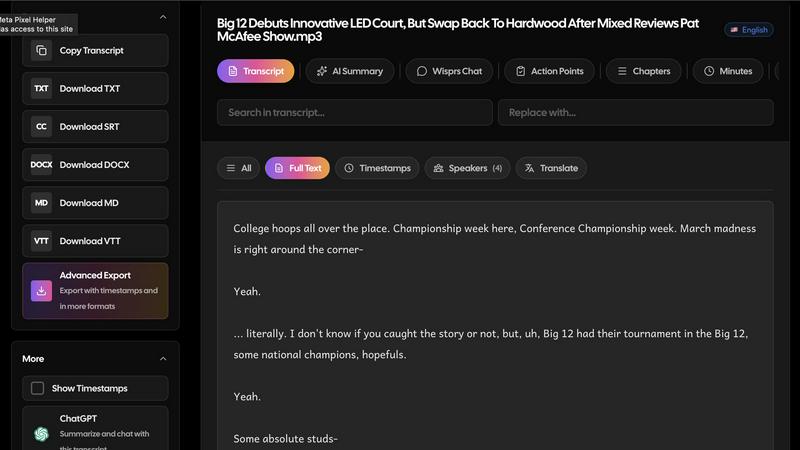
Wisprs turns the audio and video you already have—client calls, interviews, podcasts, voice memos—into editable speech-to-text you can actually use.
Excellent accuracy on clear audio; results still vary by language, accent, and recording quality (background noise and mic setup matter). We prefer saying that upfront to overselling.
Speaker labels help when more than one person talks, which is handy for debriefs and shows with co-hosts.
Beyond a wall of text: summaries, chapters, topics, and action items so a recording becomes something shareable or actionable.
100+ languages. Exports people reuse: TXT, SRT, VTT, MD, DOCX, and JSON—subtitles for video, docs for clients, structured output when you are wiring tools into a stack.
Start free with no credit card. Upload a real file and see if the workflow fits your day-to-day.
Who it is for: creators polishing episodes, teams documenting calls, interviewers capturing quotes, and anyone who needs transcripts they can edit, export, and reuse—not a one-off dump of text.