
invoice Sonic vs LuxSign
Side-by-side comparison to help you choose the right tool.

invoice Sonic
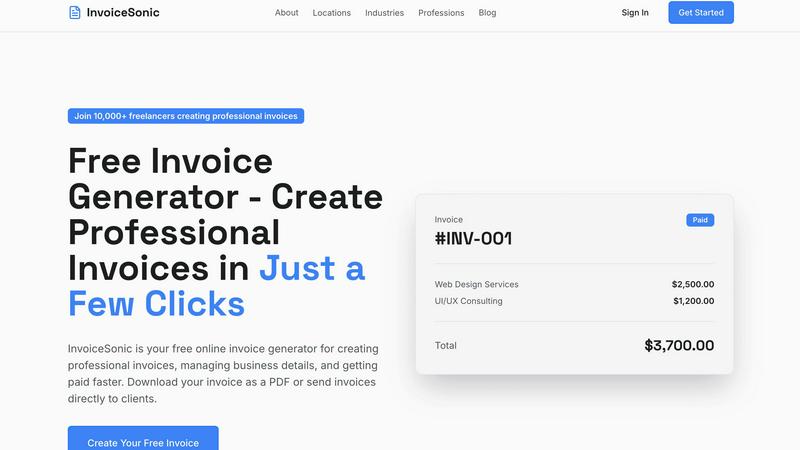
InvoiceSonic is a free, professional invoice generator for freelancers and small businesses.
Last updated: February 28, 2026

LuxSign enables secure, legally valid electronic signatures across the EU, streamlining document management in minutes.
Last updated: February 26, 2026
Visual Comparison
invoice Sonic
LuxSign

Feature Comparison
invoice Sonic
Zero-Commitment Free Tier
The platform operates on a freemium access model, providing a fully functional base tier without mandatory registration or subscription. Users are allocated a quota of five invoice generations per calendar month at no cost, enabling them to evaluate the system's capabilities and handle light invoicing workloads without financial or contractual obligation. This tier includes access to core template libraries and PDF export functionality, establishing a risk-free entry point for new users and small-scale operations.
Automated Calculation Engine
At the heart of the platform is a deterministic calculation engine that processes all numerical inputs to ensure mathematical accuracy and compliance. Upon user entry of line item quantities and unit prices, the system computes the line amount, aggregates a subtotal, applies user-defined tax rates (e.g., GST/VAT) as a percentage, and finally derives the grand total. This automation eliminates manual arithmetic errors, ensures consistent financial data presentation, and significantly reduces the time required for invoice preparation and verification.
Professional Template Library & Branding Integration
InvoiceSonic provides a curated library of pre-designed invoice templates that conform to professional business formatting standards. These templates are structurally defined to include all necessary fields: invoice numbering, issue and due dates, payer/payee details, itemized service descriptions, and legal terms. Furthermore, the system supports brand asset integration, allowing users to upload and permanently associate a company logo and brand color scheme with their profile, ensuring consistent corporate identity across all generated documents.
Instant PDF Rendering and Download
The platform features a server-side document rendering engine that converts the completed invoice data and selected template into a finalized Portable Document Format (PDF) file. This process occurs in real-time upon user command, generating a high-resolution, print-ready document that is locked for editing to preserve integrity. The PDF is served for immediate download to the user's local device, facilitating offline storage, email attachment to clients, or physical printing, all without reliance on third-party conversion tools.
LuxSign
Multiple Signature Methods
LuxSign offers a variety of signature methods to accommodate user preferences. You can draw your signature using a mouse or touchscreen, type your name, or upload a signature image. This flexibility allows for quick and personalized document signing, making it suitable for all users.
Advanced Security
The platform employs industry-standard encryption protocols to ensure the security of your documents during upload, storage, and transmission. With data hosted exclusively in Luxembourg, LuxSign guarantees compliance with EU data protection regulations, enhancing the trustworthiness of the platform.
Collaboration Workspaces
LuxSign includes collaboration workspaces that enable teams to share and manage documents effectively. Users can create shared folders, organize files, manage access rights for team members, and streamline the signing workflow, which is essential for collaborative projects and team-based tasks.
Complete Audit Trail
Every action taken on documents within LuxSign is logged in a comprehensive audit trail. This feature includes timestamps, IP addresses, and signer information, ensuring transparency and accountability. It is particularly valuable for compliance and verification purposes, allowing businesses to maintain detailed records of all document interactions.
Use Cases
invoice Sonic
Freelancer and Independent Contractor Billing
Freelancers operating in fields such as graphic design, writing, programming, or consulting can utilize InvoiceSonic to generate client-specific invoices for project-based or hourly work. The system efficiently handles the itemization of services, application of agreed rates, and inclusion of relevant payment terms. The professional output enhances credibility, while the speed of generation allows freelancers to invoice immediately upon project milestone completion, directly improving cash flow cycles.
Startup and Micro-Business Financial Operations
Early-stage startups and micro-businesses with limited administrative resources can deploy InvoiceSonic as their primary billing system. It enables them to establish a professional invoicing presence from inception without investing in accounting software or dedicated staff. The platform's ability to manage multiple clients, apply tax settings, and maintain a clean record of generated invoices supports basic but essential financial documentation and compliance needs.
Service-Based Business Proforma Invoicing
Businesses that require upfront quotes or proforma invoices, such as contractors, agencies, or equipment rental services, can use the platform's specific template for this purpose. Users can create detailed, non-binding quotations that outline projected costs, which serve as formal estimates for clients. This formalizes the proposal process and provides a clear document that can be easily converted into a final invoice once the work is approved.
Recurring Billing Management for Subscription Services
For businesses offering retainer agreements or subscription-based services, InvoiceSonic supports the management of recurring billing. Users can save client and service details to rapidly generate sequential invoices for regular billing cycles (e.g., monthly, quarterly). This streamlines the administrative task of creating similar invoices repeatedly, ensuring consistency and timeliness in billing for ongoing service arrangements.
LuxSign
Real Estate Transactions
In real estate, contracts often require multiple signatures from various parties. LuxSign simplifies this process by allowing parallel signing workflows, which accelerates the transaction timeline and ensures that all necessary approvals are gathered efficiently.
Legal Agreements
Law firms can utilize LuxSign to manage client agreements and retainers. The platform's multi-signer capabilities and detailed audit trails facilitate compliance with legal standards, ensuring that all signatures are valid and traceable.
HR Onboarding
Human resources departments can streamline the onboarding process for new employees by using LuxSign to send offer letters and contracts. Automatic email notifications keep both HR personnel and new hires informed about the signing status, enhancing the onboarding experience.
Business Partnerships
When entering into partnerships, businesses often need to sign multiple agreements. LuxSign allows companies to send and manage these documents easily, ensuring that all parties can sign from anywhere, reducing delays in starting collaborative efforts.
Overview
About invoice Sonic
InvoiceSonic is a specialized, web-based software-as-a-service (SaaS) platform engineered for the automated generation of professional billing documents. Its core operational function is to replace manual, error-prone invoicing methods—such as spreadsheet templates or legacy desktop software—with a streamlined, template-driven system accessible directly via a web browser. The platform is architecturally designed for freelancers, independent contractors, startup founders, and small business owners who require a fast, reliable, and professional-grade invoicing solution without administrative overhead. Its primary value proposition is delivering immediate, registration-free access to a high-fidelity invoice creation workflow, eliminating the need for software installation, user account creation, or financial commitment for basic usage. The system processes user-inputted data—including business and client details, line-item descriptions, quantities, unit prices, and tax rates—through a computational engine that automatically calculates subtotals, applicable taxes, and final totals. It outputs a polished, formatted document that adheres to standard commercial invoicing protocols, with instant export capability to the portable document format (PDF) for universal compatibility and client distribution.
About LuxSign
LuxSign is an advanced electronic signature platform designed specifically for businesses that require high compliance and security for their document signing processes. Developed in Luxembourg, LuxSign ensures that all documents are encrypted end-to-end and stored securely within the country's borders, which upholds the stringent standards of GDPR compliance. The platform adheres to eIDAS SES standards, providing legal validity for contracts across the entire European Union. LuxSign is ideal for enterprises, small businesses, and professionals who need a reliable tool for managing electronic signatures. With capabilities such as parallel and sequential signing workflows, drag-and-drop signature field placement, and automated notifications, LuxSign streamlines the document signing process, making it efficient and secure. Advanced tiers offer additional features like document templates, detailed audit trails, bulk signing, and extensive API support, enabling seamless integration into existing workflows.
Frequently Asked Questions
invoice Sonic FAQ
Is InvoiceSonic truly free to use?
Yes, the platform offers a perpetually free access tier. This tier allows users to generate and download up to five professional invoices per month without any requirement for credit card details, user registration, or software subscription. All core features, including template selection, automatic calculations, logo upload, and PDF export, are available within this free usage limit.
What file format are the invoices exported in?
All invoices created with InvoiceSonic are rendered and exported exclusively in the Portable Document Format (PDF). This format was selected for its universal compatibility across operating systems and devices, its fixed layout ensuring consistent visual presentation regardless of the viewing software, and its inherent properties as a non-editable document ideal for formal business transactions and record-keeping.
Can I add my company logo and branding to the invoices?
Absolutely. The platform includes a branding module that allows users to upload their company logo in standard image formats (e.g., JPG, PNG). Once uploaded, the logo is stored in association with the user's session or account and is automatically positioned on all subsequent invoices generated. This feature ensures brand consistency and enhances the professional appearance of all outgoing billing documents.
Does InvoiceSonic calculate taxes automatically?
Yes, the platform includes a configurable tax calculation subsystem. Users can define a tax rate (such as GST, VAT, or sales tax) as a percentage within the invoice creation form. The system's calculation engine will then automatically apply this rate to the calculated subtotal of all line items, display the tax amount as a separate line item, and correctly add it to the final grand total, ensuring accurate fiscal compliance.
LuxSign FAQ
Is LuxSign compliant with GDPR?
Yes, LuxSign is fully compliant with GDPR and Luxembourg data protection laws. All documents are encrypted and stored securely within Luxembourg, ensuring that user privacy is maintained.
What types of documents can I sign with LuxSign?
LuxSign supports a variety of document formats, including PDF, DOC, and DOCX. Users can easily upload files up to 10MB for signing, making it versatile for different business needs.
Can I track the signing process in real-time?
Absolutely. LuxSign provides real-time tracking of the signing process. Users receive automatic email notifications when documents are sent, viewed, and signed, allowing for efficient management of document workflows.
What are the benefits of using the API and SDK?
The API and SDK offered in LuxSign's advanced tiers allow for seamless integration into existing systems. This enables businesses to automate workflows, enhance user experience, and customize the signing process according to their needs.
Alternatives
invoice Sonic Alternatives
InvoiceSonic is a specialized web-based application within the productivity and management software category, designed as a professional invoice generator for freelancers and small businesses. Its core function is to replace manual billing processes with a streamlined, template-driven system for creating and downloading polished invoices directly to PDF format. Users may seek alternatives to InvoiceSonic for various operational reasons. Common drivers include the need for a higher volume of monthly invoices beyond a platform's free tier limits, requirements for more advanced features like recurring billing or client portals, or a preference for a different deployment model such as a mobile app or integrated accounting suite. The search often centers on finding a tool that better aligns with specific workflow demands or growth trajectory. When evaluating an alternative invoicing solution, key criteria should include the platform's pricing structure and scalability, the depth of its feature set for your particular business type, and its integration capabilities with other tools in your software stack. Security protocols for handling financial data and the overall user experience for both you and your clients are also critical technical considerations.
LuxSign Alternatives
LuxSign is a cutting-edge electronic signature platform developed in Luxembourg, designed to meet the rigorous compliance standards required by businesses operating within the EU. As a secure, cloud-based solution, it offers end-to-end encryption and strict adherence to GDPR, making it a reliable choice for organizations that need to ensure the legal validity of their documents across all EU member states. Users often seek alternatives to LuxSign for various reasons including cost considerations, specific feature requirements, or compatibility with existing systems. When evaluating alternatives, it is crucial to assess key factors such as compliance with legal standards, ease of use, integration capabilities, and the ability to support collaborative workflows. Additionally, understanding the security measures and data storage policies of potential alternatives is essential for maintaining regulatory adherence.