KaiCalls vs Wisprs
Side-by-side comparison to help you choose the right tool.

KaiCalls
KaiCalls is an AI voice agent that answers calls, qualifies leads, and books appointments 24/7 for your business.
Last updated: February 28, 2026

AI transcription for audio & video: editable transcripts, speaker labels, 100+ languages. Exports: TXT, SRT, VTT, DOCX, JSON. Start free.
Visual Comparison
KaiCalls

Wisprs
Overview
About KaiCalls
KaiCalls is an advanced, AI-powered virtual receptionist and phone agent engineered to function as a fully autonomous, 24/7 communication hub for service-based businesses. Its primary operational mandate is to ensure zero missed inbound customer inquiries by handling unlimited simultaneous voice calls, text messages, and emails. The platform engages in natural, context-aware conversations, intelligently qualifying leads in real-time by scoring them as Hot, Warm, or Cold based on conversational analysis. It then executes immediate follow-up actions, such as sending SMS confirmations or booking appointments directly into integrated calendars like Google Calendar. The system is specifically tailored for verticals where immediate response is critical for conversion, including law firms, HVAC contractors, medical offices, and real estate agencies. KaiCalls integrates natively with major CRM platforms such as Salesforce, HubSpot, and GoHighLevel, and extends its connectivity to over 5,000 additional applications via Zapier. The core value proposition centers on replacing or augmenting human receptionist staff with an enterprise-grade, continuously learning AI solution that operates at a fraction of the cost, with reported savings of 80-90%. Deployment is designed for rapid implementation, with a setup process that can be completed in approximately five minutes without long-term contractual obligations.
About Wisprs
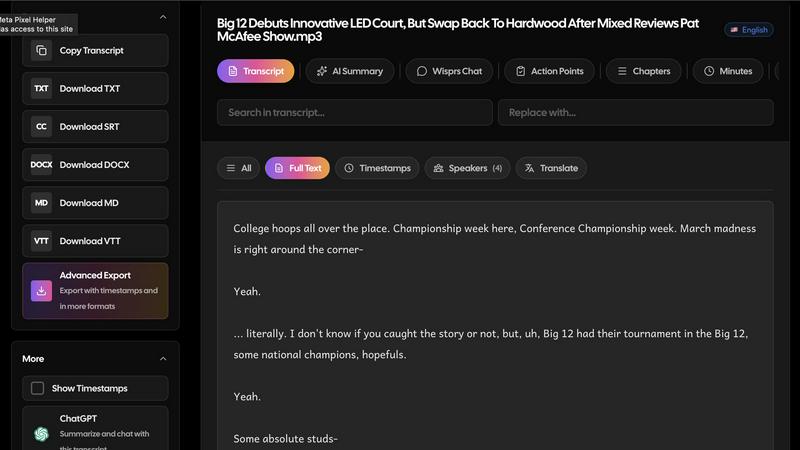
Wisprs turns the audio and video you already have—client calls, interviews, podcasts, voice memos—into editable speech-to-text you can actually use.
Excellent accuracy on clear audio; results still vary by language, accent, and recording quality (background noise and mic setup matter). We prefer saying that upfront to overselling.
Speaker labels help when more than one person talks, which is handy for debriefs and shows with co-hosts.
Beyond a wall of text: summaries, chapters, topics, and action items so a recording becomes something shareable or actionable.
100+ languages. Exports people reuse: TXT, SRT, VTT, MD, DOCX, and JSON—subtitles for video, docs for clients, structured output when you are wiring tools into a stack.
Start free with no credit card. Upload a real file and see if the workflow fits your day-to-day.
Who it is for: creators polishing episodes, teams documenting calls, interviewers capturing quotes, and anyone who needs transcripts they can edit, export, and reuse—not a one-off dump of text.