Lovalingo vs Mod
Side-by-side comparison to help you choose the right tool.

Lovalingo
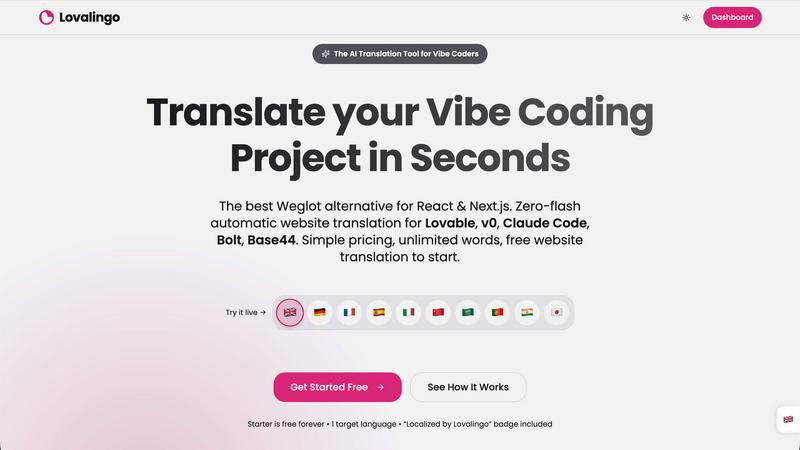
Lovalingo enables seamless, zero-flash translation of React apps in 60 seconds with automated SEO and sitemaps.
Last updated: February 26, 2026

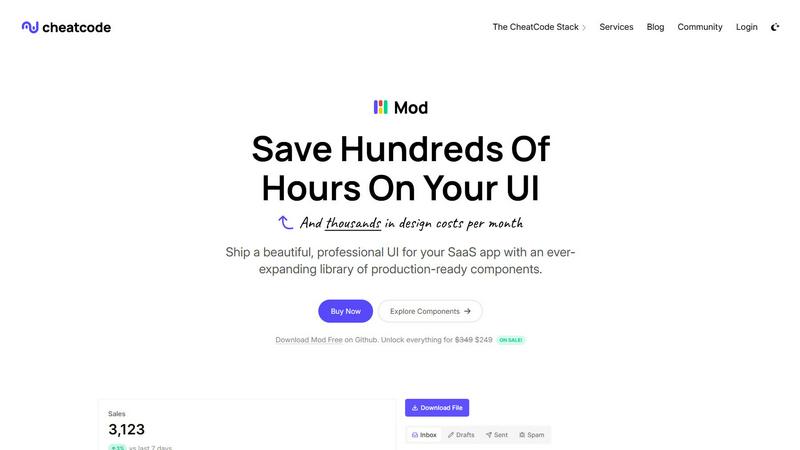
Mod is a CSS framework with a component library for rapidly building SaaS application user interfaces.
Visual Comparison
Lovalingo
Mod
Feature Comparison
Lovalingo
Native SEO Optimization
Lovalingo automatically generates essential multilingual SEO components such as sitemaps, hreflang tags, and meta descriptions. This feature ensures that your website is indexed globally from day one, significantly improving your visibility in international search engines.
Zero-Flash User Interface
Unlike other translation tools like Weglot, Lovalingo integrates directly into the React render process, eliminating any flickering or layout shifts. This zero-flash UI approach ensures a stable and smooth user experience, providing immediate content in the correct language without post-load manipulations.
Vibe-Coding Compatibility
Fully compatible with popular coding tools such as Lovable, Bolt, and v0, Lovalingo allows developers to scale their applications to any language with just one script. This capability ensures that developers can maintain coding efficiency while reaching a broader audience effortlessly.
Automatic Content Updates
Lovalingo offers real-time content updates without the need for managing JSON files or translation strings. It automatically detects routes and translates new content as it is created, thus minimizing the workload for developers and ensuring that users always receive the latest information in their preferred language.
Mod
Extensive Component Library
Mod includes a library of over 88 professionally designed, reusable UI components essential for SaaS applications. This comprehensive collection covers everything from complex data tables, forms, and modals to navigation bars, cards, and feedback elements like alerts and toasts. Each component is built with accessibility and semantic HTML in mind, ensuring a solid foundation. The components are designed to be modular and composable, allowing developers to assemble complex interfaces quickly while maintaining visual consistency and reducing the need to write repetitive, boilerplate CSS code from scratch.
Framework-Agnostic Integration
A core technical feature of Mod is its complete independence from any specific JavaScript framework or library. The CSS is delivered as pure, utility-class-based styles that can be applied to HTML elements within any front-end or full-stack environment. This includes popular meta-frameworks like Next.js and Nuxt, build tools like Vite, UI libraries like Svelte, and even traditional server-rendered applications built with Rails or Django. This agnostic approach provides maximum flexibility, prevents vendor lock-in, and allows teams to adopt Mod without overhauling their existing technology stack.
Built-in Design Systems & Themes
Mod ships with two complete, production-ready visual themes—light and dark mode—that can be toggled dynamically via CSS custom properties (variables). Beyond the base themes, it offers 168 distinct style variations across its components, providing extensive customization options for colors, spacing, typography, and border radii. This structured design system ensures that all components share a cohesive visual language, enabling teams to maintain brand consistency effortlessly. The theming is built on a scalable foundation, making it straightforward to extend or create custom theme variants to match specific brand guidelines.
Comprehensive Icon Suite & Responsive Design
The framework includes an integrated suite of over 1,500 vector icons, covering a wide range of common SaaS UI needs, from user interface actions to file types and indicators. All icons are consistent in style and can be easily customized with CSS. Furthermore, Mod is built with a mobile-first, responsive grid and layout system. Every component and utility class is designed to adapt fluidly across all screen sizes, from mobile devices to desktop monitors. This ensures that applications built with Mod provide an optimal user experience on any device without requiring additional responsive design work.
Use Cases
Lovalingo
SaaS Founders Targeting International Markets
SaaS founders can leverage Lovalingo to effortlessly scale their applications across multiple languages. By automating the translation process, they can focus on product development while ensuring a consistent and professional user experience for international customers.
Agencies Building on Lovable
Agencies that utilize Lovable can integrate Lovalingo to enhance their service offerings. With simple implementation and no translation management headaches, agencies can deliver multilingual websites to clients quickly and efficiently, thus broadening their market appeal.
Developers Who Dislike Manual i18n
Developers often find traditional i18n processes cumbersome and time-consuming. Lovalingo simplifies this by automating translations and eliminating the need for manual entries. Developers can enjoy a streamlined workflow, allowing them to focus on building features rather than managing translations.
E-commerce Platforms Reaching Global Customers
E-commerce platforms can benefit from Lovalingo’s seamless integration to provide a localized shopping experience for global customers. By automatically translating product descriptions, checkout processes, and customer support content, businesses can enhance customer satisfaction and drive sales in new markets.
Mod
Rapid Prototyping and MVP Development
For startups and solo developers under tight deadlines, Mod is an ideal tool for rapidly prototyping ideas and building Minimum Viable Products (MVPs). The extensive pre-built component library allows developers to assemble functional, aesthetically pleasing user interfaces in hours or days instead of weeks. This speed enables teams to validate product-market fit with a polished-looking application without investing heavily in custom UI design during the early, uncertain stages of development, significantly reducing initial time and cost overhead.
Enterprise SaaS Application Scaling
Large development teams working on complex enterprise SaaS platforms can leverage Mod to enforce design consistency and accelerate feature development. By adopting Mod as the central UI foundation, different teams and squads can work on various application modules while ensuring all outputs adhere to the same design standards. This eliminates design debt and fragmentation, streamlines the review process, and allows senior developers and engineers to focus on complex business logic and architecture rather than basic styling and component creation.
Modernizing Legacy Application UIs
Organizations with older, monolithic applications built on stacks like Rails or Django can use Mod to perform a gradual, non-disruptive UI modernization. Because Mod is framework-agnostic, its CSS can be incrementally applied to new features or refactored sections of the legacy codebase. This allows teams to deliver a modern, responsive user experience with dark mode support without the risk and cost of a complete front-end rewrite, enabling a smoother transition to contemporary design standards over time.
Building Internal Tools and Admin Panels
Development teams frequently need to build robust internal dashboards, admin panels, and operational tools. These projects often have lower design priority but still require functional, clear, and professional interfaces. Mod provides the perfect solution with its data-rich components like tables, charts, and filters, and its utilitarian styling. Teams can quickly deploy effective internal tools that are both usable and visually coherent, freeing up design resources for customer-facing product work.
Overview
About Lovalingo
Lovalingo is a cutting-edge translation tool designed for the AI era, specifically tailored to streamline the internationalization (i18n) process for developers using React and Next.js frameworks. Unlike traditional translation methods that rely on manual JSON string management and can lead to broken layouts and SEO challenges, Lovalingo leverages advanced automated, render-native translation techniques. This innovation allows developers to eliminate the cumbersome maintenance associated with legacy i18n systems. Lovalingo is particularly valuable for SaaS founders aiming to expand into global markets, agencies leveraging Lovable, and developers seeking a hassle-free approach to multilingual content. With Lovalingo, users can achieve instant, seamless translations that enhance user experience and boost global reach without the usual complexities.
About Mod
Mod is a comprehensive, production-ready CSS framework and component library specifically engineered for building modern, polished Software-as-a-Service (SaaS) user interfaces. It functions as a core pillar of the CheatCode developer stack, designed to eliminate the front-end design bottleneck that often slows down development teams. By providing a vast, pre-built collection of meticulously styled UI elements, Mod enables developers and teams to ship professional-grade applications significantly faster, without the need for extensive custom CSS or dedicated design resources. Its primary value proposition lies in its extensive scope—offering 88+ reusable components, 168 distinct style variations, and over 1,500 icons—coupled with a strictly framework-agnostic architecture. This allows seamless integration into virtually any modern tech stack, including Next.js, Nuxt, Vite, Svelte, Ruby on Rails, and Django. With built-in support for dark mode, responsive mobile-first design principles, and yearly thematic updates, Mod provides a robust, scalable foundation for solo developers, startups, and enterprise teams aiming to reduce design costs, accelerate time-to-market, and maintain a consistent, high-quality user experience across their SaaS products.
Frequently Asked Questions
Lovalingo FAQ
How does Lovalingo handle SEO for multilingual websites?
Lovalingo automatically generates SEO-friendly components such as hreflang tags and multilingual sitemaps. This ensures that your website is indexed correctly on a global scale, enhancing visibility in different regions without requiring manual intervention.
Is Lovalingo easy to integrate with my existing React app?
Yes, Lovalingo is designed for quick and easy integration with React and Next.js applications. You can set it up in under a minute by simply copying a prompt into your coding assistant, making it accessible for developers of all skill levels.
What happens when I add new content to my site?
Lovalingo automatically detects new content and translates it in real-time, ensuring that all updates are reflected in the appropriate languages without any manual effort required. This feature keeps your site up-to-date and improves user experience.
Are there any limitations on the number of languages I can use?
Lovalingo offers a flexible pricing model that allows you to start with 1-3 languages for free and upgrade to unlimited languages as your project grows. This ensures you only pay for what you need, making it a cost-effective solution for businesses of any size.
Mod FAQ
What makes Mod different from other CSS frameworks like Tailwind or Bootstrap?
While frameworks like Tailwind provide low-level utility classes and Bootstrap offers generic components, Mod is specifically tailored for SaaS applications. It provides a higher-level, opinionated set of 88+ components with a cohesive visual design language out-of-the-box, including SaaS-specific elements like subscription plan selectors and complex data tables. It combines the ready-to-use nature of a component library with the flexibility of utility classes, all within a framework-agnostic package designed explicitly for business software interfaces.
How does the framework-agnostic nature work in practice?
Mod is distributed as standard CSS files (and likely SCSS source files). You include these stylesheets in your project, just like any other CSS. The provided HTML structure for components uses plain, semantic tags with Mod's specific CSS classes. This HTML can be generated by any backend template engine (ERB, Jinja, Blade) or front-end framework component (React, Vue, Svelte). There is no proprietary JavaScript or framework-binding; you use your stack's tools to render the markup, and Mod handles the styling.
Does Mod include JavaScript for interactive components?
The provided context describes Mod as a CSS framework, indicating its core offering is styling. Interactive behaviors (like opening a modal, toggling a dropdown, or validating a form) would typically need to be implemented using your chosen framework's capabilities or with custom JavaScript. Mod provides the styled "shell" (the HTML structure and CSS) for these components, ensuring they look correct in all states (open, closed, focused, etc.), while you control the logic.
What is included in the "yearly updates" mentioned?
The yearly updates refer to scheduled, versioned releases of the Mod library that include new components, additional style variants, updated icon sets, and enhancements to existing features. This ensures that applications built with Mod have a clear upgrade path to incorporate modern UI trends, improved accessibility standards, and new capabilities without the project's design becoming stagnant or requiring a costly manual redesign effort.