Lyria 3 Pro vs Wisprs
Side-by-side comparison to help you choose the right tool.

Lyria 3 Pro
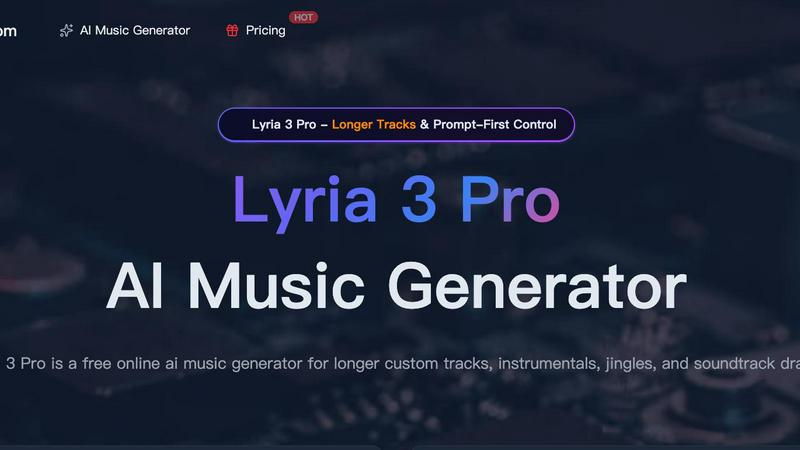
Lyria 3 Pro is a powerful AI music generator offering longer tracks, prompt-first control, and intuitive features for creators of all levels.

AI transcription for audio & video: editable transcripts, speaker labels, 100+ languages. Exports: TXT, SRT, VTT, DOCX, JSON. Start free.
Visual Comparison
Lyria 3 Pro
Wisprs
Overview
About Lyria 3 Pro
Lyria 3 Pro is a revolutionary AI music generator designed to empower your creativity and bring your musical visions to life. Whether you're a seasoned musician, a content creator, or simply someone who loves music, Lyria 3 Pro provides the tools you need to craft stunning and original compositions.
At its core, Lyria 3 Pro leverages advanced artificial intelligence to generate music based on your specifications. Unlike other AI music generators, we prioritize user control and flexibility. Our "Prompt-First Control" system allows you to define the exact mood, genre, instrumentation, and structure of your music with detailed prompts. This ensures that the AI understands your artistic intent and delivers precisely what you envision.
Key Features & Benefits:
Longer Tracks: Generate longer, more expansive musical pieces compared to many competitors. Ideal for film scores, background music, or complex compositions.
Prompt-First Control: Define your music's characteristics with detailed prompts – mood, genre, instruments, tempo, structure, and more. This allows for highly tailored results.
Intuitive Interface: A user-friendly interface makes music creation accessible to everyone, regardless of their musical background.
Diverse Sound Libraries: Access a vast library of sounds, instruments, and musical styles to inspire your compositions. Explore a wide range of genres, from classical to electronic to pop.
About Wisprs
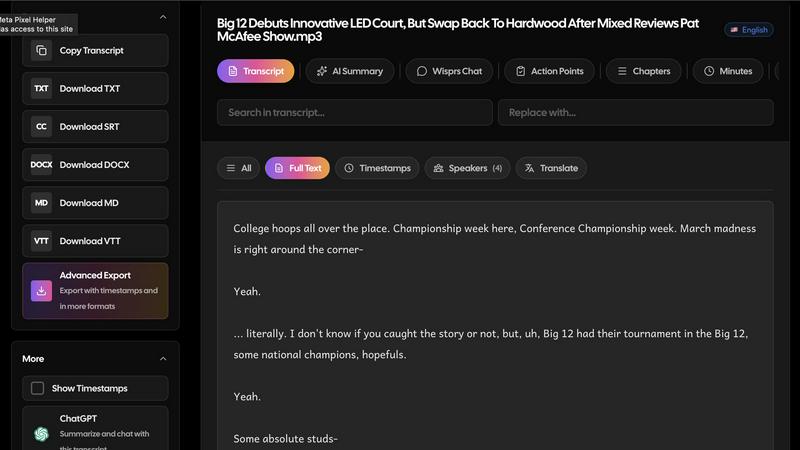
Wisprs turns the audio and video you already have—client calls, interviews, podcasts, voice memos—into editable speech-to-text you can actually use.
Excellent accuracy on clear audio; results still vary by language, accent, and recording quality (background noise and mic setup matter). We prefer saying that upfront to overselling.
Speaker labels help when more than one person talks, which is handy for debriefs and shows with co-hosts.
Beyond a wall of text: summaries, chapters, topics, and action items so a recording becomes something shareable or actionable.
100+ languages. Exports people reuse: TXT, SRT, VTT, MD, DOCX, and JSON—subtitles for video, docs for clients, structured output when you are wiring tools into a stack.
Start free with no credit card. Upload a real file and see if the workflow fits your day-to-day.
Who it is for: creators polishing episodes, teams documenting calls, interviewers capturing quotes, and anyone who needs transcripts they can edit, export, and reuse—not a one-off dump of text.