
Never Drop vs securememo.app
Side-by-side comparison to help you choose the right tool.

Never Drop
NeverDrop captures contacts instantly and drafts personalized follow-ups, ensuring you never lose a lead at events.
Last updated: February 28, 2026

securememo.app
Securememo.app is an open source, client side encrypted memo service with zero tracking.
Visual Comparison
Never Drop

securememo.app
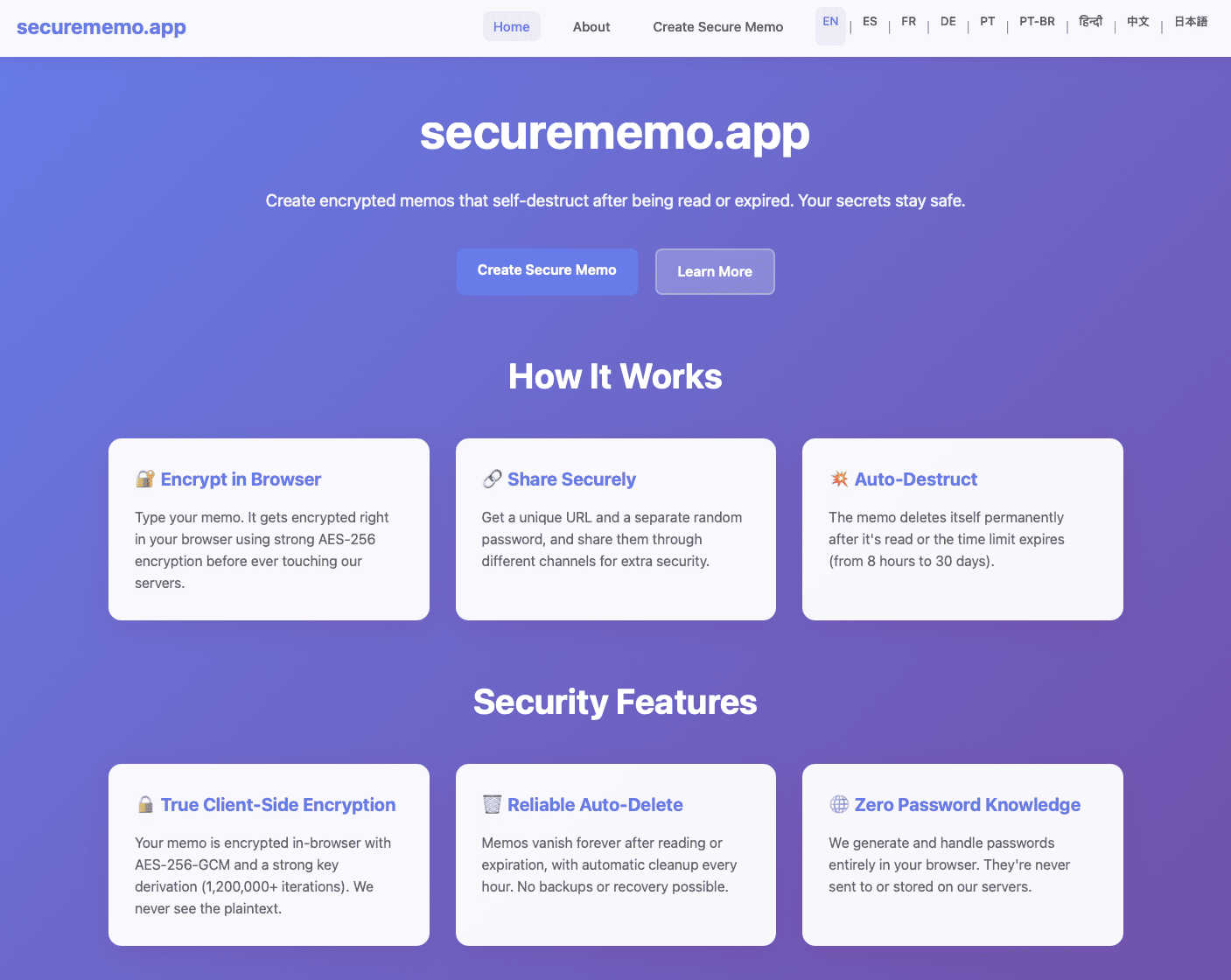
Feature Comparison
Never Drop
Instant Business Card Scanning
Never Drop allows users to scan business cards within seconds using their smartphones. The app's AI-powered Optical Character Recognition (OCR) technology extracts crucial contact details—name, company, title, phone number, and email—without requiring any manual input. This feature eliminates the hassle of typing and ensures that no information is lost due to misplaced cards.
Automatic Email Enrichment
Understanding that business cards often contain generic or incomplete email addresses, Never Drop enhances the captured profiles by automatically finding verified work emails based on the name and company. This feature removes guesswork and manual searches, ensuring that users have accurate contact information ready for follow-up.
AI-Generated Follow-Up Emails
With Never Drop, users can generate personalized follow-up emails in under two minutes. By utilizing the voice notes and conversation context provided by the user, the app drafts unique emails that reflect the tone and content of the interaction. This feature ensures that every follow-up feels personal and engaging, rather than being a generic template.
Team Collaboration and Management
Never Drop is designed for teamwork, allowing sales representatives to organize scanned leads by event and reassign contacts among team members. The dashboard provides an overview of activity, ensuring that everyone remains aligned and no leads fall through the cracks, even in high-pressure scenarios.
securememo.app
Client-Side Encryption
All data processing and encryption occur exclusively within the user's web browser using robust cryptographic algorithms before any data is sent to the securememo.app servers. This architectural design ensures that plaintext content of memos is never exposed to the network or the service's infrastructure. The encryption keys are generated and managed locally, guaranteeing that only the intended recipient with the correct password can ever decrypt and view the note's contents, providing a true zero-knowledge environment.
Self-Destructing Notes
Each memo created on the platform is ephemeral by design. Once a note is created and a unique link is generated, it is programmed to automatically and permanently delete itself from the servers after being accessed by the recipient. This feature enforces data minimalism and eliminates the risk of sensitive information persisting in any database, providing a secure, one-time viewing mechanism that leaves no long-term digital footprint.
Zero-Knowledge Password Generation
For each memo, a strong, cryptographically random password is generated locally on the creator's device. This password is never transmitted to or stored by securememo.app's servers. The service operates on a zero-knowledge principle where it has no access to this decryption key. Secure sharing of the memo requires the creator to transmit this password to the recipient through a separate, trusted channel (e.g., a secure messaging app or in person), creating a necessary two-factor access mechanism.
No-Account Anonymity
The service is designed for immediate use without any registration, sign-up, or account creation process. This approach maximizes user privacy and anonymity by not collecting any personally identifiable information (PII) such as email addresses or usernames. Users can create and share encrypted memos instantly, which lowers the barrier to entry and aligns with the product's core philosophy of privacy-by-design and operational security.
Use Cases
Never Drop
Trade Shows and Conferences
Sales teams can use Never Drop at trade shows and conferences to capture leads efficiently. By scanning business cards on-site, enriching contact information, and sending personalized follow-ups before leaving the booth, teams can enhance their chances of converting leads into clients.
Networking Events
At networking events, where interactions are fast-paced, Never Drop enables users to quickly scan and manage multiple contacts. The ability to add context and generate immediate follow-ups ensures that connections made during the event are not forgotten.
Business Dinners and Meetings
During business dinners or meetings, sales professionals can utilize Never Drop to capture leads from informal settings. The app allows them to document conversations and follow up with personalized emails, making a lasting impression on potential clients.
Lead Management and Organization
Never Drop serves as a central hub for lead management across various events. Users can categorize leads by event, track interactions, and monitor team activities, ensuring a streamlined approach to nurturing relationships and closing deals.
securememo.app
Secure Credential Sharing
Professionals can safely transmit sensitive login credentials, API keys, or database passwords to colleagues or clients. By using securememo.app, the credentials are encrypted end-to-end and self-destruct upon first view, mitigating the risks associated with sending such data via email, SMS, or standard messaging platforms where logs are retained and security may be compromised.
Confidential Legal or Business Communication
Lawyers, journalists, or business executives can share confidential case details, draft documents, or strategic information with the assurance of client-side encryption and ephemeral storage. This use case is critical for maintaining attorney-client privilege or protecting sensitive business intelligence from interception or unauthorized server-side access.
One-Time Private Messaging
Individuals requiring a private, non-traceable conversation channel can use the service to exchange messages that leave no permanent record. This is applicable for whistleblowers, individuals in sensitive situations, or anyone needing to share personal information without creating a persistent chat history that could be subpoenaed or hacked.
Secure Disposable Notes for Personal Data
Users can create encrypted notes containing personal information like social security numbers, bank account details, or travel documents for their own temporary reference. The self-destruct feature acts as a secure, automated cleanup, ensuring this highly sensitive data does not remain stored on any device or cloud service indefinitely.
Overview
About Never Drop
Never Drop is a cutting-edge lead-capture application meticulously crafted for sales teams operating in dynamic environments such as trade shows, conferences, and networking events. It revolutionizes the lead management process by enabling users to effortlessly scan business cards using their smartphones. Once a card is scanned, users can enhance the captured data by adding voice notes or text context regarding their interactions, ensuring essential details about each lead are preserved. The app leverages advanced artificial intelligence to generate tailored follow-up emails within two minutes, significantly reducing the chances of leads being overlooked. With seamless integration into popular Customer Relationship Management (CRM) systems like HubSpot, Never Drop maintains a clean and organized sales pipeline, empowering teams to convert leads into successful deals. Say goodbye to lost opportunities and embrace efficient follow-up processes that foster meaningful relationships with potential clients.
About securememo.app
Securememo.app is a specialized web application engineered for the secure creation and transmission of sensitive textual information. It functions as a privacy-first, ephemeral note-taking and sharing service that operates entirely within a user's web browser. The core value proposition is its uncompromising commitment to data sovereignty and user anonymity through a robust implementation of client-side encryption and a zero-knowledge architecture. This means all cryptographic operations, including key generation and data encryption/decryption, are performed locally on the user's device before any data is transmitted. The service is designed for individuals and professionals who require a trusted, temporary channel for sharing confidential data such as passwords, access keys, personal messages, or sensitive documents in plain text. By eliminating the need for user accounts and ensuring the service provider has no technical means to access the content of the memos, securememo.app prioritizes ease of use without sacrificing the highest standards of security. Its availability in over 20 languages further extends its accessibility to a global audience seeking a reliable tool for discrete, one-time communication.
Frequently Asked Questions
Never Drop FAQ
What is Never Drop?
Never Drop is a lead-capture application designed for sales teams attending events. Users can scan business cards, add context, and generate personalized follow-up emails, all while integrating seamlessly with CRMs like HubSpot.
How does business card scanning work?
To scan a business card, users take a photo with the Never Drop mobile app. The app's AI-powered OCR technology quickly extracts essential contact information such as name, company, title, phone number, and email, simplifying the data entry process.
What types of events is Never Drop suitable for?
Never Drop is ideal for various events, including trade shows, conferences, networking events, meetups, and business dinners. It helps users capture and manage leads efficiently in any situation where new contacts are made.
Do I need the mobile app to use Never Drop?
Yes, the mobile app is essential for scanning business cards, recording voice notes, and triggering follow-ups on the go. Additionally, the web dashboard allows users to manage their team, review scans, and configure settings, providing a comprehensive solution for lead management.
securememo.app FAQ
How does the encryption work technically?
The encryption process is executed entirely within your web browser. When you create a memo, the application generates a strong, random encryption key locally. Your text is then encrypted with this key using advanced standards (like AES-256-GCM) before it is ever sent over the internet to securememo.app's servers. The service only stores and transmits this encrypted ciphertext. The decryption key is presented to you as a password, which must be shared separately with the recipient to unlock the note.
What happens if the recipient loses the password?
Due to the zero-knowledge architecture, the password for decrypting the memo exists only with the creator and the recipient. Securememo.app's servers never receive or store this password. Therefore, if the password is lost, there is absolutely no technical way for anyone, including the service administrators, to recover the contents of the encrypted memo. The data remains cryptographically secure and permanently inaccessible.
Are there any limits on memo size or content?
While specific limits are subject to the service's operational policy, typical constraints for such a service involve a maximum character count for the memo body (e.g., several thousand characters) to ensure performance and manage server storage for the encrypted text. The content is usually plain text, and the service is designed for textual data rather than file attachments. Users should consult the application interface for the exact, current limitations.
How is the "self-destruct" mechanism enforced?
Once a memo is created, it is stored on securememo.app's servers in its encrypted state. The system is programmed to permanently delete the encrypted data from its databases immediately after the unique access link is used successfully (i.e., the correct password is entered and the note is decrypted and displayed for the first time). This deletion is automatic, irreversible, and is a fundamental part of the data processing workflow.