Pullsy vs Wisprs
Side-by-side comparison to help you choose the right tool.

Pullsy intelligently organizes your inbox, drafts personalized replies, and helps you manage tasks effortlessly.
Last updated: February 26, 2026

AI transcription for audio & video: editable transcripts, speaker labels, 100+ languages. Exports: TXT, SRT, VTT, DOCX, JSON. Start free.
Visual Comparison
Pullsy

Wisprs
Overview
About Pullsy
Pullsy is an innovative AI-powered inbox assistant designed specifically for busy professionals, entrepreneurs, and small teams who seek to regain control over their email communications. By seamlessly integrating with popular email platforms like Gmail and Outlook, Pullsy revolutionizes the way users interact with their inboxes. The tool intelligently organizes incoming messages, ensuring that critical emails are highlighted while filtering out unnecessary noise. Additionally, Pullsy drafts context-aware replies that reflect your unique voice and tone, allowing for quick responses with minimal effort. Its “Ask Pullsy” feature empowers users to summarize lengthy email threads, review documents, and extract key insights efficiently. With a user-friendly interface and a hassle-free setup process, Pullsy transforms email management from a time-consuming task into a streamlined workflow, enabling users to navigate their inboxes up to three times faster. The 14-day free trial invites users to experience the enhanced productivity that Pullsy brings, making it an essential tool for those who refuse to let email dictate their day.
About Wisprs
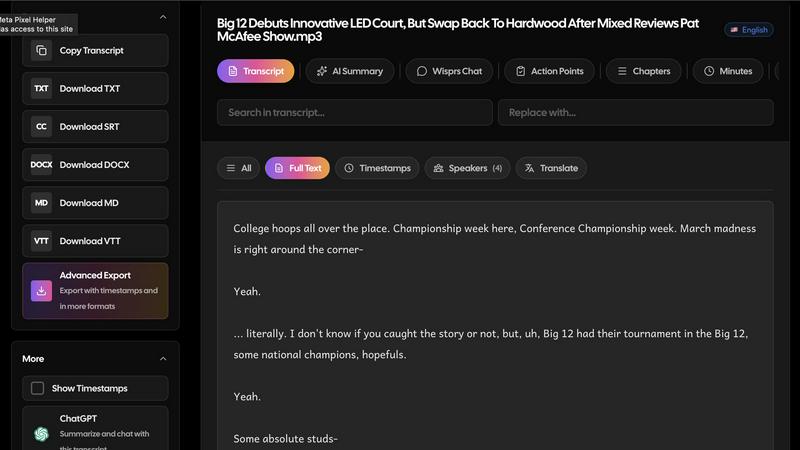
Wisprs turns the audio and video you already have—client calls, interviews, podcasts, voice memos—into editable speech-to-text you can actually use.
Excellent accuracy on clear audio; results still vary by language, accent, and recording quality (background noise and mic setup matter). We prefer saying that upfront to overselling.
Speaker labels help when more than one person talks, which is handy for debriefs and shows with co-hosts.
Beyond a wall of text: summaries, chapters, topics, and action items so a recording becomes something shareable or actionable.
100+ languages. Exports people reuse: TXT, SRT, VTT, MD, DOCX, and JSON—subtitles for video, docs for clients, structured output when you are wiring tools into a stack.
Start free with no credit card. Upload a real file and see if the workflow fits your day-to-day.
Who it is for: creators polishing episodes, teams documenting calls, interviewers capturing quotes, and anyone who needs transcripts they can edit, export, and reuse—not a one-off dump of text.