Changeflow vs Quickfix AI
Side-by-side comparison to help you choose the right tool.

Changeflow
Changeflow delivers AI-driven insights on critical market and competitor website changes, keeping you informed.
Last updated: March 4, 2026

Quickfix AI
Quickfix AI instantly diagnoses and explains your system's performance and health in plain English.
Last updated: February 28, 2026
Visual Comparison
Changeflow

Quickfix AI
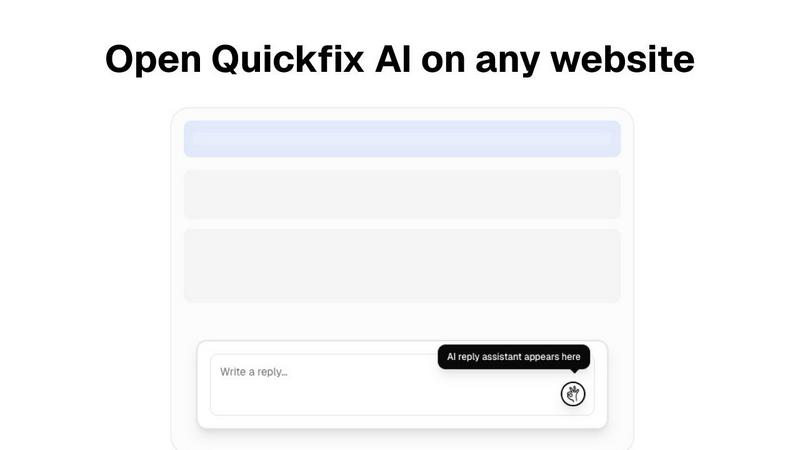
Feature Comparison
Changeflow
AI-Powered Change Detection
Changeflow employs sophisticated AI algorithms to monitor specified web pages and filter out irrelevant updates. This ensures users receive only the changes that are significant to their interests, eliminating false alerts and minimizing distractions.
Natural Language Setup
With Changeflow, users can easily initiate monitoring by simply describing what they want to track in plain English. This user-friendly setup eliminates the need for complex technical configurations or manual setup processes, making it accessible for all users.
Customized Summaries of Updates
Changeflow delivers AI-generated summaries that highlight the changes and their relevance to the user's specific interests. This feature saves time by providing concise insights rather than requiring users to read through entire web pages.
Advanced Notification System
Users receive timely notifications via their preferred channels, including email and dashboards. Changeflow's notifications are designed to be clear and descriptive, ensuring that users can quickly grasp the importance of updates without sifting through unnecessary information.
Quickfix AI
Comprehensive One-Click System Scan
The agent performs a holistic scan of your entire system in under one minute. It audits key performance indicators across all major subsystems: CPU (usage per core, temperature, clock speed), RAM (utilization, pressure, available capacity), GPU (load, temperature), storage drives (health via S.M.A.R.T. data, used/free space, read/write speeds), network adapters (upload/download bandwidth, latency), battery health (maximum capacity, cycle count), and core security settings (firewall status, FileVault/Gatekeeper on macOS). This provides a unified, real-time snapshot of system status without requiring multiple disparate tools.
AI-Powered Analysis and Plain-English Reporting
Beyond data collection, Quickfix AI's proprietary AI engine analyzes the diagnostic report to identify anomalies, bottlenecks, and potential issues. It then generates an intelligible summary, explaining technical concepts in accessible language. For example, instead of merely stating "CPU at 89%," it identifies the specific processes responsible (e.g., "Chrome at 45%") and provides clear, actionable guidance such as recommending the closure of unnecessary browser tabs to alleviate immediate memory and CPU strain.
Secure Remote Diagnostics via Sharing Codes
This feature is engineered for IT support and helpdesk scenarios. A user can generate a unique, time-limited sharing code after a scan. This code can be securely provided to a technician, who can then view the full diagnostic report remotely without needing direct access to the physical machine. This facilitates rapid, accurate troubleshooting for distributed teams and remote employees, streamlining the support process and reducing resolution time significantly.
Interactive AI Chat for Detailed Inquiries
Users can engage directly with the AI using a conversational chat interface. By asking natural language questions about their system report—such as "Why is my Mac running slow?" or "Is my disk failing?"—the AI provides contextual, detailed answers drawn from the specific scan data. This interactive dialogue allows for deeper investigation and personalized recommendations, effectively acting as an on-demand system administrator for non-technical users.
Use Cases
Changeflow
Competitor Price Tracking
Business teams can use Changeflow to monitor competitor pricing changes in real time. By receiving immediate updates on price fluctuations, companies can make informed pricing decisions and maintain a competitive edge in the market.
Regulatory Change Monitoring
Compliance teams, particularly in regulated industries, can utilize Changeflow to stay updated on relevant regulatory changes. This ensures that organizations remain compliant with the latest guidelines and can respond promptly to new regulations.
Legal Document Tracking
Legal professionals, including librarians at Am Law 200 firms, benefit from Changeflow by tracking court dockets and legal citations. This allows them to stay informed about critical legal developments that may impact their cases or clients.
Market Movement Analysis
Changeflow enables businesses to keep tabs on market movements by monitoring news mentions and industry updates. This proactive approach allows organizations to adjust strategies based on real-time market intelligence.
Quickfix AI
Proactive System Health and Performance Monitoring
Tech enthusiasts, developers, and power users employ Quickfix AI to continuously monitor their system's vitals. This is crucial for maintaining optimal performance during resource-intensive tasks like gaming, video editing, software compilation, or running virtual machines. The tool provides granular insights into temperatures, component loads, and memory pressure, enabling users to preemptively address thermal throttling or resource constraints before they impact performance or system stability.
End-User Troubleshooting and Problem Diagnosis
For individual users experiencing system slowdowns, unexpected crashes, or unusual behavior, Quickfix AI serves as a first-line diagnostic tool. It autonomously identifies the root cause—whether it's a failing drive, a memory leak from a specific application, or a misconfigured security setting—and explains the issue in plain English. This empowers users to resolve common problems independently without requiring deep technical knowledge or resorting to extensive web searches.
IT Helpdesk and Remote Technical Support
IT support teams integrate Quickfix AI into their workflow to diagnose issues on employee machines efficiently. Instead of relying on user-described symptoms, technicians can request a sharing code to obtain an objective, comprehensive system report. This allows for accurate remote diagnosis of issues ranging from malware infections and driver conflicts to hardware failures, dramatically reducing the need for in-person visits or lengthy screen-sharing sessions and improving first-contact resolution rates.
Pre-Purchase Audits and Security Posture Checks
Users considering purchasing a used computer or evaluating a company machine can use Quickfix AI to conduct a thorough audit. The scan reveals critical information such as battery health (cycle count and maximum capacity), storage drive condition (including reallocated sector counts), installed RAM configuration, and the status of essential security features like firewall and disk encryption. This provides a data-driven assessment of the device's value and security readiness.
Overview
About Changeflow
Changeflow is an advanced web monitoring tool designed to track changes on web pages and deliver precise updates on what truly matters. Utilizing cutting-edge AI technology, Changeflow distinguishes itself by not only identifying changes but also summarizing their significance, ensuring users remain informed without the clutter of irrelevant information. Ideal for business teams, legal professionals, and compliance officers, Changeflow provides a user-friendly setup process that requires simply describing the desired tracking parameters in plain English. With a remarkable 99.9% success rate in bypassing login walls and JavaScript barriers, Changeflow has become a trusted resource for Fortune 500 companies and Am Law 200 firms alike. Organizations leverage Changeflow for various purposes, including competitor analysis, regulatory tracking, and market monitoring, making it an indispensable tool for staying ahead in a rapidly changing digital landscape.
About Quickfix AI
Quickfix AI is an advanced, AI-powered system diagnostics tool engineered to deliver immediate, comprehensive analysis of computer performance, health, and security. It functions as a lightweight software agent capable of executing a full system scan in under 60 seconds, generating a detailed report on all critical hardware and software components. The core innovation of Quickfix AI is its sophisticated AI engine, which transcends simple data aggregation. It interprets complex technical metrics—including CPU utilization, memory pressure, disk health (S.M.A.R.T. status), network throughput, battery cycles, and security posture—and translates them into plain-English explanations. This process demystifies system diagnostics for users of all technical proficiencies, providing not just raw data but context-specific, actionable recommendations for optimization and troubleshooting. Designed for cross-platform compatibility, it supports both Windows and macOS operating systems, consolidating the functionality of multiple specialized utilities into a single, intuitive interface. Its primary user base encompasses individual users troubleshooting performance degradation, tech enthusiasts and gamers monitoring system vitals, and IT support professionals who utilize its secure sharing code feature for efficient remote diagnostics.
Frequently Asked Questions
Changeflow FAQ
How does Changeflow ensure accurate tracking?
Changeflow uses advanced AI technology to analyze and summarize changes on monitored web pages. Its algorithms are designed to filter out irrelevant updates, ensuring users receive only the most pertinent information.
Is there a limit to the number of pages I can track?
Changeflow offers various plans that accommodate different user needs. The Plus plan allows tracking of up to 300 pages, while the Business plan expands this to 500 pages, making it scalable for growing organizations.
How quickly am I notified of changes?
Changeflow is designed to provide timely notifications as soon as changes are detected. Users can choose to receive updates through email, dashboards, or integrations with other platforms via Zapier, ensuring they stay informed without delay.
Can I collaborate with my team using Changeflow?
Yes, Changeflow includes shared workspaces that facilitate team collaboration. This feature allows teams to stay aligned on monitoring tasks, share insights, and collectively respond to important updates, enhancing overall efficiency.
Quickfix AI FAQ
Is Quickfix AI free?
Quickfix AI offers a free version that includes the core one-click system scan, basic health reporting, and access to the AI explanation features for personal, non-commercial use. This allows individual users to diagnose and understand their system's performance. For advanced features, such as detailed historical trend analysis, priority support, and enterprise-level deployment with centralized management for IT teams, paid subscription plans are available.
Is my data secure?
Yes. Data security is a foundational principle. Diagnostic scans are processed locally on your machine to the greatest extent possible. Any data transmitted for cloud-based AI analysis is anonymized, encrypted in transit using TLS 1.3, and is never sold to third parties. The secure sharing codes provide temporary, read-only access to a specific report and do not grant ongoing access to your system. Detailed information is available in the product's Privacy Policy and Data Processing Agreement (DPA).
Do I need technical knowledge to use Quickfix AI?
No technical knowledge is required. Quickfix AI is specifically designed to demystify system diagnostics. The interface presents information clearly, and the integrated AI explains all findings and recommendations in plain, conversational English. You can simply run the scan and read the summary, or ask follow-up questions in the chat to get tailored advice without understanding underlying technical jargon.
What platforms are supported?
Quickfix AI is a cross-platform application with native support for both major desktop operating systems. It is available for Microsoft Windows (supporting versions 10 and 11, both 64-bit) and Apple macOS (supporting recent versions, typically from macOS Catalina 10.15 and newer). The functionality and feature set are consistent across both platforms, providing a unified diagnostic experience regardless of your system.
Alternatives
Changeflow Alternatives
Changeflow is an AI-driven tool designed to provide market and competitor insights by monitoring web pages for changes that matter. It falls under the Productivity & Management category, enabling users to track crucial updates in a streamlined manner. Businesses often seek alternatives to Changeflow for various reasons, including pricing, specific feature requirements, or compatibility with existing platforms and workflows. When considering an alternative, it is essential to evaluate the tool’s ability to handle complex pages, the breadth of monitoring capabilities, user-friendliness, and integration options with existing systems.
Quickfix AI Alternatives
Quickfix AI is a comprehensive system diagnostics and optimization tool within the productivity and management software category. It leverages an AI engine to perform rapid, full-system scans, delivering detailed health and performance reports with plain-English explanations and actionable advice. This tool is designed to demystify complex technical data for a broad user base. Users may seek alternatives to Quickfix AI for various reasons. Common considerations include specific budget constraints or pricing models, the need for different feature sets such as deeper hardware monitoring or integration with other IT management platforms, and compatibility requirements with specific operating systems beyond Windows and macOS. The desire for a different user interface or reporting style can also drive the search for other solutions. When evaluating an alternative system diagnostic tool, key criteria should include the scope and depth of the hardware and software analysis performed, the clarity and actionability of the generated reports, and the overall system resource footprint of the utility. Security and data privacy practices are paramount, as the tool requires deep system access. Finally, consider the target user expertise level, ensuring the tool's complexity aligns with your technical comfort.