Nabbed vs securememo.app
Side-by-side comparison to help you choose the right tool.

Nabbed is a career CRM that helps revenue professionals manage their job search pipeline with AI tools, target tracking, and ATS autofill.
Last updated: April 13, 2026

securememo.app
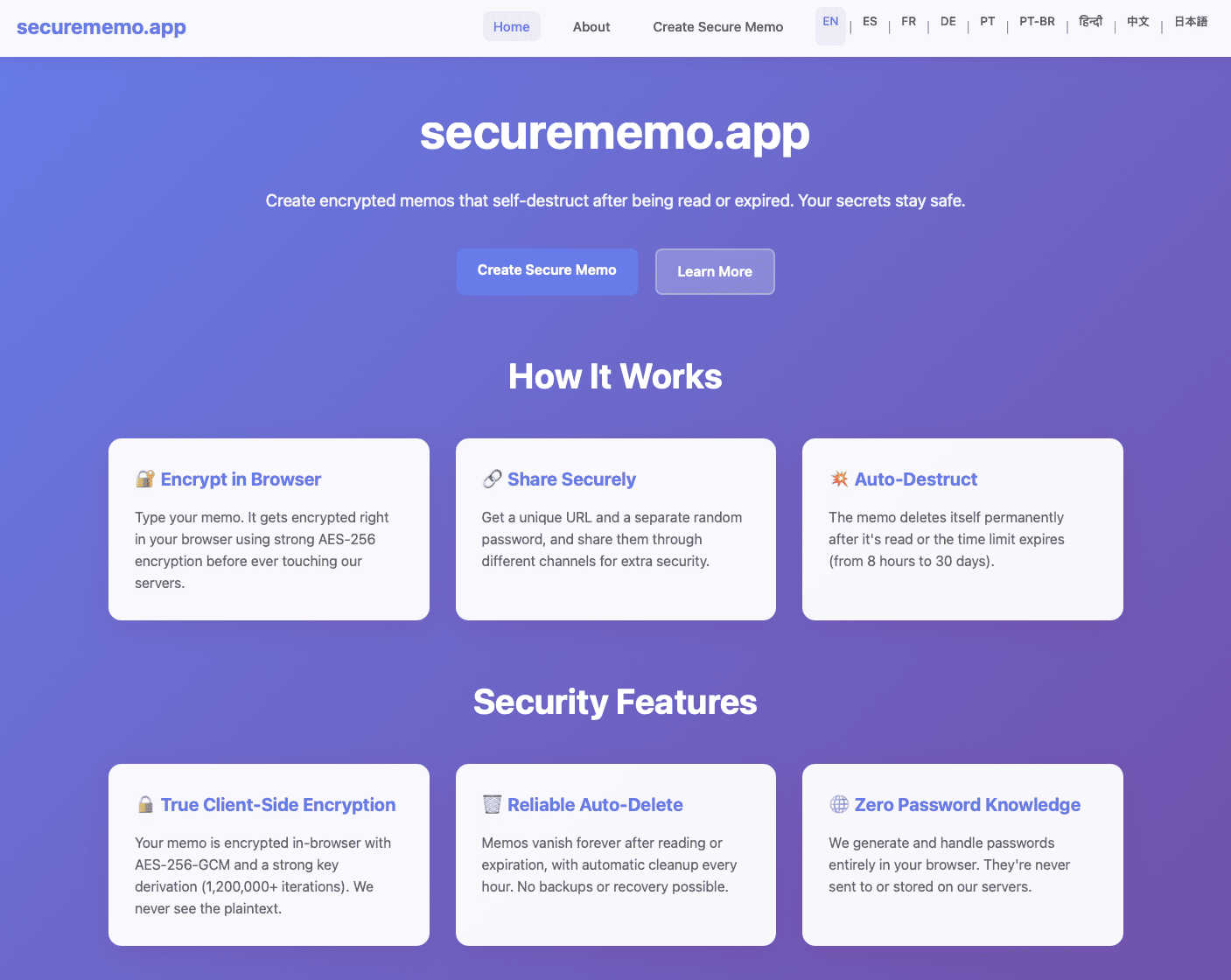
Securememo.app is an open source, client side encrypted memo service with zero tracking.
Visual Comparison
Nabbed

securememo.app
Feature Comparison
Nabbed
Dual Sales Pipelines
Nabbed features two distinct, interactive Kanban boards modeled after sales CRMs like HubSpot: one for job applications and one for networking contacts. Users can drag-and-drop opportunities through customizable stages such as "Applied," "Interview," and "Offer," while the networking pipeline manages relationships from "Initial Contact" to "Advocate." This provides clear visual momentum tracking, velocity analytics, and a comprehensive overview of your entire search's health, enabling precise management as you would a sales quota.
AI Career Suite
This integrated suite comprises four specialized AI tools designed to automate and enhance critical job search tasks. It generates tailored cover letters and resume bullet points matching specific job descriptions, provides simulated interview coaching with role-specific questions, and drafts personalized outreach emails. The AI is engineered to write in the user's tone, saving hours of manual preparation while increasing the relevance and impact of application materials and communications.
Chrome Extension with ATS Autofill
The core utility that operationalizes your search directly within the browser. The extension allows one-click saving of job listings from any site, captures contact details from LinkedIn profiles, and features a powerful "Stealth Apply" autofill function. This function automatically populates application fields on over 60 major ATS platforms, pulling data from your pre-built Nabbed profile to drastically reduce application time and eliminate manual data entry errors.
Company Intelligence & Hiring Alerts
Upon saving a job or company, Nabbed automatically enriches the listing with real-time intelligence including latest funding rounds, employee headcount, tech stack, Glassdoor ratings, and open positions. More critically, it monitors these target accounts for "hiring signals" such as rapid headcount growth or new funding announcements, sending proactive alerts. This allows users to time their outreach strategically, mimicking sales prospecting based on trigger events.
securememo.app
Client-Side Encryption
All data processing and encryption occur exclusively within the user's web browser using robust cryptographic algorithms before any data is sent to the securememo.app servers. This architectural design ensures that plaintext content of memos is never exposed to the network or the service's infrastructure. The encryption keys are generated and managed locally, guaranteeing that only the intended recipient with the correct password can ever decrypt and view the note's contents, providing a true zero-knowledge environment.
Self-Destructing Notes
Each memo created on the platform is ephemeral by design. Once a note is created and a unique link is generated, it is programmed to automatically and permanently delete itself from the servers after being accessed by the recipient. This feature enforces data minimalism and eliminates the risk of sensitive information persisting in any database, providing a secure, one-time viewing mechanism that leaves no long-term digital footprint.
Zero-Knowledge Password Generation
For each memo, a strong, cryptographically random password is generated locally on the creator's device. This password is never transmitted to or stored by securememo.app's servers. The service operates on a zero-knowledge principle where it has no access to this decryption key. Secure sharing of the memo requires the creator to transmit this password to the recipient through a separate, trusted channel (e.g., a secure messaging app or in person), creating a necessary two-factor access mechanism.
No-Account Anonymity
The service is designed for immediate use without any registration, sign-up, or account creation process. This approach maximizes user privacy and anonymity by not collecting any personally identifiable information (PII) such as email addresses or usernames. Users can create and share encrypted memos instantly, which lowers the barrier to entry and aligns with the product's core philosophy of privacy-by-design and operational security.
Use Cases
Nabbed
Strategic Career Transition for Sales Leaders
A Chief Revenue Officer (CRO) planning a move can use Nabbed to define a target account list of 50 dream companies. The platform's hiring alerts notify them when a target secures a new funding round, indicating growth and hiring capacity. They can then systematically track outreach to key decision-makers within those companies, log all calls and emails in the Contact CRM, and manage each emerging opportunity through the application pipeline with full visibility into next steps and momentum.
High-Volume Application Management for Individual Contributors
An Account Executive conducting an active search can use the Chrome extension to save 5-10 relevant roles daily from aggregated job boards with one click. The ATS autofill feature allows them to apply to all positions in a fraction of the usual time. All applications are automatically logged in their job pipeline, while the Gmail sync and tracking pixel provide data on which recruiter emails are being opened, informing intelligent follow-up sequences.
Interview Preparation and Performance Optimization
A candidate who lands multiple interview stages can utilize the AI Career Suite for targeted preparation. For each specific role, the AI can generate a set of likely technical and behavioral questions based on the job description. The candidate can practice responses, and the tool can analyze their resume to suggest optimal talking points and weaknesses to address, ensuring they enter every interview with a customized, confident strategy.
Networking Pipeline Development and Maintenance
A professional building their long-term network can use the dedicated Contact CRM to log every new connection, tag them by company or potential value, and schedule follow-up activities. The networking pipeline visualizes relationships moving from "Cold" to "Warm," ensuring no contact is forgotten. Before applying to a company, they can quickly filter their CRM to see all existing connections there to request a warm introduction or intelligence.
securememo.app
Secure Credential Sharing
Professionals can safely transmit sensitive login credentials, API keys, or database passwords to colleagues or clients. By using securememo.app, the credentials are encrypted end-to-end and self-destruct upon first view, mitigating the risks associated with sending such data via email, SMS, or standard messaging platforms where logs are retained and security may be compromised.
Confidential Legal or Business Communication
Lawyers, journalists, or business executives can share confidential case details, draft documents, or strategic information with the assurance of client-side encryption and ephemeral storage. This use case is critical for maintaining attorney-client privilege or protecting sensitive business intelligence from interception or unauthorized server-side access.
One-Time Private Messaging
Individuals requiring a private, non-traceable conversation channel can use the service to exchange messages that leave no permanent record. This is applicable for whistleblowers, individuals in sensitive situations, or anyone needing to share personal information without creating a persistent chat history that could be subpoenaed or hacked.
Secure Disposable Notes for Personal Data
Users can create encrypted notes containing personal information like social security numbers, bank account details, or travel documents for their own temporary reference. The self-destruct feature acts as a secure, automated cleanup, ensuring this highly sensitive data does not remain stored on any device or cloud service indefinitely.
Overview
About Nabbed
Nabbed is the first dedicated Career CRM platform engineered specifically for sales, revenue, and go-to-market professionals. It transforms a chaotic job search into a systematic, data-driven pipeline management process, applying the same methodologies used to manage million-dollar sales territories. The core value proposition is to provide revenue operators with a centralized command center to target ideal companies, track every job application and networking interaction, and act on real-time hiring signals. Key capabilities include a visual dual-pipeline Kanban system for managing job applications and networking contacts, AI-powered company intelligence with funding and headcount data, and a powerful Chrome extension that autofills applications across 60+ Applicant Tracking System (ATS) platforms like Greenhouse and Workday. Unique differentiators include Gmail sync with open/click tracking for outreach emails and AI-driven tools for resume tailoring, interview coaching, and email composition. By aggregating searches from 11+ job platforms including LinkedIn, Indeed, and Google Jobs, Nabbed eliminates context switching and provides a professional-grade toolkit to increase offer velocity and quality.
About securememo.app
Securememo.app is a specialized web application engineered for the secure creation and transmission of sensitive textual information. It functions as a privacy-first, ephemeral note-taking and sharing service that operates entirely within a user's web browser. The core value proposition is its uncompromising commitment to data sovereignty and user anonymity through a robust implementation of client-side encryption and a zero-knowledge architecture. This means all cryptographic operations, including key generation and data encryption/decryption, are performed locally on the user's device before any data is transmitted. The service is designed for individuals and professionals who require a trusted, temporary channel for sharing confidential data such as passwords, access keys, personal messages, or sensitive documents in plain text. By eliminating the need for user accounts and ensuring the service provider has no technical means to access the content of the memos, securememo.app prioritizes ease of use without sacrificing the highest standards of security. Its availability in over 20 languages further extends its accessibility to a global audience seeking a reliable tool for discrete, one-time communication.
Frequently Asked Questions
Nabbed FAQ
How does Nabbed's email tracking work?
Nabbed's Chrome extension integrates with your Gmail account to place a nearly invisible tracking pixel within the body of emails you send through the Gmail interface. When the recipient opens the email, the pixel loads, sending a notification back to your Nabbed dashboard. This provides real-time alerts and analytics on open rates and times, a feature not commonly found in other job search tools, allowing for precisely timed follow-ups.
What ATS platforms does the autofill support?
The Nabbed Chrome extension supports autofill functionality across more than 60 major Applicant Tracking System platforms. This includes widely used enterprise systems such as Greenhouse, Lever, Workday, Jobvite, BambooHR, and SmartRecruiters. The extension detects which ATS is in use on a career page and automatically maps your stored Nabbed profile information to the correct form fields.
Is my data secure with Nabbed?
Yes. Nabbed employs industry-standard encryption protocols for data in transit and at rest. The platform's use of cookies and similar technologies is detailed in its Cookie Policy and Privacy Policy, primarily for analytics, platform functionality, and improving user experience. You can manage consent preferences for non-essential cookies directly within the application interface.
Can I use Nabbed for free?
Nabbed offers a functional free tier that includes core job capture capabilities, basic ATS autofill, and access to the company intelligence dashboard. To unlock advanced features such as full email tracking, the complete AI Career Suite, LinkedIn contact capture, and multi-step outreach sequences, you need to subscribe to the Core plan, which is priced at $19 per month.
securememo.app FAQ
How does the encryption work technically?
The encryption process is executed entirely within your web browser. When you create a memo, the application generates a strong, random encryption key locally. Your text is then encrypted with this key using advanced standards (like AES-256-GCM) before it is ever sent over the internet to securememo.app's servers. The service only stores and transmits this encrypted ciphertext. The decryption key is presented to you as a password, which must be shared separately with the recipient to unlock the note.
What happens if the recipient loses the password?
Due to the zero-knowledge architecture, the password for decrypting the memo exists only with the creator and the recipient. Securememo.app's servers never receive or store this password. Therefore, if the password is lost, there is absolutely no technical way for anyone, including the service administrators, to recover the contents of the encrypted memo. The data remains cryptographically secure and permanently inaccessible.
Are there any limits on memo size or content?
While specific limits are subject to the service's operational policy, typical constraints for such a service involve a maximum character count for the memo body (e.g., several thousand characters) to ensure performance and manage server storage for the encrypted text. The content is usually plain text, and the service is designed for textual data rather than file attachments. Users should consult the application interface for the exact, current limitations.
How is the "self-destruct" mechanism enforced?
Once a memo is created, it is stored on securememo.app's servers in its encrypted state. The system is programmed to permanently delete the encrypted data from its databases immediately after the unique access link is used successfully (i.e., the correct password is entered and the note is decrypted and displayed for the first time). This deletion is automatic, irreversible, and is a fundamental part of the data processing workflow.