
MultiMMR vs StatPecker
Side-by-side comparison to help you choose the right tool.

MultiMMR
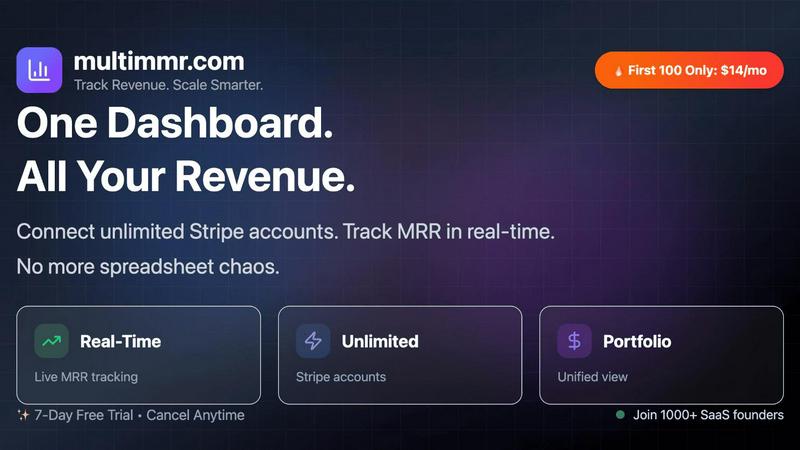
MultiMMR consolidates all Stripe revenue data into a single dashboard for real-time SaaS portfolio analytics.

StatPecker
StatPecker uses AI to analyze data and create instant, shareable insights and infographics from your CSV files.
Last updated: March 1, 2026
Visual Comparison
MultiMMR
StatPecker

Feature Comparison
MultiMMR
Unified Multi-Account Dashboard
This foundational feature allows users to connect an unlimited number of Stripe accounts to a single MultiMMR instance. The platform performs continuous, real-time synchronization via secure API connections, consolidating transaction and subscription data from all sources. The resulting dashboard presents a holistic, portfolio-wide view of financial health, displaying aggregate and per-project metrics side-by-side. This architecture eliminates the need to log into multiple Stripe dashboards or manually merge data sets, providing a single source of truth for all revenue analytics.
Real-Time MRR Tracking & Analytics
MultiMMR provides granular, real-time tracking of Monthly Recurring Revenue (MRR), the critical lifeblood metric for any SaaS business. The system calculates MRR dynamically from live subscription data, breaking it down by new business, expansion, reactivation, and contraction/churn components. This is presented through interactive, time-series charts that visualize trends, growth rates, and anomalies. The analytics engine allows for deep dives into specific periods or customer cohorts, enabling precise diagnosis of revenue drivers and leaks.
Smart Alerting & Notification System
The platform includes a configurable alerting system that monitors key financial metrics for predefined thresholds and anomalous activity. Users can set triggers for events such as MRR drops or spikes beyond a certain percentage, high-value customer cancellations, or unexpected payment failures. Notifications are delivered instantly via in-app alerts or integrated communication channels, enabling proactive management and rapid response to potential revenue-impacting events without requiring constant manual dashboard monitoring.
Goal Tracking & Progress Visualization
This feature enables users to set specific, time-bound MRR growth targets. MultiMMR's engine then tracks daily progress against these goals, calculating the required daily growth rate and comparing it to actual performance. Visual indicators and progress bars provide an immediate, at-a-glance understanding of whether the business is on track, ahead, or behind schedule. This transforms abstract growth targets into a measurable, daily operational metric, facilitating more agile and informed strategic adjustments.
StatPecker
Ask Your Query
StatPecker allows users to obtain instant insights by querying data in natural language. This feature eliminates the need for complex tools, enabling users to simply ask questions and receive validated answers quickly and efficiently.
Publish & Embed
With StatPecker, users can make their visuals interactive and easily integrate them into blogs, articles, and websites. This feature ensures that data storytelling is not only engaging but also accessible to a wider audience.
Upload & Analyze CSVs
Users can upload CSV files of up to 50 MB and conduct analyses without the hassle of traditional spreadsheet software. This feature allows for local analysis, ensuring that sensitive data remains private and secure while providing insightful visualizations.
Download & Use Anywhere
StatPecker facilitates the export of infographics as images, which can be utilized in reports, presentations, and more. This flexibility allows users to leverage their visual data storytelling across various formats and platforms.
Use Cases
MultiMMR
SaaS Portfolio Management for Indie Hackers & Agencies
Indie hackers and small agencies often manage several SaaS products or client projects, each with its own Stripe account. Manually aggregating this data is time-consuming and error-prone. MultiMMR automates this consolidation, providing a unified financial view that allows the operator to instantly assess which projects are performing well, which are stagnating, and where to allocate resources for maximum portfolio growth, all from a single dashboard.
Financial Reporting for Startup Leadership Teams
CFOs, CEOs, and operational leaders require accurate, up-to-date financial reports to guide strategy and inform stakeholders. MultiMMR serves as the automated reporting engine, generating beautiful, actionable charts and data summaries that can be used in board meetings, investor updates, and internal strategy sessions. It streamlines the reporting workflow, turning days of data compilation into minutes, ensuring leadership is always working with the latest figures.
Investor & Stakeholder Communication
Communicating progress to investors or advisory boards requires clear, trustworthy data visualization. MultiMMR enables founders to quickly generate professional-grade charts and social media-ready screenshots that clearly depict MRR trends, goal achievement, and overall business health. This use case enhances transparency and credibility with external stakeholders by providing consistent, data-backed updates derived directly from the payment processor.
Proactive Churn and Revenue Risk Management
For growth-focused teams, reacting to churn after it happens is costly. MultiMMR's smart alerting system allows teams to set up monitors for key risk indicators, such as the cancellation of a high-value account or a sudden dip in MRR. By receiving instant notifications, customer success or finance teams can intervene proactively—for example, by reaching out to a cancelling customer or investigating a payment issue—thereby potentially recovering revenue and mitigating risk in real-time.
StatPecker
Content Creation
Content creators can leverage StatPecker to transform complex data into visually appealing infographics that enhance their articles and blog posts. This capability allows for improved audience engagement and comprehension of data-driven narratives.
Market Research
Researchers and analysts can use StatPecker to quickly visualize market trends and comparisons. By uploading CSV files and asking targeted questions, they can extract insights that inform strategic decisions and business planning.
Educational Applications
Educators and students can utilize StatPecker to create compelling visual aids for presentations and assignments. The ability to produce professional-quality infographics quickly enhances the learning process and facilitates better communication of ideas.
Marketing Campaigns
Marketing professionals can employ StatPecker to generate visually engaging content for campaigns. By leveraging instant insights and interactive visuals, they can effectively communicate key messages and data to their target audiences.
Overview
About MultiMMR
MultiMMR is a specialized, unified financial analytics platform engineered for SaaS founders, operators, and portfolio managers who oversee multiple revenue-generating projects. The core technical challenge it solves is the fragmentation of financial data across disparate Stripe accounts and manual spreadsheets, which creates significant operational overhead and delays in strategic decision-making. MultiMMR's primary value proposition is the aggregation of all Stripe-sourced revenue data into a single, centralized dashboard that provides real-time, enterprise-grade analytics. The platform automates data synchronization, eliminating the need for manual CSV exports and spreadsheet consolidation, thereby ensuring data integrity and timeliness. It is designed for technical users who require precise, actionable insights into key SaaS metrics like Monthly Recurring Revenue (MRR), customer churn, and growth trends across their entire business portfolio. By delivering these insights through configurable, visual charts and automated reporting workflows, MultiMMR enables data-driven leadership focused on scalable growth rather than data wrangling.
About StatPecker
StatPecker is an advanced AI-powered data visualization and storytelling platform designed to convert raw and unstructured data into visually appealing, publication-ready infographics in a matter of seconds. This innovative platform serves as an automated alternative to traditional report generation methods, significantly reducing both time and financial costs associated with data communication. StatPecker democratizes data visualization, making sophisticated graphical representations accessible to users without technical expertise in complex spreadsheet tools or graphic design software. The platform is tailored for a diverse range of users, including content creators, journalists, data analysts, researchers, marketing professionals, business strategists, educators, and students. By leveraging artificial intelligence, StatPecker empowers users to extract instant insights from both natural language queries and structured CSV data files. Users can simply upload datasets, ask questions in plain language, and receive accurate, visually engaging outputs that can be downloaded, published, or seamlessly embedded into digital content. This streamlining of the workflow from data analysis to visual presentation enhances the clarity and impact of data-driven narratives across various applications such as reports, articles, campaigns, and educational materials.
Frequently Asked Questions
MultiMMR FAQ
How does MultiMMR connect to my Stripe accounts?
MultiMMR utilizes Stripe's official, secure OAuth API for connection. You will be guided through a standard authentication flow for each Stripe account you wish to connect. This method does not require you to share sensitive login credentials (username/password). Instead, it grants MultiMMR limited, read-only access to your Stripe transaction and customer data specifically for the purpose of analytics and reporting. All connections are encrypted and can be revoked at any time from your Stripe dashboard.
What kind of data security measures are in place?
Security is a foundational technical specification of MultiMMR. All data transmissions between Stripe and MultiMMR servers are encrypted using TLS 1.2+ protocols. At rest, data is protected with strong AES-256 encryption. The platform operates on a principle of least privilege, requesting only the necessary read-only permissions from Stripe. Furthermore, we do not store full credit card numbers or sensitive authentication data. Our infrastructure is regularly audited and complies with industry-standard security best practices to ensure your financial analytics data remains protected.
Can I track metrics other than MRR?
While MRR is the core, primary metric that MultiMMR is optimized to track and visualize with high precision, the platform's data aggregation provides the foundation for related key performance indicators (KPIs). By processing raw Stripe data, it inherently allows for analysis of customer count trends, average revenue per user (ARPU), and identification of your highest-value customers. The system focuses on revenue-centric analytics derived directly from payment data rather than broader product usage metrics.
Is there a long-term contract or cancellation fee?
No. MultiMMR offers subscription plans on a flexible monthly or annual basis without long-term contracts. You can cancel your subscription at any time directly from your account settings. Upon cancellation, your access to the premium features will continue until the end of your current billing period, after which your account will revert to a restricted state. There are no hidden fees or penalties for cancellation, aligning with our commitment to providing straightforward and user-friendly service.
StatPecker FAQ
How does StatPecker ensure data privacy?
StatPecker utilizes a local SQL agent for on-device analysis, meaning that data uploaded by users remains on their devices and is not shared with external servers. This approach prioritizes user privacy and data security.
Can I use StatPecker for free?
Yes, StatPecker offers a free tier that allows users to create unlimited projects and embeds, conduct a limited number of AI queries, and upload CSV files. This tier provides a cost-effective way to access essential features of the platform.
What types of files can I upload to StatPecker?
Users can upload structured CSV files of up to 50 MB for analysis. This functionality allows users to extract insights from their data without the complexity of traditional spreadsheet software.
Is there customer support available?
StatPecker provides customer support through various channels, ensuring that users can receive assistance with any inquiries or issues they may encounter while using the platform.