ClipMake vs SubtitlesFast
Side-by-side comparison to help you choose the right tool.

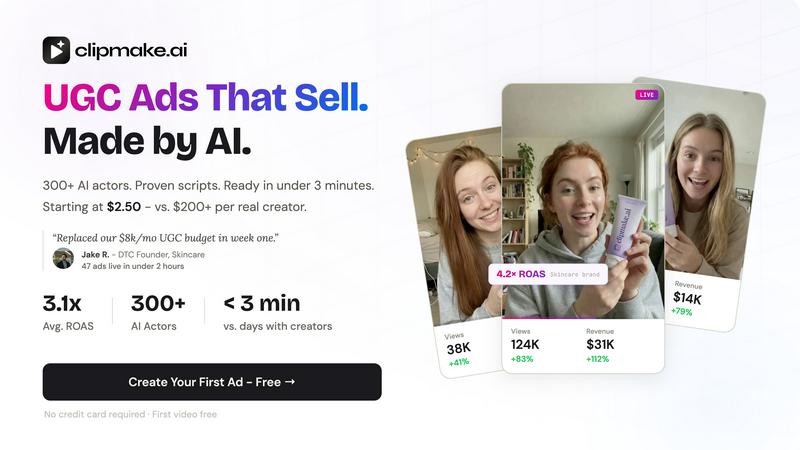
ClipMake is an AI video generator that creates hyper-realistic UGC ads with 300+ AI actors for Meta, TikTok, and YouTube in under three minutes.
Last updated: April 13, 2026

SubtitlesFast
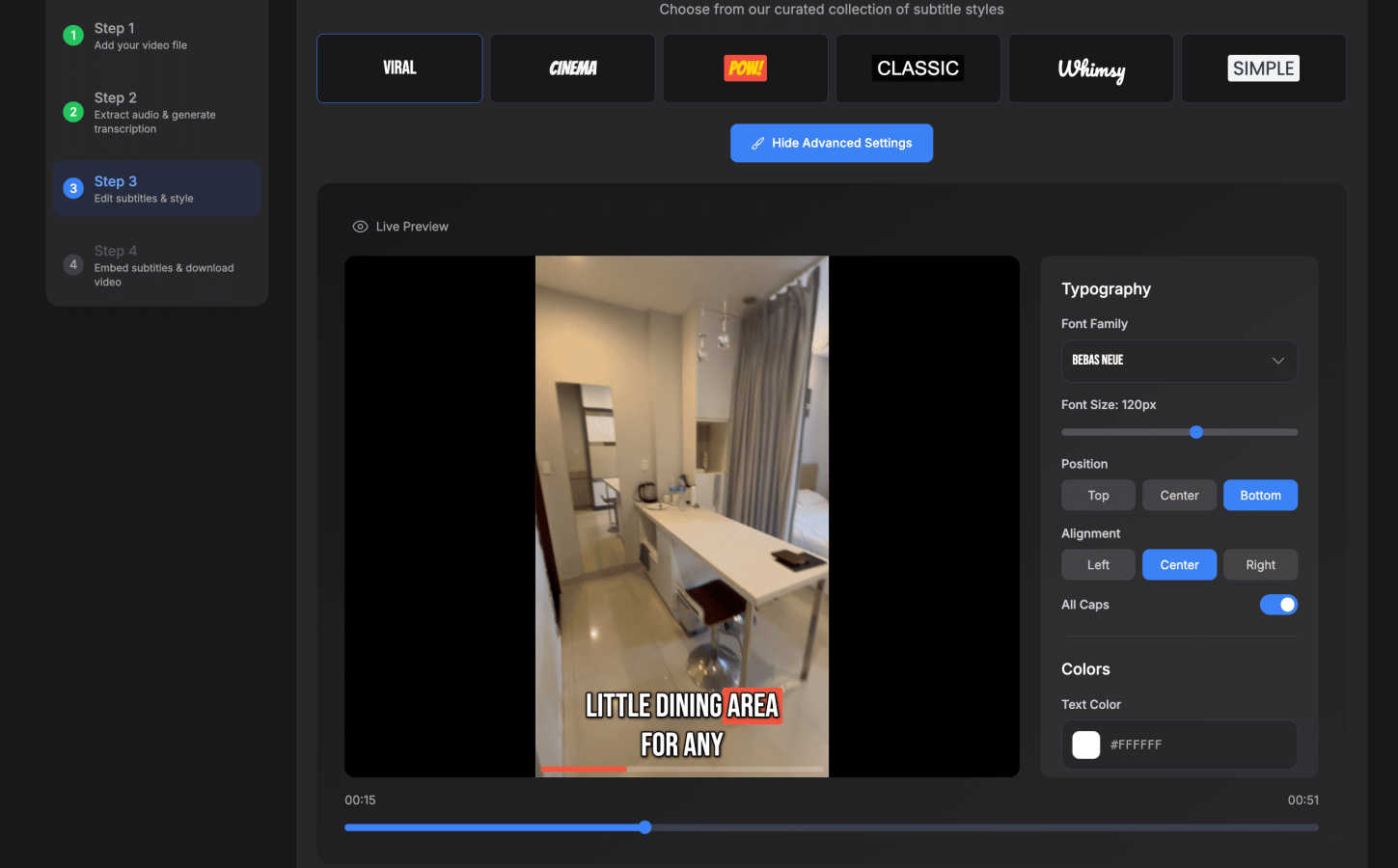
SubtitlesFast is a browser-based tool that automatically transcribes and stylizes animated subtitles for social videos.
Last updated: March 1, 2026
Visual Comparison
ClipMake
SubtitlesFast
Feature Comparison
ClipMake
Hyper-Realistic AI Actor Library
ClipMake provides access to a curated library of over 300 licensed AI actors, each with distinct appearances, demographics, and performance styles categorized as energetic, aesthetic, or professional. The underlying AI model generates advanced human realism, including precise lip synchronization to the audio track, naturalistic facial expressions, and believable body language. This feature ensures the digital presenters exhibit the authenticity and relatability required for effective UGC-style advertising, all without the logistical and financial overhead of human talent.
Intelligent Script & Hook Generation
The platform incorporates an AI script generator trained on high-performing ad formats and conversion frameworks prevalent across major social advertising platforms. By analyzing proven DTC and e-commerce ad structures, it automatically suggests compelling hooks and full scripts tailored to the user's product. This capability removes creative block and ensures that the generated video content is engineered for performance from a copywriting perspective, saving significant time in the conceptual and writing phases of ad creation.
Voice-Matched Multilingual Dubbing
Beyond standard text-to-speech, ClipMake's VocalMatch technology performs voice-matched dubbing in over 20 languages. This system preserves the unique vocal characteristics, tone, and timbre of each selected AI actor, translating and delivering the script in a target language while maintaining the actor's natural, non-robotic voice quality. This feature is critical for global brands seeking to maintain creative consistency and localize ad content authentically without reshooting with different talent.
Batch Generation for Multivariate Testing
A core technical capability is batch generation, allowing users to produce dozens of video variations in a single session. Users can systematically test different combinations of AI actors, script hooks, scene templates, and value propositions. This functionality is designed for rigorous multivariate testing, enabling data-driven creative optimization at scale. It transforms creative testing from a costly, slow process into a rapid, systematic operation, fundamental for identifying top-performing ad assets.
SubtitlesFast
Browser-Based AI Auto-Transcription
SubtitlesFast performs automatic speech recognition (ASR) and transcription directly within your web browser, supporting over 50 languages. This local processing architecture is a key technical differentiator, as it ensures that your video and audio data never leaves your computer, guaranteeing full privacy and compliance with data security concerns. The AI engine delivers high-accuracy transcripts that serve as the foundation for all subtitle generation, effectively converting spoken dialogue into precise, time-coded text without requiring an internet connection for the core transcription task after initial model load.
Customizable & Animated Subtitle Styling
The platform provides granular control over the visual presentation of your subtitles. Users can select from a library of over 30 pre-built animated styles or manually customize fonts, colors, sizes, backgrounds, and positioning. A significant technical feature is word-level highlighting, which dynamically emphasizes words in sync with the audio, enhancing viewer engagement and readability. These styling parameters are applied directly to the video stream, resulting in permanently burned-in subtitles that are universally compatible across all social media platforms.
Integrated Simple Video Editor
Beyond subtitles, SubtitlesFast includes a streamlined, timeline-based video editor designed for essential post-production tasks. This editor allows users to perform basic cuts, add supplemental text layers, insert images, and integrate background music tracks. The interface is engineered for zero learning curve, presenting only the necessary controls to finalize a video without the overwhelming toolset found in professional non-linear editing software, aligning with the product's philosophy of focused utility.
One-Click Multi-Platform Export
The export engine is optimized for rapid publishing. With a single click, users can render their video with burned-in, styled subtitles at resolutions and formats pre-configured for major platforms like X, TikTok, YouTube Shorts, and Instagram Reels. A critical specification is that the free trial and all paid plans deliver exports without any watermark, ensuring professional-grade output. This feature encapsulates the product's end-to-end promise: from upload to a publishable asset in minutes.
Use Cases
ClipMake
High-Velocity Creative Testing for Performance Marketers
Performance marketers managing significant ad spend on Meta and TikTok can use ClipMake to systematically de-risk and optimize campaigns. By generating 40+ unique ad variations per product at a minimal cost, marketers can rapidly iterate on creative angles, messaging, and presenters. This volume allows for statistically significant A/B testing to identify winning combinations that lower cost-per-acquisition (CPA) and improve return on ad spend (ROAS), as evidenced by user-reported average ROAS increases of 3.2x.
E-commerce Brand Creative Production at Scale
Direct-to-consumer and e-commerce brands with extensive product catalogs can leverage ClipMake to produce professional ad creatives for every SKU without proportional increases in budget or time. The process of pasting a product link, selecting an AI creator, and generating a ready-to-publish video in minutes enables brands to maintain a constant refresh of ad content, combat ad fatigue, and promote new products instantly, effectively cutting traditional production costs by up to 90%.
Localized Global Campaign Launch
Brands expanding into new international markets can utilize the voice-matched dubbing and diverse AI actor library to create localized video ads rapidly. Instead of coordinating shoots with local creators in each region, teams can generate culturally relevant content featuring appropriate actors speaking in the local language, all from a single original script. This accelerates global go-to-market strategies and ensures brand consistency across regions.
TikTok Shop & Short-Form Content Saturation
Sellers on platforms like TikTok Shop, where the algorithm rewards consistent, high-volume content posting, can use ClipMake to maintain a relentless stream of fresh creatives. The ability to quickly produce numerous variations of product demonstration, unboxing, and testimonial videos allows sellers to "test into" viral trends and angles, increasing the probability of content being amplified by the platform's discovery engine.
SubtitlesFast
Daily Social Media Content Creation
For creators publishing daily vlogs, tutorials, or commentary on platforms like TikTok, YouTube, and Instagram, speed is paramount. SubtitlesFast automates the most tedious part of this workflow—subtitle creation—enabling creators to record, transcribe, style, and post engaging, accessible content within a few minutes. This use case is ideal for solo creators and small teams who need to maintain a consistent posting schedule without dedicating hours to editing in complex software suites.
Marketing & Promotional Video Production
Marketing professionals and agencies producing high volumes of short-form promotional clips, product demos, or social media ads can leverage SubtitlesFast to ensure their messages are accessible and engaging. The ability to quickly add professional, animated subtitles increases viewership and retention, as many users watch videos with sound off. The platform's efficiency allows for rapid A/B testing of different subtitle styles and messaging without bottlenecking the production pipeline.
Accessibility Compliance & Advocacy
Organizations and advocates focused on digital accessibility can use SubtitlesFast to efficiently add accurate closed captions to training videos, internal communications, and public-facing content. The local processing guarantee is crucial for handling sensitive or proprietary material. By providing an easy path to compliant captions, the tool helps meet WCAG (Web Content Accessibility Guidelines) standards and makes content inclusive for deaf and hard-of-hearing audiences.
Rapid Content Repurposing
Content strategists and editors can use SubtitlesFast to quickly repurpose long-form content, such as podcast episodes or webinar recordings, into multiple short, subtitled clips for social media. The auto-transcription provides a searchable text base, and the simple editor allows for fast trimming and highlighting of key moments. This maximizes the ROI on existing content by adapting it for platforms where subtitled short-form video performs best.
Pricing Comparison
ClipMake
ClipMake operates on a credit-based system, where each credit typically generates one video. The platform promotes a launch pricing model offering 60% off all plans, bringing the effective cost per video to as low as $2.48. Plans are structured based on the volume of videos needed per month, aligning with different levels of testing appetite. Users can start with a free tier that includes one credit to generate a first video without requiring a credit card. Annual billing cycles are available and offer additional savings compared to monthly subscriptions.
SubtitlesFast
The primary pricing plan for SubtitlesFast is listed at $14 per month. This subscription provides full access to the browser-based platform, including AI auto-transcription in 50+ languages, all animated subtitle styles, the simple video editor, and watermark-free exports. The service offers a free trial that allows users to test core functionalities without financial commitment, and notably, exports generated during the trial period do not include a watermark. This positions SubtitlesFast as a competitively priced, mid-range option compared to alternatives like CapCut ($10/mo), Veed ($19/mo), Descript ($24/mo), and Submagic ($19/mo), balancing cost with its unique value propositions of privacy, simplicity, and focused tooling.
Overview
About ClipMake
ClipMake is an AI-powered video generation platform engineered to automate and scale the production of user-generated content (UGC) style video advertisements. It is specifically architected for e-commerce brands, direct-to-consumer (DTC) operators, and performance marketers who require a high volume of diverse, platform-optimized ad creatives to test and scale their campaigns efficiently. The core value proposition eliminates traditional production bottlenecks: there is no need to source, brief, or manage human creators, no physical shoots, and no manual video editing. Users can generate a finished, polished video advertisement in under three minutes. The platform operates by allowing users to select from an extensive library of over 300 licensed AI actors, input basic product details or a URL, and leverage pre-built, data-informed ad structures. The output is a complete video featuring a photorealistic AI presenter with natural lip sync and expressions, a contextually relevant voiceover, integrated product visuals, and dynamic scene composition tailored for platforms like Meta and TikTok. This technical approach enables unprecedented creative velocity and cost-efficiency, democratizing high-volume A/B testing for businesses of all sizes.
About SubtitlesFast
SubtitlesFast is a specialized, browser-based AI video editing platform engineered for content creators, marketers, and accessibility advocates who require a fast, private, and efficient workflow for daily video publishing. Its core technical function is to automate the generation and styling of accurate, burned-in subtitles, transforming a traditionally time-consuming editing task into a process that can be completed in under five minutes. The platform is architected for speed and simplicity, operating entirely within the user's web browser with no software installation, which ensures full data privacy as all processing—including AI transcription—occurs locally on the user's machine. It supports auto-transcription in over 50 languages and provides a suite of customizable styling tools, including word-level highlighting and animated text effects. By focusing exclusively on the essential toolkit for subtitle creation and basic video enhancement, SubtitlesFast eliminates the complexity and feature bloat associated with traditional, comprehensive video editing suites. The value proposition is clear: a focused application that enables users to upload raw footage, transcribe, style, and export a publish-ready video optimized for platforms like TikTok, YouTube, Instagram, and X with unprecedented speed and a minimal learning curve.
Frequently Asked Questions
ClipMake FAQ
How realistic are the AI actors in ClipMake?
The AI actors in ClipMake are generated using advanced generative AI models focused on human realism. They exhibit natural lip sync that is precisely matched to the generated audio, nuanced facial expressions, and realistic body language. The platform also offers a "Pro Realism + VocalMatch" mode for ultra-realistic rendering. User testimonials from performance marketers indicate that the output quality is sufficient to perform competitively against real human UGC in controlled A/B tests.
What is the licensing and usage rights for videos created?
All videos generated using ClipMake's library of licensed AI actors are owned by the user for commercial use. There are no ongoing usage fees or royalties required to publish the ads on social media platforms, run paid campaigns, or use the content on websites. This provides full intellectual property control and predictable cost scaling compared to working with human influencers or agencies.
Can I use my own product images in the videos?
Yes, ClipMake features a dedicated product placement capability. Users can upload a product image, and the AI will dynamically integrate it into the scene. The AI actor can be shown holding, interacting with, or presenting the product realistically within the chosen template, such as an unboxing, tutorial, or lifestyle scene, creating a seamless and contextual showcase.
How does the script generation work?
The script generation AI is trained on a dataset of high-converting ad formats and structures from successful DTC and e-commerce campaigns. When you input your product details or URL, the engine analyzes the product category and features to propose relevant hooks and full scripts based on proven formulas like problem-agitate-solution, testimonials, and before/after narratives. Users can then edit this generated script to fine-tune the messaging.
SubtitlesFast FAQ
How does SubtitlesFast ensure my video data remains private?
SubtitlesFast is architected as a client-side application. The core AI transcription model and all video processing operations run locally within your web browser (e.g., Chrome, Firefox). This means your original video and audio files are never uploaded to a remote server for processing. Your data stays entirely on your computer, providing a level of privacy and security that cloud-based alternatives cannot match.
What video formats and platforms does SubtitlesFast support for export?
The platform accepts common video upload formats like MP4, MOV, and AVI. Its export engine is optimized to produce publish-ready video files in standard MP4 containers with H.264 encoding. Export presets are tailored for the technical specifications of major platforms, including vertical 9:16 aspect ratios for TikTok/Reels and landscape 16:9 for YouTube, ensuring optimal quality and compatibility without manual configuration.
Can I edit the transcript after the AI generates it?
Yes, the platform includes a dedicated transcript editor synchronized with the video timeline. After the AI auto-transcription is complete, you can play the video and manually correct any errors in the text, adjust the timing of individual caption blocks, or split and merge segments for perfect readability. This post-transcription proofing is essential for ensuring 100% accuracy, especially with technical terminology or accented speech.
Is there a watermark on videos exported during the free trial?
No. A key specification of SubtitlesFast's free trial and all paid plans is that exported videos contain no watermark, branding, or attribution of any kind. You retain full ownership of the output and can use the videos commercially on your social channels, websites, or in client work without any restrictions or required credits.
Alternatives
ClipMake Alternatives
ClipMake is an AI-powered UGC video generator designed for performance marketing. It specializes in creating hyper-realistic video ads featuring a library of over 300 AI actors, targeting e-commerce brands and marketers who require high-volume ad creative without the logistical overhead of traditional production. Users may seek alternatives for various reasons, including budget constraints, specific feature requirements not covered by the platform, or a need for integration with different marketing tech stacks. The search often centers on finding a tool that balances cost, output quality, and workflow efficiency for scalable ad creation. When evaluating alternatives, key criteria include the realism and diversity of AI avatars, the quality of voice synthesis and lip-sync technology, the flexibility of scene templates and script generation, and the overall pricing model for volume production. The core objective is to identify a solution that delivers authentic-looking UGC-style videos at a sustainable operational cost.
SubtitlesFast Alternatives
SubtitlesFast is a browser-based, AI-powered video editing platform in the marketing and productivity category. It specializes in the automated generation and styling of animated subtitles, enabling creators to produce accessible, engaging social video content rapidly. Users may seek alternatives for various reasons, including specific budget constraints, a need for different feature sets like advanced video editing, or a requirement for software that integrates with a particular operating system or desktop application rather than a web browser. When evaluating alternatives, key considerations should include the core transcription accuracy and supported languages, the depth and flexibility of subtitle styling and animation options, the overall workflow efficiency, data privacy and security protocols, and the total cost relative to the provided value and necessary output volume.