
Hush Touch | Voice-to-Text for MacOS vs URL to Any
Side-by-side comparison to help you choose the right tool.

Hush Touch | Voice-to-Text for MacOS
Hush Touch offers offline voice-to-text dictation for Mac, learning your vocabulary with a one-time $20 license.
Last updated: February 26, 2026

URL to Any
URL to Any transforms web content into various formats and languages for seamless accessibility and sharing.
Last updated: March 1, 2026
Visual Comparison
Hush Touch | Voice-to-Text for MacOS

URL to Any
Feature Comparison
Hush Touch | Voice-to-Text for MacOS
Dual-Engine Recognition
Hush Touch utilizes a sophisticated dual-engine recognition system that combines the capabilities of DictationTranscriber and SFSpeechRecognizer. The former enhances natural flow and punctuation, while the latter boosts custom vocabulary recognition. This integration results in cleaner and more accurate transcriptions tailored to your specific needs.
Custom Vocabulary
The application allows users to store up to 500 custom terms, automatically learning from corrections made during dictation. Whether you frequently use technical jargon, brand names, or specialized medical terms, Hush Touch adapts to your unique vocabulary, ensuring that your dictations reflect your language accurately.
Smart Text Processing
Hush Touch features advanced smart text processing capabilities that remove filler words and auto-correct common misinterpretations. Additionally, it can format numbered lists and recognize voice snippets for frequently used phrases, all executed in real-time without cloud dependence, ensuring a smooth dictation experience.
Context Modes & Hands-Free Operation
With multiple context modes including General, Email, Code, and Notes, Hush Touch allows users to switch seamlessly based on their dictation needs. The hands-free operation, activated via Siri or hotkeys, enables users to dictate effortlessly, with automatic text insertion after a brief pause, enhancing productivity and workflow.
URL to Any
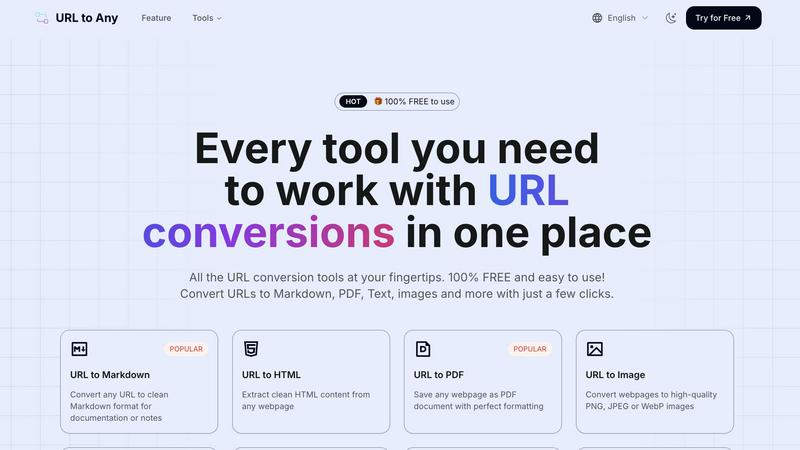
URL to Markdown
This feature allows users to convert any webpage into clean Markdown format, making it ideal for documentation or personal notes. The output preserves the essential structure of the original content, enabling easy integration into Markdown-based systems.
URL to PDF
With the URL to PDF feature, users can save any webpage as a well-formatted PDF document. This capability is perfect for archiving important content or sharing it in a universally accepted format, ensuring that formatting and layout are preserved.
URL to Image
Users can convert webpages into high-quality images in formats such as PNG, JPEG, or WebP. This feature is particularly useful for capturing visual representations of content, making it easy to share or use in presentations without losing detail.
URL to JSON
This feature transforms webpage content into structured JSON format, facilitating data integration and manipulation for developers and data analysts. The output is organized and ready for immediate use in various applications that support JSON.
Use Cases
Hush Touch | Voice-to-Text for MacOS
Professional Communication
Hush Touch is perfect for professionals such as business executives and administrative staff who need to draft emails and reports quickly. The natural dictation flow allows for efficient communication without the hassle of manual typing.
Medical Documentation
Healthcare professionals can leverage Hush Touch to dictate medical notes swiftly. The app's ability to recognize medical terminology ensures that critical information is recorded accurately, saving time and reducing errors in patient records.
Creative Writing
Writers and content creators can utilize Hush Touch to brainstorm ideas and draft articles hands-free. The application's smart text processing and vocabulary learning capabilities help maintain the clarity and tone of creative pieces.
Coding and Technical Documentation
Software developers and technical writers benefit from Hush Touch's context modes and custom vocabulary features. The app can effectively transcribe coding commands and technical documentation, streamlining the development process and reducing the cognitive load.
URL to Any
Content Creation
Writers and content creators can use URL to Any to quickly convert online articles or resources into formats like Markdown or PDF, streamlining their research and documentation processes.
Academic Research
Researchers can benefit from the tool by converting webpages into structured formats like JSON or XML for data analysis, ensuring that all relevant information is easily accessible and well-organized.
Web Development
Developers can utilize the URL to Any tool to extract clean HTML or JSON from webpages, enabling them to integrate content more effectively into their projects without the hassle of manual extraction.
Social Media Sharing
Marketers and social media managers can convert URLs into images or QR codes for easy sharing on various platforms, enhancing engagement through visually appealing and easily accessible content.
Overview
About Hush Touch | Voice-to-Text for MacOS
Hush Touch is an innovative voice-to-text application specifically designed for macOS users who seek a fast, natural, and secure dictation experience. Unlike traditional dictation tools that rely heavily on cloud processing, Hush Touch operates entirely on-device, ensuring that your data and voice recordings remain private. By leveraging two advanced Apple transcription engines along with an Apple Intelligence final pass, Hush Touch produces highly accurate text outputs, adapting to your unique vocabulary and speech patterns over time. This lightweight application, with a mere 5.5 MB footprint, integrates seamlessly into your daily writing tasks—be it drafting emails, writing notes, or creating documents—allowing you to dictate hands-free. With a simple activation via hotkeys or Siri, Hush Touch empowers users to communicate effectively and efficiently, making it an invaluable tool for professionals across various fields.
About URL to Any
URL to Any is a robust, cloud-based web content conversion engine that empowers users to transform any accessible webpage into multiple practical formats quickly and efficiently. This tool is designed for a diverse user base, including content creators, researchers, developers, and administrative personnel who seek to extract and reformat online information seamlessly. By simply inputting a URL, users can circumvent cumbersome procedures like manual copying or using browser extensions, receiving a converted output in mere seconds. The primary value proposition lies in its comprehensive, no-cost interface that consolidates various conversion tasks into one accessible platform. Users can convert URLs into clean text documents, formatted PDFs, Markdown files for content management systems, high-quality images, and much more, all while maintaining the structural and contextual fidelity of the original content. With its user-friendly design and powerful capabilities, URL to Any serves as an essential utility for anyone needing to archive, edit, or repurpose web content efficiently.
Frequently Asked Questions
Hush Touch | Voice-to-Text for MacOS FAQ
Is Hush Touch compatible with all MacOS versions?
Hush Touch is designed to work seamlessly with the latest versions of macOS. However, it is advisable to check the system requirements on the official website for compatibility with your specific version.
How does Hush Touch ensure my privacy?
Hush Touch processes all voice data entirely on-device without using cloud services. This means that your voice recordings and transcriptions are never stored or transmitted to external servers, ensuring maximum privacy and data security.
Can I customize the activation commands for dictation?
Yes, Hush Touch allows users to set customizable command phrases for sending messages or initiating dictation, providing a personalized experience that fits individual workflows.
What is the trial period for Hush Touch?
Hush Touch offers a 7-day free trial with no credit card required. Users can experience the full functionality of the app during this period to evaluate its effectiveness in meeting their dictation needs.
URL to Any FAQ
What formats can I convert a URL to?
You can convert a URL to multiple formats, including Markdown, PDF, text, images, JSON, XML, and more, making it a versatile tool for various tasks.
Is there a limit to the number of URLs I can convert?
There are no specified limits on the number of URLs you can convert. The tool is designed to handle a large volume of conversions, making it suitable for both individual and professional use.
How secure is my data when using URL to Any?
URL to Any processes all data securely and does not store any information on its servers, ensuring user privacy and data protection during conversions.
Do I need to install any software to use URL to Any?
No, URL to Any operates entirely in the cloud, meaning you can access and use all features directly from your web browser without the need for software installation.
Alternatives
Hush Touch | Voice-to-Text for MacOS Alternatives
Hush Touch | Voice-to-Text for MacOS is a specialized dictation application designed for seamless offline voice-to-text conversion on macOS devices. It utilizes dual Apple transcription engines and an Apple Intelligence final pass to ensure high accuracy and fluidity in transcription. This product falls under the AI Assistants category, catering to users seeking efficient and private dictation solutions without reliance on cloud services. Users may seek alternatives to Hush Touch for various reasons, including pricing concerns, differing feature sets, and specific platform requirements. When looking for a suitable alternative, it is essential to consider factors such as offline capability, transcription accuracy, ease of use, and any unique features that may enhance the dictation experience. Evaluating these aspects will help users find a voice-to-text solution that best fits their individual needs and workflows.
URL to Any Alternatives
URL to Any is a cloud-based web content conversion engine that enables users to transform accessible webpages into various formats and languages, facilitating universal accessibility. It fits into the category of AI assistants, particularly those designed for content conversion and data extraction. Users often seek alternatives for several reasons, including pricing models, feature sets, and specific platform requirements that may not align with their needs. When choosing an alternative, it is essential to consider key factors such as the range of supported output formats, the user interface's simplicity, the availability of free services versus paid subscriptions, and the overall reliability of the conversion process. These criteria can significantly influence user experience and the effectiveness of the selected tool for various professional or personal tasks.