
AI Formatter
AI Formatter transforms raw text into polished, professional documents using 162 ATS-optimized templates instantly.
tool Details
Explore More
Alternatives
About AI Formatter
AI Formatter is a sophisticated, cloud-based Software-as-a-Service (SaaS) platform designed to revolutionize document formatting through advanced artificial intelligence. The primary goal of AI Formatter is to automate the transformation of unstructured or poorly formatted input, such as raw text and uploaded files in Word, PDF, and TXT formats, into professional-grade documents within seconds. Users save an average of two hours per document, thanks to the elimination of tedious manual formatting. Furthermore, AI Formatter boasts a documented pass rate of over 95% on Applicant Tracking System (ATS) scans, making it an invaluable tool for job seekers, business professionals, academics, and enterprises. The platform provides a centralized solution for creating industry-specific, visually consistent, and ATS-optimized documentation. Its robust value proposition is anchored in advanced AI-driven content structuring, an extensive library of over 100 professional templates, and a fully-featured real-time editor that allows for granular customization, all accessible via an intuitive online interface.
Features
Extensive Template Library
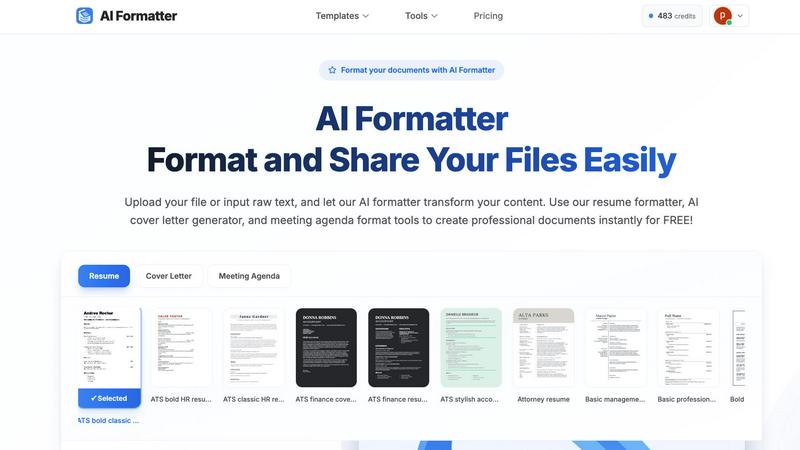
AI Formatter provides access to over 162 professional templates specifically designed for various document types, including resumes, cover letters, and meeting agendas. These templates are optimized for ATS compatibility, ensuring that your documents not only look professional but also meet industry standards.
Automated Formatting Process
The platform allows users to upload existing documents or input raw text, which the AI then processes to apply professional formatting automatically. This feature significantly reduces the time spent on manual adjustments, enabling users to focus on content rather than structure.
Real-Time Editing and Customization
AI Formatter includes a fully-featured real-time editor, allowing users to review and edit their formatted documents easily. Users can make adjustments, customize content, and ensure that their documents meet specific requirements before downloading them in multiple formats.
Multi-Format Support
The AI Formatter supports various file formats, including PDF, DOC, DOCX, and TXT, making it versatile for different user needs. This feature allows users to effortlessly format documents from various sources without worrying about compatibility issues.
Use Cases
Job Seekers
Job seekers can use AI Formatter to create ATS-optimized resumes and cover letters that stand out to recruiters. By utilizing professional templates and automated formatting, candidates can enhance their chances of landing interviews.
Business Professionals
Business professionals can leverage AI Formatter to generate polished meeting agendas and professional reports. The platform ensures that all documents are well-structured and visually appealing, enhancing communication in the workplace.
Academics
Academics can benefit from AI Formatter by formatting research papers, theses, and presentations according to institutional guidelines. This simplifies the often-complex formatting requirements, allowing researchers to concentrate on their content.
Enterprises
Enterprises can utilize AI Formatter for bulk formatting needs, such as creating compliant invoices, contracts, and marketing materials. The platform's ability to quickly process multiple documents helps streamline workflow and maintain brand consistency.
Frequently Asked Questions
How does AI Formatter ensure ATS compatibility?
AI Formatter utilizes a library of templates specifically designed to meet ATS requirements. This includes proper formatting of sections, use of keywords, and structured layouts that improve the chances of passing automated screenings.
Can I edit my document after formatting it?
Yes, once the AI has formatted your document, you can use the real-time editor to make any necessary adjustments. This feature allows for customization to ensure your document meets your specific needs and preferences.
What file formats does AI Formatter support?
AI Formatter supports a variety of file formats, including PDF, DOC, DOCX, and TXT. This versatility allows users to upload documents from different sources without compatibility issues, simplifying the formatting process.
Is there a limit on the size of files I can upload?
Yes, AI Formatter allows uploads of files with a maximum size limit of 10MB. This ensures that users can format standard documents efficiently while maintaining optimal performance on the platform.
Similar to AI Formatter
Novastart
Apps and files on an infinite canvas where people and AI agents work together.

Memorable Contact
AI-powered relationship memory that helps you remember people, the context behind your connections, and reconnect

Panzoe
Panzoe is an all-in-one AI platform for personal productivity, business automation, AI assistants, content creation, and custom AI solutions.
FontGenerate
Stylish Font Generator: 150+ Stylish Fonts to Copy & Paste (Free)
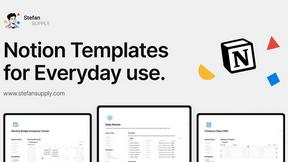
Stefan Supply
Ready-to-use Notion templates for personal planning and small business workflows, with realistic example data.
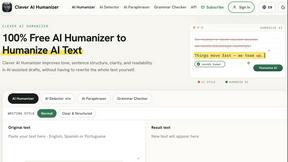
Clever AI Humanizer
Clever AI Humanizer is a free tool that makes AI-generated text sound more human.
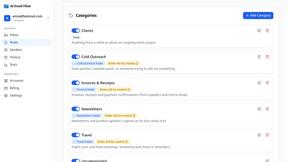
AI Email Filter
AI Email Filter sorts incoming mail into folders using plain-language prompts you write. Works with any IMAP mailbox; bring your own LLM if you want.
Egmatic
No-code 2D game editor: visual node logic, drag-and-drop scenes, live preview. Exports to Windows, macOS, Linux, Android, iOS, Web.