

Caption.IM
Caption.IM converts audio to real-time captions, translations, and summaries on your Mac, enhancing productivity and accessibility effortlessly.
tool Details
Explore More
Alternatives

About Caption.IM
Caption.im is an innovative AI-powered captioning assistant specifically designed for macOS users. This software transforms any audio playing on your Mac into real-time captions, instant translations, and organized meeting notes, all processed locally to ensure user privacy. Unlike traditional browser extensions or meeting bots, Caption.im captures system audio directly, allowing it to work seamlessly across various applications including Zoom, Google Meet, Microsoft Teams, YouTube, and many others. This capability makes it an essential tool for professionals, educators, and content creators who need accurate and immediate transcription and translation services. The main value proposition of Caption.im lies in its ability to enhance accessibility and productivity while safeguarding user data, offering a unique blend of functionality and privacy that is crucial in today’s digital landscape.
Features
Real-Time Transcription
Caption.im provides instantaneous transcription capabilities, allowing users to generate live captions for meetings, videos, podcasts, and calls. This feature enhances communication clarity and helps ensure that no critical information is missed during discussions.
Instant Translation
With Caption.im, users can access real-time translated subtitles, facilitating understanding of multilingual content. This functionality is particularly beneficial for international teams and individuals engaging in cross-language communications, making conversations more inclusive.
Floating Subtitle Window
The software features an elegant floating subtitle window that displays captions in a transparent overlay, ensuring that it integrates smoothly with macOS. This design choice allows users to maintain focus on the content while still receiving real-time text feedback.
AI Meeting Summaries
Caption.im automatically generates structured summaries and key insights after conversations. This feature streamlines the process of note-taking and ensures that critical points, action items, and discussions are easily accessible for future reference.
Use Cases
Remote Meetings
In remote work scenarios, Caption.im serves as a valuable tool for generating live captions during meetings conducted on platforms like Zoom or Microsoft Teams. This feature ensures that all participants can follow along, regardless of their hearing abilities.
Online Learning
For educators and students, Caption.im enhances the online learning experience by providing real-time captions during lectures and discussions. This accessibility feature aids comprehension and retention, making learning more equitable.
Multilingual Teams
Caption.im is perfect for multilingual teams that require clear communication across different languages. With instant translations, team members can participate fully in discussions without language barriers, fostering collaboration and understanding.
Content Creation
Content creators can leverage Caption.im to generate subtitles for their videos, podcasts, or livestreams quickly. This capability not only improves audience engagement but also ensures compliance with accessibility standards, broadening the potential audience reach.
Frequently Asked Questions
How does Caption.im ensure user privacy?
Caption.im processes all audio and transcription locally on your device, meaning that your conversations and data never leave your Mac. This approach prioritizes user privacy and security.
What applications does Caption.im work with?
Caption.im is compatible with a wide range of applications including Zoom, Google Meet, Microsoft Teams, YouTube, and many more. This flexibility allows it to capture audio from virtually any source on your Mac.
Is Caption.im optimized for newer Mac models?
Yes, Caption.im is specifically designed to be optimized for Apple Silicon models (M1, M2, M3, and later), ensuring ultra-fast speech recognition with minimal latency and efficient power usage.
Can I access Caption.im features without an internet connection?
Absolutely, Caption.im operates locally on your Mac, meaning that you do not need an internet connection to utilize its features. This is particularly advantageous for users who prioritize privacy and offline functionality.
Similar to Caption.IM

Product Launch Checklist
A free launch checklist for SaaS, apps, AI tools and more. Every step says why it matters and when you can skip it.

HomeAnswerBook
Practical, independent guides to home repairs, maintenance, costs, troubleshooting, and everyday fixes.

BlazePDF
Highlight faster. Study in flow with custom shortcuts and a workflow built around you. Print smarter, or turn any page into a tiled poster.
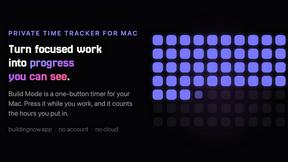
Build Mode for Mac
Build Mode is a Mac app that turns focused sessions into visible progress, so you can see the work adding up before the results arrive.



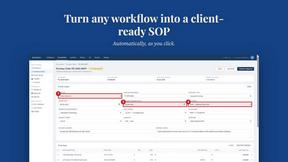
MySOP.guru
Capture any workflow in your browser and export a branded, step-by-step SOP with screenshots. €5 per document, no subscription.