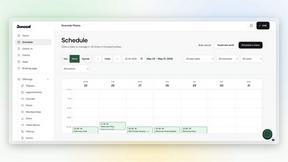
Dokta
Dokta automates document management for SMBs and freelancers by using AI to instantly analyze, classify, and extract key data from invoices, quotes.
tool Details
Explore More
Alternatives

About Dokta
Dokta is a sophisticated AI-powered document management and business automation platform engineered specifically for freelancers, solo entrepreneurs, auto-entrepreneurs, and small to medium-sized businesses (SMBs). The platform is designed to eliminate administrative inefficiencies by placing AI at the core of document processing. Users can upload any document, such as invoices, quotes, or contracts, and Dokta's AI engine, powered by Claude (Anthropic), performs Optical Character Recognition (OCR), classifies the document type, and extracts critical data fields including amounts, due dates, and client details in under 60 seconds. It manages the entire document lifecycle, from creation to payment tracking. This includes generating professional invoices and quotes, automating payment reminders, managing contract deadlines, and creating actionable tasks directly from document content. The system autonomously builds a searchable client and supplier database, provides real-time cash flow analytics with 12-month graphical trends, and facilitates accounting through CSV export. Hosted on AWS in Paris with AES-256 encryption, Dokta guarantees 100% GDPR compliance, ensuring data sovereignty and security for European users. Its core value proposition is transforming document management from a manual, error-prone task into an automated, intelligent, and centralized operational hub.
Features
AI-Powered Document Analysis
Dokta's core functionality is its advanced AI and OCR processing engine. Upon document upload (photo, scan, or PDF), the system automatically reads, classifies, and extracts key structured data such as document type, total amount, due date, and involved parties in less than 60 seconds. This eliminates manual data entry, ensures accuracy, and instantly converts static documents into actionable items within the platform's workflow, forming a searchable digital archive.
Automated Invoicing & Quote Management
The platform provides comprehensive tools for the billing cycle. Users can create professional invoices and quotes in a few clicks. A standout feature is the ability to send quotes with an online acceptance link, enabling clients to approve digitally, after which conversion to a final invoice is a one-click operation. For freelancers on daily rate (TJM) contracts, Dokta supports automated monthly invoice generation based on the contract terms, streamlining recurring billing.
Real-Time Cash Flow & Anomaly Detection
Dokta offers a centralized financial dashboard that displays key metrics in real time: invoiced revenue, collected revenue, unpaid invoices, and VAT liabilities. This is complemented by a 12-month graphical trend analysis. Proactively, the AI engine includes an anomaly detection system that identifies potential issues such as modified IBAN details, duplicate invoices, inconsistent VAT rates, or missing sequential numbering, providing an essential layer of financial oversight.
Integrated Client & Supplier Database
The platform automatically constructs and enriches a relational database of clients and suppliers by extracting entity details from every processed document. It can perform automatic SIRET number lookup (for French entities) to enrich profiles and includes a payment scoring system based on historical data. This creates a complete, intelligent history per contact, facilitating better relationship management and providing context for all financial interactions.
Use Cases
Freelance IT Developer / Consultant
For IT freelancers operating on Time and Materials (TJM) contracts, Dokta automates the entire invoicing pipeline. The system can be configured to generate monthly invoices automatically based on the contracted rate, sending them for one-click validation. This allows the freelancer to focus on development work while Dokta handles payment tracking, sends automated reminders for late payments, and maintains a clear record of all client transactions and project-related documents.
Creative Freelancer / Project-Based Worker
Graphic designers, photographers, and other project-based creatives benefit from Dokta's streamlined proposal-to-payment workflow. They can create a quote and send it via a professional online acceptance link to the client. Upon client approval, the quote is converted to an invoice with a single click. Dokta then manages the payment follow-up, chases late invoices with professional reminders, and keeps all project documents and client communications organized in one place.
Auto-Entrepreneur / Micro-Entrepreneur
This user group requires simplicity and compliance. Dokta generates legally compliant invoices, automatically tracks revenue against the micro-entrepreneur income ceiling, and provides alerts for upcoming URSSAF social charge payment deadlines. The real-time cash flow dashboard gives a clear, immediate view of business health without complex accounting knowledge, and the CSV export feature simplifies year-end accounting procedures.
Growing Small Business (SMB)
Small businesses managing multiple clients, suppliers, and contracts use Dokta as a centralized document command center. The AI processes incoming bills and outgoing invoices, automatically populating the cash flow forecast. Anomaly detection safeguards against fraud or errors, and the automated task generation from documents (e.g., "pay this invoice by X date") ensures no deadline is missed, improving operational reliability and financial control.
Pricing
Dokta offers a transparent, tiered subscription model with a free tier and three paid plans, billed monthly or annually (with a 17% discount for annual commitment). All plans include core features like the AI document analysis, unlimited client database, and invoice generator.
Discovery: €0/month. Includes 15 documents per month (max 5 pages per document). Ideal for testing the core features.
Starter: €9/month. Designed for auto-entrepreneurs. Includes 50 documents/month (20 pages max), automated payment reminders, expense tracking, accounting CSV export, and email support.
Freelance: €12/month. The popular plan for freelancers with recurring contracts. Includes 100 documents/month, all Starter features, and is tailored for Time and Materials (TJM) contract management with automated monthly invoicing.
Pro: €15/month. For project-based professionals and growing SMBs. Includes 250 documents/month, online quote acceptance links, advanced anomaly detection, and priority support.
Frequently Asked Questions
How does Dokta ensure the security and privacy of my documents?
Dokta is built with a strong security-first architecture. All data is hosted on Amazon Web Services (AWS) in Paris, France, ensuring physical and legal data sovereignty within the European Union. Documents and data are encrypted at rest using AES-256 encryption. The platform is fully compliant with the General Data Protection Regulation (GDPR), governing how personal data is processed and stored. No manual access to your documents is performed without explicit consent.
What types of documents can Dokta process?
Dokta's AI engine is optimized to process a wide range of business documents essential for freelancers and SMBs. This includes incoming and outgoing invoices, quotes, proposals, and various types of contracts. The system accepts documents in multiple formats: PDF files, scanned images, and even photographs taken with a smartphone. The AI performs classification to identify the document type before proceeding with precise data extraction.
What happens if the AI makes an error in data extraction?
Dokta is designed for high accuracy but operates on a human-in-the-loop principle for validation. After the AI completes its sub-60-second analysis, the extracted data is presented to the user in an interface for review and confirmation. The user retains full control to correct any field before the data is finalized and integrated into the system. This ensures accuracy while still saving the vast majority of manual entry time.
Can I use Dokta for accounting and tax reporting?
While Dokta is not a certified accounting software, it provides robust features to support accounting and tax preparation. It automatically tracks all invoiced and paid amounts, calculates VAT totals, and allows you to categorize expenses. The key feature is the ability to export all financial data, including client lists, transaction histories, and VAT summaries, into a standardized CSV file format that can be directly imported into most accounting software or provided to your accountant.
Similar to Dokta
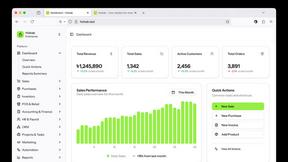
Hishab
All-in-One POS, Inventory & Accounting Software for Bangladeshi Businesses



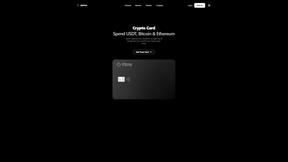
IZIPAY
IZIPAY is a virtual and physical crypto card service that lets users top up with digital assets and pay online like with a regular card.
Venduris
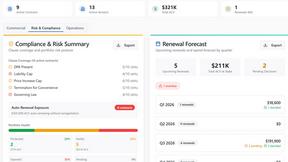
Venduris is a renewal intelligence platform that gives mid-size companies control over SaaS & AI contract renewals before leverage disappears.