

Dubvid
Dubvid quickly dubs your audio and video into multiple languages with natural voices and optional lip-sync features.
tool Details
Explore More
Alternatives
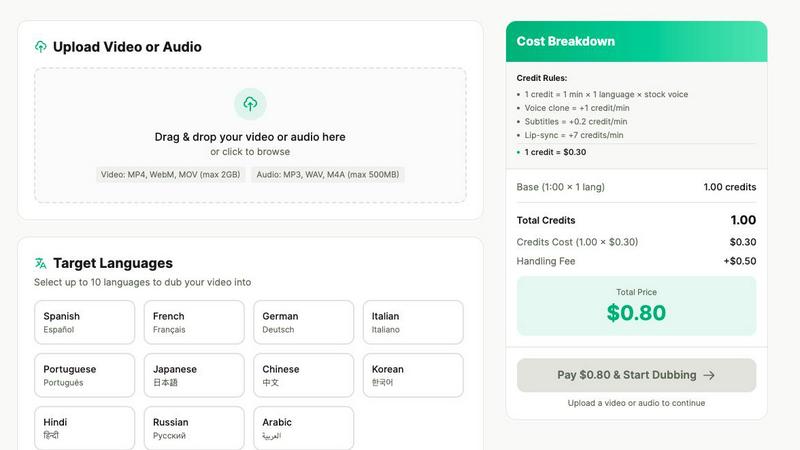
About Dubvid
Dubvid is a cutting-edge AI-driven platform that revolutionizes the way video and audio content is dubbed, enabling creators, businesses, and brands to reach a global audience with ease. By simply uploading an original video, users can select from a variety of target languages, and Dubvid will automatically translate and recreate the voice, preserving the natural tone, pacing, and emotional nuances of the original. This innovative approach eliminates the need for traditional studios, voice actors, and complicated editing processes, making it accessible to anyone, regardless of technical expertise. Whether you are a YouTuber seeking to expand your reach, an educator aiming to share lessons globally, or a marketing team focused on quick content localization, Dubvid allows for rapid scaling of content in mere minutes. With support for over 10 languages, Dubvid bridges language barriers, fostering engagement with diverse audiences around the world.
Features
AI-Powered Dubbing
Dubvid employs advanced AI technology to deliver high-quality dubbing that accurately translates spoken content while preserving the original voice's emotional tone and pacing. This feature allows for a seamless listening experience, making it sound as if the content was originally produced in the target language.
Multiple Language Support
The platform supports dubbing in over 10 languages, including Spanish, French, and Hindi, enabling users to cater to a vast range of audiences worldwide. This extensive language support empowers creators to engage with diverse demographics, enhancing their global reach.
Simple Upload and Workflow
Users can easily upload videos in various formats such as MP4, MOV, and WebM, with a maximum file size of 500MB. The intuitive three-step process—uploading the video, selecting the target language and voice, and downloading the localized content—ensures a hassle-free user experience.
Custom Voice Options
Dubvid offers the flexibility to choose between stock AI voices and the option to clone a user's own voice. This feature allows for a personalized touch in the dubbing process, ensuring that the final product resonates with the creator's identity and brand.
Use Cases
Content Creation for Social Media
Short-form creators can use Dubvid to dub their videos, such as YouTube Shorts, Instagram Reels, and TikTok clips, into multiple languages. This capability significantly amplifies their reach and engagement across different platforms and regions.
Educational Content Localization
Educators can translate lessons and tutorials quickly and efficiently using Dubvid. This feature allows them to share educational materials with global learners, providing valuable resources to a broader audience.
Customer Support and Onboarding
Businesses can localize their product demos and support videos, reducing the volume of customer support tickets. By providing localized onboarding materials, companies enhance user experience and satisfaction across various regions.
Podcast Localization
Dubvid allows podcasters to release episodes in multiple languages without the need for extensive production efforts. This feature enables creators to tap into new markets, broadening their audience base and increasing engagement.
Frequently Asked Questions
How does Dubvid ensure natural-sounding dubbing?
Dubvid utilizes advanced AI algorithms that analyze tone, pacing, and emotional context to recreate voiceovers that sound authentic. This ensures that the dubbed content resonates well with the target audience.
What types of files can I upload to Dubvid?
Users can upload videos in several formats, including MP4, MOV, and WebM, as well as audio files like MP3 and WAV. The maximum file size supported is 500MB.
Is there a limit on the number of languages I can dub my content into?
Dubvid allows users to select from multiple languages, enabling content to be dubbed into as many languages as needed. This flexibility empowers creators to reach diverse audiences effectively.
Do I need to pay a subscription fee to use Dubvid?
No, Dubvid operates on a usage-based credit system, which means users only pay for the minutes they localize. There are no subscription fees, making it cost-effective for creators and businesses alike.
Similar to Dubvid
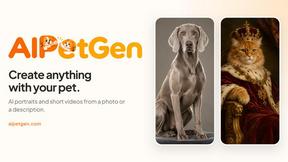
AIPetGen
AIPetGen turns a photo of your dog, cat, or other pet, or a written description, into a new picture or a short animation.

Motiofy
Motiofy is an AI creative workspace that helps creators and teams turn ideas into polished visual stories.

Seedance 2.5 Free
Create cinematic AI videos from text or images with Seedance 2.5 Free.
GPT Image 2 API
Generate and edit production-ready images with GPT Image 2 API, detailed prompts, reference images, clear text, and developer-friendly workflows.

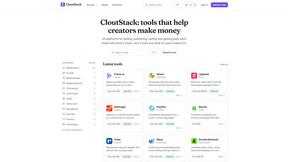
CloutStack
A curated directory of all tools useful for content creators/influencers.
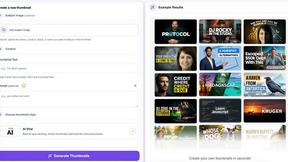
StopScroll
StopScroll helps YouTube creators generate AI thumbnails and improve images for higher-click videos.