
Filator
Filator is a free platform with over 500 AI, PDF, and image tools to create, convert, and automate tasks instantly.
tool Details
Explore More
Alternatives
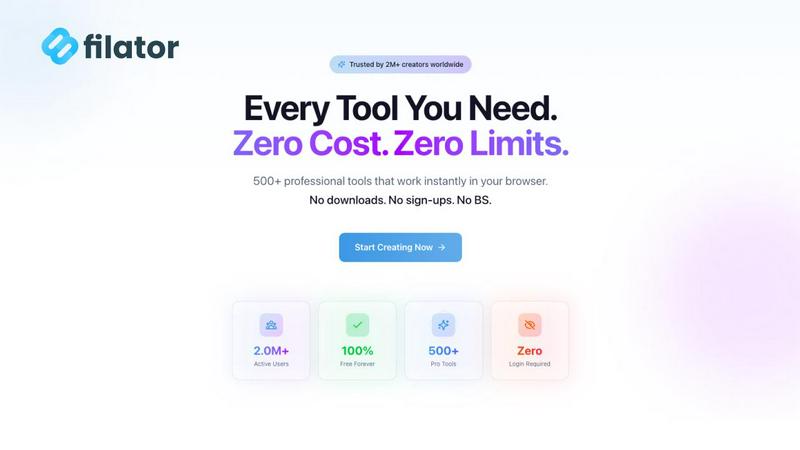
About Filator
Filator is a comprehensive, privacy-centric online platform engineered to consolidate over 500 professional-grade digital tools into a single, unified workspace. It is designed for developers, designers, marketers, and professionals across all industries who require efficient, reliable utilities without encountering typical barriers such as mandatory signups, restrictive premium paywalls, or intrusive data collection practices. The platform's core architectural principle and primary value proposition is delivering maximum productivity through instant, client-side processing. This technical approach ensures that user data and files are processed directly within the user's web browser, guaranteeing that sensitive information never leaves their local device, thereby upholding a stringent standard for privacy and security. Tools are systematically organized into broad categories, encompassing essential functions like AI-powered generation (including content rewriting and image creation), comprehensive PDF manipulation (merging, compressing, converting), advanced image processing with conversion across 132 format combinations, developer utilities (JSON formatters, encoders/decoders), text tools, social media mockup generators, QR code creation, and business calculators. Supported by Progressive Web App (PWA) technology that enables offline functionality for 20+ core tools, Filator serves a global community exceeding 2 million users across 150+ countries, enabling seamless creation, conversion, and workflow automation directly from any modern web browser.
Features
Privacy-First, Client-Side Processing
All tool operations on Filator are engineered to execute within the user's web browser through client-side JavaScript. This architecture ensures that files, documents, and data inputs are processed locally on the user's machine. No data is uploaded to external servers for processing, eliminating risks associated with data breaches, unauthorized access, or third-party logging. This feature is fundamental to the platform's commitment to user privacy and is a key differentiator from cloud-based SaaS tools that require file uploads.
Consolidated Suite of 500+ Professional Tools
The platform aggregates a vast and continuously expanding library of over 500 specialized digital utilities into one accessible interface. This eliminates the need to navigate between multiple websites, manage numerous bookmarks, or learn disparate interfaces. The suite is professionally curated, covering critical domains including AI toolkits, PDF editing, image conversion and manipulation, developer-focused code utilities, text processing, social media content creation, and business operations, providing a one-stop solution for diverse professional needs.
Zero-Friction Instant Access
Filator is designed for immediate productivity. Users can access and utilize any tool without any mandatory account creation, email verification, or login process. There are no artificial delays, waiting queues, or mandatory tutorials. This frictionless model allows professionals to open the platform, select their required tool, and begin working instantly, significantly reducing the time-to-result for urgent tasks and streamlining daily workflows.
Progressive Web App (PWA) with Offline Capability
Filator is built as a Progressive Web App, providing a native application-like experience directly from the web browser. Users can install it on their desktop or mobile device home screen for quick access. Crucially, over 20 core tools are fully functional without an active internet connection once the app is installed. This offline capability ensures reliability and uninterrupted access to essential utilities like basic text tools, calculators, and certain converters in environments with limited or no connectivity.
Use Cases
Rapid Document Preparation for Freelancers
Freelancers and consultants frequently need to prepare client-ready documents under tight deadlines. Using Filator, they can seamlessly chain tools: compressing large PDF portfolios, merging multiple contract files into a single document, converting a client's image into a required format for a report, and generating a professional invoice—all within the same platform without uploading sensitive client data to various external services, ensuring both speed and confidentiality.
Developer Workflow Optimization
Software developers can streamline their debugging and data handling workflows. They can use the JSON formatter and validator to clean up API responses, encode or decode Base64 strings for data transmission tasks, generate secure passwords for testing environments, and use text diff tools to compare code snippets. Having these utilities consolidated saves time otherwise spent searching for reliable, standalone online tools.
Social Media Content Creation and Mockups
Digital marketers and social media managers can use Filator to create engaging visual content quickly. The platform allows them to generate realistic mockups for Instagram posts, Twitter (X) tweets, and other platforms to preview campaigns. They can also resize images to platform-specific dimensions, convert graphic formats, generate QR codes for marketing campaigns, and use AI tools to rewrite promotional copy, all within a unified workspace.
Academic and Research Paper Formatting
Students and researchers can efficiently manage their document workflows. They can merge multiple research PDFs, compress large files for email submission, convert images or documents into required formats (e.g., PDF to JPG for presentations), use the AI essay writer for structuring drafts, and employ the word counter for adhering to strict length guidelines. The privacy guarantee is particularly valuable when handling unpublished research data.
Pricing
Filator operates on a freemium model with transparent pricing tiers. The Free plan offers access to 60+ tools with 10 AI credits per month. The Starter plan is priced at $4.99/month, providing 1,000 AI credits, access to all tools, removal of ads, and priority support. The most popular Pro plan costs $9.99/month, offering 5,000 AI credits, unlimited AI messages, enhanced QR code features, and a larger allocation of AI image generations. The top-tier Premium plan is $24.99/month, which includes 20,000 AI credits, unlimited dynamic QR codes, maximum AI image allowances, API access (coming soon), and dedicated support. All paid plans unlock the full suite of 500+ tools and remove advertising.
Frequently Asked Questions
Is Filator completely free to use?
Yes, Filator offers a robust free plan that provides access to over 60 core tools without any cost. This includes many PDF, image, text, and developer utilities. The free plan also includes a monthly allocation of AI credits (10 credits) to experiment with AI-powered features. For users requiring high-volume AI processing, unlimited tools, and advanced features like dynamic QR codes, paid subscription plans (Starter, Pro, Premium) are available.
How does Filator ensure my data privacy?
Filator ensures privacy through its client-side processing architecture. When you use a tool, your files and data are processed entirely within your own web browser using JavaScript. They are never uploaded to Filator's servers or any third-party servers for the core tool operations. This means your documents, images, and data never leave your computer, providing a level of privacy and security superior to traditional cloud-based processing tools.
What are AI credits and how are they consumed?
AI credits are the currency used for processing requests within Filator's AI-powered tools, such as the AI Content Rewriter, AI Image Generator, and AI Chat. Each operation consumes a certain number of credits. For example, generating an image or rewriting a paragraph of text may cost one credit. The free plan includes a monthly allotment, while paid plans offer substantially higher or unlimited credits. Credit consumption is clearly indicated before you run an AI tool.
Can I use Filator tools offline?
Yes, for a selection of over 20 essential tools. By installing Filator as a Progressive Web App (PWA) on your device (desktop or mobile), you can use tools like the Password Generator, Text Case Converter, Basic Calculators, and certain converters without an active internet connection. This is ideal for use while traveling or in areas with poor connectivity. Note that AI tools and tools requiring significant processing libraries typically still require an online connection.
Similar to Filator

Speechyou
AI transcription for voice notes, meetings, and audio files in 1,700 languages, with AI summaries and subtitle export and unlimited chat ai usage.

ProspectHalo
AI sales agent that finds qualified leads, runs outreach, follows up automatically, creates content, and helps book more meetings.

benchmark.directory
An independent directory of 145 AI tools across 20 categories. Every listing was paid for, set up and used on real work. No sponsored placements, ever

Tools Network
saasgrow.ai lists SaaS growth tools that founders actually use. Listing is free, screened on submission, and goes live the moment you verify our badge


Built2WinWeb AI SEO
Custom PHP websites, AI Indexing Pack ($599 one‑time), and WebAgentScan SaaS ($9/mo). MCP, A2A, llms.txt, full ownership.

saasgrow.ai
saasgrow.ai is a curated directory of SaaS growth tools where every listing is screened before it goes live and placement can't be bought.