
tool Details
Explore More
Alternatives

About Fluidium
Fluidium is a premium, real-time fluid dynamics simulation and interactive art application developed exclusively for iOS. It transforms your device into a sophisticated canvas for creating and experiencing dynamic liquid art. The application leverages Apple's Metal graphics API to deliver computationally intensive fluid simulations with high-fidelity visual effects, ensuring smooth, responsive interaction and stunning visual output directly on the device hardware. At its core, Fluidium is a physics-based engine that simulates the behavior of viscous fluids, allowing users to manipulate vibrant, flowing colors with touch gestures. It caters to a diverse audience, including digital artists seeking a unique creative tool, individuals looking for a meditative and relaxing visual experience, and tech enthusiasts interested in real-time graphics performance. Its primary value proposition lies in the seamless marriage of advanced technical engineering—providing real-time performance on any supported iOS device—with an accessible and deeply engaging user experience for creating endlessly unique, shareable visual art.
Features
Real-Time Metal-Powered Fluid Simulation
Fluidium's core engine is built using Apple's Metal framework, providing direct, low-level access to the GPU. This architecture enables a highly optimized real-time simulation of complex fluid dynamics, including viscosity, density, and turbulence. The simulation responds with zero perceptible latency to user input, allowing for immediate and precise manipulation of the fluid streams. This technical foundation ensures the visual effects remain dazzling and performance remains consistent across different iOS device generations, from iPhone to iPad.
Extensive Preset Library and Customization
The application includes a curated collection of 130 professionally designed presets. These presets serve as starting points, each defining specific fluid properties, color gradients, background elements, and behavioral parameters. Beyond presets, users have deep creative control through custom color palette creation and adjustable brush tools. Users can modify brush size, flow rate, and color mixing behavior, enabling the design of a personalized artistic toolkit tailored to specific visual styles or projects.
High-Fidelity Recording and Export
Fluidium incorporates a built-in recording system that captures the screen's visual output at the device's native resolution and frame rate. This feature is engineered to maintain the integrity of the fluid simulation's visual complexity during capture. Users can create seamless video loops or record specific sessions for sharing on social media platforms, importing into video editing software, or archiving their digital artwork. The export functionality is designed for straightforward sharing and professional presentation.
Auto-Play and Relaxation Mode
For passive engagement, Fluidium features an Auto-Play mode. In this mode, the application autonomously generates and manipulates the fluid simulation, creating an ever-evolving, non-repeating visual display. This mode is designed for relaxation, meditation, or as a dynamic digital art installation. It showcases the engine's capability to generate complex, aesthetically pleasing patterns without user intervention, making it ideal for ambient display on a device.
Use Cases
Digital Art and Content Creation
Artists and content creators utilize Fluidium as a generative art tool to produce unique visual assets. The captured videos or screen recordings can be integrated into music videos, used as dynamic backgrounds for presentations or websites, or serve as inspiration for traditional art pieces. The ability to fine-tune parameters allows for the creation of themed or branded visual content that is both organic and digitally precise.
Interactive Demonstrations and Education
Educators and presenters in fields like physics, mathematics, and computer graphics can use Fluidium as a compelling visual aid. It provides an intuitive, hands-on way to demonstrate principles of fluid dynamics, chaos theory, and real-time rendering. The immediate tactile feedback helps illustrate complex concepts related to viscosity, turbulence, and color theory in an engaging and accessible manner.
Therapeutic Relaxation and Mindfulness
The application serves as a digital tool for mindfulness and stress relief. The calming, flowing motion of the colors and the engaging, simple interaction provide a focused activity to alleviate anxiety. The Auto-Play mode, in particular, offers a mesmerizing visual experience that can aid in meditation, serve as a calming screen saver, or provide a non-distracting sensory break during work.
Technical Benchmarking and Showcase
For developers and technology enthusiasts, Fluidium acts as a showcase for the capabilities of the Metal API and modern iOS device GPUs. It demonstrates the potential for complex, real-time simulations on mobile hardware. Users can assess the graphical performance of their devices by observing the fluid simulation's complexity and frame rate stability under different interactive conditions.
Frequently Asked Questions
What are the device requirements for Fluidium?
Fluidium requires an iOS device capable of running iOS 11.0 or later. Crucially, the device must have a GPU that supports Apple's Metal graphics API, which is standard on all devices from the Apple A7 chip onward. This includes iPhone 5s and later, iPad Air and later, and iPad mini 2 and later. Performance and visual fidelity may scale with the capabilities of newer device processors.
Can I save and revisit my specific fluid creations?
While Fluidium excels at recording video of your sessions, it does not save the exact state of a simulation (e.g., particle positions and velocities) as a project file that can be reloaded and continued. Your creations are primarily intended to be experienced in real-time and captured via the screen recording function. Custom color palettes and brush settings, however, can be saved and reused.
How does Fluidium achieve real-time performance?
Real-time performance is achieved through a highly optimized engine written using Apple's Metal. Metal allows the application to execute the computationally intensive physics calculations for fluid dynamics directly on the device's Graphics Processing Unit (GPU), bypassing slower software-based renderers. This parallel processing architecture is essential for maintaining high frame rates while simulating thousands of interacting fluid particles.
Is an internet connection required to use the app?
No, an internet connection is not required for core functionality. Fluidium is a fully native iOS application where all simulation processing, rendering, and preset data are contained on the device. An internet connection would only be necessary for initial download from the App Store and for sharing your recorded creations through online services.
Similar to Fluidium

Memorable Contact
AI-powered relationship memory that helps you remember people, the context behind your connections, and reconnect

SightRadar
Face recognition API, a drop-in replacement for AWS Rekognition. Index, search, compare and detect faces, billed per photo with no subscription.

Orlyn
Privacy-first, cookieless web analytics that connects website traffic to real revenue.

Egmatic
No-code 2D game editor: visual node logic, drag-and-drop scenes, live preview. Exports to Windows, macOS, Linux, Android, iOS, Web.
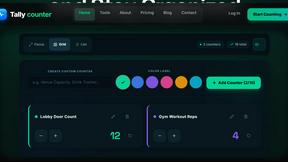
Tally Counter
Online tally counter for tracking attendance, workouts, inventory, visitors, sports scores, habits, and everyday counting tasks.

SnitchFeed
SnitchFeed is an agentic social listening tool that surfaces high-intent conversations on LinkedIn, X, Hackernews, and more for GTM and product teams.