

Gleem.AI Studio
Gleem.AI Studio is a unified workspace for generating and editing stunning visuals effortlessly with AI-powered tools.

About Gleem.AI Studio
Gleem.AI Studio serves as a comprehensive AI image workspace tailored for creators who prioritize creativity over technical configurations. By offering a unified platform for image generation, editing, and remixing, Gleem.AI Studio simplifies the creative process, enabling users to focus on their artistic vision. Designed for marketers, content creators, and small teams, the platform eliminates the need to manage multiple tools, thereby streamlining workflows. Users can easily generate images from text, edit visuals with AI, and create personalized avatars—all within a single interface. The primary value proposition lies in its ability to enhance creative flow and speed, allowing users to iterate quickly without the burden of complex settings or fragmented processes.
Features
Text-to-Image Generator
Gleem.AI Studio's text-to-image generator allows users to transform their ideas into stunning visuals simply by inputting descriptive text. This feature is enhanced by the Prompt Enhance tool, which refines user prompts for optimal image generation. Users can select various dimensions and styles to perfectly align with their vision, making the creative process both intuitive and efficient.
AI Image Editing
The platform's AI image editing capabilities empower users to make modifications directly within the same workspace used for generation. With simple, natural prompts, users can add or remove objects, adjust poses, apply filters, and even restore old images. This integrated approach ensures that all editing tasks are straightforward, fostering a seamless creative experience.
AI Avatars
Gleem.AI Studio allows users to generate and personalize AI avatars that can be placed into any scene. This feature enables creators to appear in photos, adjust their avatars’ poses, or experiment with different outfits—all without the need for additional photoshoots. This enhances the versatility of visual content, making it easier to engage audiences.
Project Organization
The platform keeps user projects neatly organized by allowing each idea to reside in a dedicated space. This includes saved prompts, edits, and version histories, ensuring that everything remains accessible for quick iterations and reuses. This feature enhances productivity and helps maintain a structured workflow, allowing creators to focus solely on their artistic endeavors.
Use Cases
Marketing Campaigns
Marketers can leverage Gleem.AI Studio to create high-quality visuals for campaigns without the hassle of complicated tools. The ability to rapidly generate and edit images allows for quick adaptation to market trends and audience feedback.
Social Media Content
Content creators can use the platform to produce engaging social media visuals that capture attention. Whether crafting promotional graphics or unique posts, the streamlined workflow supports fast turnaround times and consistent branding.
Product Imagery
Businesses can generate and edit product images for their online stores or catalogs. The AI editing tools facilitate enhancements, ensuring that product visuals are always polished and visually appealing, which can drive sales.
Creative Variations
Artists and designers can experiment with different creative variations using the integrated capabilities of image generation and editing. This flexibility encourages innovation and exploration, allowing creators to push the boundaries of their ideas.
Frequently Asked Questions
What types of images can I create with Gleem.AI Studio?
With Gleem.AI Studio, users can create a wide range of images, including marketing assets, social media visuals, product images, and personalized avatars. The platform supports diverse styles and dimensions.
Do I need technical skills to use Gleem.AI Studio?
No, Gleem.AI Studio is designed for users of all skill levels. The intuitive interface and natural language prompts eliminate the need for advanced technical knowledge, allowing anyone to create impressive visuals.
How does the Prompt Enhance feature work?
The Prompt Enhance feature refines user input to optimize image generation. By analyzing the natural language prompts, it improves clarity and specificity, leading to higher quality and more relevant visual outcomes.
Is there a limit to the number of projects I can create?
Gleem.AI Studio allows users to create multiple projects, each with its own dedicated space for prompts, edits, and version histories. This organization facilitates easy access and management of creative ideas.
Similar to Gleem.AI Studio
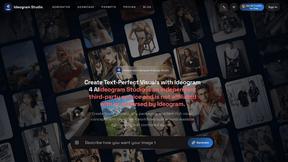
Ideogram Studio
Create text-rich logos, posters, ads, packaging, and ecommerce visuals with Ideogram 4 AI workflows.
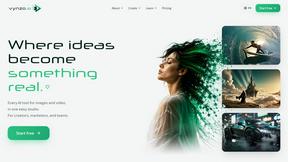
Vynzo
AI image and video studio. Generate from a prompt, animate stills, swap faces, restyle clips and edit — one credit pool, no subscription.

SubmitMap
A directory of launch platforms: who each accepts, what disqualifies you, and how to submit. Free to read, and your agent can do the submitting.
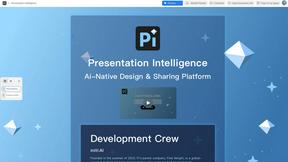
Presentation Intelligence
AI-native presentation and visual content platform that turns prompts, documents, images, videos, and data into polished, shareable decks.

LaunchBert
LaunchBert saves you hours launching to directories - with a curated roadmap, one-click badge integration, and a form auto-fill Chrome extension.


Try This Skill
One-click AI photo stylization for e-commerce & portraits