tool Details
Explore More
Alternatives
About MCPize
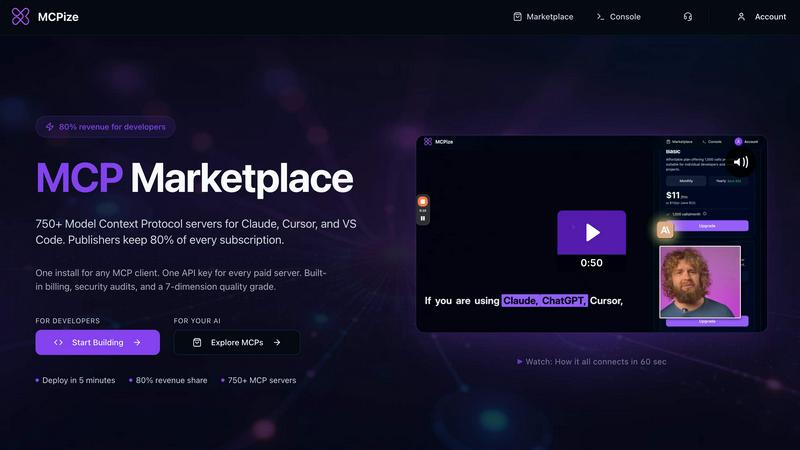
MCPize is a comprehensive platform for Model Context Protocol (MCP) servers, designed to bridge the gap between AI agents and the tools they need to be truly useful. It functions as a purpose-built marketplace for the new world of agentic workflows, similar to an App Store for AI. At its core, MCPize hosts a vibrant marketplace featuring over 1,000 vetted MCP servers that integrate seamlessly with popular AI tools like Claude, Cursor, VS Code, Windsurf, and ChatGPT. Every server on the platform undergoes a rigorous 7-dimension quality audit that checks for protocol compliance, OAuth security, reliability, and safety, ensuring users never have to worry about plugging in a shady or broken tool. For developers, MCPize serves as a launchpad where they can publish and deploy a new MCP server in about 30 seconds using GitHub auto-deploy, and they keep 80 percent of every subscription dollar earned. For end users, MCPize simplifies the experience by replacing the need to juggle multiple API keys and billing accounts with one unified API key, one consolidated bill, and one dashboard to track usage, costs, and set alerts. The platform offers a generous free tier providing 25,000 requests per month with no credit card required. Whether you are a solo developer building a niche tool or a large team looking to supercharge AI workflows, MCPize provides the infrastructure, the audience, and the trust layer to make it all work efficiently and securely.
Features
Unified API Key and Consolidated Billing
Instead of managing a dozen different API keys and billing accounts for various MCP servers, MCPize provides a single unified API key that works across all paid servers on the platform. This eliminates vendor management headaches and simplifies credential storage. Additionally, all subscription charges are consolidated into one monthly bill, allowing users to track spending from a single dashboard without juggling multiple invoices or payment methods.
7-Dimension Quality Audit
Every MCP server listed on MCPize undergoes a rigorous 7-dimension quality audit before being made available to users. This audit checks for protocol compliance, OAuth security, reliability, safety, performance, documentation quality, and error handling. This ensures that all servers meet high standards for security and functionality, protecting users from broken or malicious tools while maintaining a trusted ecosystem for AI integrations.
Rapid Publishing with GitHub Auto-Deploy
Developers can publish and deploy a new MCP server in approximately 30 seconds using the platform's GitHub auto-deploy feature. This streamlined workflow connects directly to a developer's GitHub repository, automatically building and deploying the server to MCPize's infrastructure. This eliminates manual deployment steps and reduces time-to-market for new tools, allowing developers to focus on building functionality rather than managing infrastructure.
80 Percent Revenue Share for Publishers
Publishers on MCPize retain 80 percent of every subscription dollar earned through their MCP servers. This generous revenue model incentivizes developers to create high-quality tools and maintain them actively. With over $200,000 already paid to vendors across the ecosystem, the platform demonstrates a commitment to rewarding creators who contribute valuable MCP servers to the community, fostering a sustainable marketplace.
Use Cases
Integrating AI Agents with External APIs
Developers building AI agents that need to interact with external services like payment gateways, email verification tools, or astrology APIs can use MCPize to find pre-built MCP servers. For example, the Bangladesh Payment Orchestrator server handles payment operations via bKash and Nagad, while the Prospector MCP Email Finder provides B2B email verification without requiring paid API subscriptions. Users simply install the server, authenticate with one API key, and their AI agent gains immediate access to these external capabilities.
Supercharging Development Workflows with AI Assistance
Software development teams can leverage MCPize to integrate AI-powered development assistants into their existing tools like Claude, Cursor, or VS Code. The AI Senior Developer Assistant server, for instance, provides capabilities for planning tasks, analyzing project requirements, debugging code, refactoring, reviewing code quality, and generating CI/CD pipelines. This allows developers to automate complex engineering workflows directly from their AI client, shipping robust code faster with AI acting as a seasoned senior engineer.
Creating Marketing Content at Scale
Marketing agencies and content creators can use MCPize to access specialized servers that automate content creation and campaign management. The Behemoth Digital Marketing server offers over 100 professional tools for content creation, paid advertising, SEO optimization, social media management, and brand development. By connecting this server to an AI agent, marketing teams can generate SEO-optimized content, high-converting ad copy, email campaigns, and social media posts in minutes rather than hours, scaling their output without increasing headcount.
Generating Architecture Diagrams from Code
Software architects and DevOps engineers can use MCPize to convert Mermaid code into professional PNG architecture diagrams through the diagram-designer server. This server supports up to 2K resolution, five distinct visual styles (cloud, isometric, blueprint, whiteboard, darkmode), multiple aspect ratios for presentations, documentation, and social media, plus AWS/GCP/Azure color palettes. Users specify detail levels from overview to full, and receive a secure download link within approximately 50 to 110 seconds, streamlining documentation and communication workflows.
Frequently Asked Questions
How do I get started with MCPize?
To get started, visit the MCPize website and sign up for an account. You can immediately access the free tier, which provides 25,000 requests per month with no credit card required. From your dashboard, browse the marketplace of over 1,000 vetted MCP servers, select the ones you need, and install them using the provided unified API key. The platform works with any MCP-compatible AI client including Claude, Cursor, VS Code, Windsurf, Zed, and ChatGPT.
What is the 7-dimension quality audit?
The 7-dimension quality audit is a comprehensive review process that every MCP server on MCPize must pass before being listed. It evaluates servers across seven dimensions: protocol compliance to ensure they follow the Model Context Protocol correctly, OAuth security to verify authentication mechanisms are safe, reliability to confirm uptime and error handling, safety to prevent malicious behavior, performance to ensure acceptable response times, documentation quality to guarantee clear usage instructions, and error handling to validate graceful failure modes.
How does revenue sharing work for developers?
Developers who publish MCP servers on MCPize retain 80 percent of every subscription dollar earned from their servers. The remaining 20 percent covers platform infrastructure, billing processing, and marketplace operations. Developers can publish a server in approximately 30 seconds using GitHub auto-deploy, set their own subscription pricing, and track earnings through their publisher dashboard. Over $200,000 has already been paid to vendors across the ecosystem, demonstrating the platform's commitment to creator compensation.
Can I use MCPize with any AI client?
Yes, MCPize is designed to work with any MCP-compatible AI client. The platform explicitly supports Claude, Cursor, VS Code, Windsurf, Zed, and ChatGPT, and it is compatible with any application that supports the Model Context Protocol. This interoperability means you can install a server once using your unified API key and use it across multiple AI tools without reconfiguration, streamlining your workflow regardless of which client you prefer for different tasks.
Similar to MCPize
LaunchIntel
Your AI agent picks relevant directories, submits your product in your browser and tracks every step. One-time purchase.
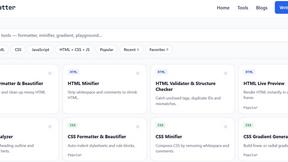

CloneWebsite
Clone any webpage pixel-perfect, export HTML/CSS/ZIP or React/Vue components.
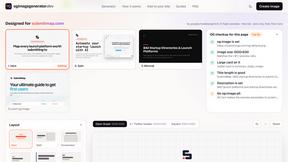
ogimagegenerator.dev
Paste a URL and AI designs on-brand Open Graph images from your page's colours, fonts and logo. Free, no sign-up.
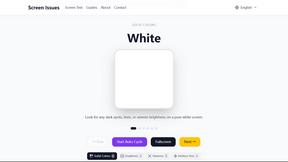
Screen Issues
Free Online Screen Test Tool - Instantly diagnose dead pixels, lines, color issues, and flickering. Multiple test modes, no download needed.
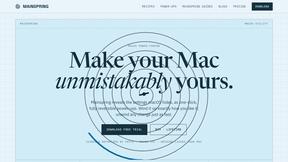
Mainspring
Mainspring turns the settings macOS hides into 90+ one-click, fully reversible power-ups for Finder, Dock, screenshots and more. $29 once.