

Online Audio Converter
Convert audio and video files online for free, supporting 25+ formats with fast processing and no software installations required.
tool Details
Explore More
Alternatives
About Online Audio Converter
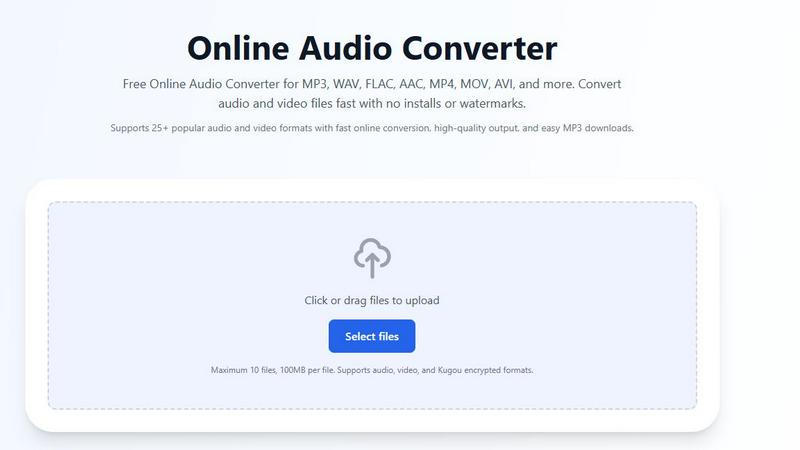
Online Audio Converter is a versatile and user-friendly web application designed for seamless audio and video file conversion. It caters to a wide audience, from casual users needing quick conversions for personal use to professionals requiring high-quality audio outputs for projects. With support for over 25 popular audio and video formats, including MP3, WAV, FLAC, AAC, and various video formats like MP4 and MOV, it provides a comprehensive solution for file conversion needs. The platform operates entirely online, meaning users can convert files without downloads or installations, ensuring convenience and accessibility. Its value proposition lies in the combination of a free service with no hidden fees, robust format support, and a commitment to user security through encrypted file transfers.
Features
Extensive Format Support
Online Audio Converter supports over 25 audio and video formats, allowing users to convert files between formats such as MP3, WAV, FLAC, AAC, OGG, and various video formats like MP4, MOV, and AVI. This extensive support ensures that users can easily handle different file types for various applications, whether for personal enjoyment or professional use.
User-Friendly Interface
The platform features a straightforward interface that simplifies the conversion process. Users can easily upload files by dragging and dropping them into the designated area or browsing their devices. This intuitive design allows both novices and tech-savvy users to navigate the tool with ease, making the audio conversion process efficient and hassle-free.
High-Quality Output
When converting audio files, maintaining audio quality is crucial. Online Audio Converter ensures high-quality output by providing options to adjust the bitrate, sample rate, and resolution as needed. Users can customize their conversions to meet specific quality requirements, whether for music production, podcasting, or personal listening.
Secure and Private
Security is a top priority with Online Audio Converter. All file transfers are protected by advanced HTTPS encryption, ensuring that users’ data remains safe during the conversion process. Additionally, files are automatically deleted from the servers after conversion, providing users with peace of mind regarding their privacy and data security.
Use Cases
Converting Music for Different Devices
Users often need to convert their favorite tracks into different formats to ensure compatibility with various devices. For instance, converting an MP3 file to WAV for high-quality playback on professional audio equipment is a common use case for musicians and audio enthusiasts alike.
Extracting Audio from Videos
Online Audio Converter allows users to extract audio tracks from video files, making it a valuable tool for those who want to create soundtracks from movies or videos. For example, a user can upload an MP4 video and convert it to MP3 format to enjoy the music without the visual component.
Preparing Audio for Podcasts
Podcasters require specific audio formats and quality settings for their episodes. Using Online Audio Converter, creators can convert their raw audio recordings into the desired format, such as converting a WAV file to an MP3 file, which is commonly used for podcast distribution.
Handling Encrypted Audio Files
The platform supports conversion of encrypted Kugou audio files, including KGM, KGG, KGMA, and VPR formats. This feature is particularly beneficial for users who have downloaded music from Kugou and need to convert it to standard formats like MP3 for easier playback on various devices.
Frequently Asked Questions
Is the audio converter really free?
Yes, Online Audio Converter is completely free to use with no hidden charges or subscriptions. Users can convert as many files as they need without any watermarks or limitations on audio quality.
How long does audio conversion take?
The conversion time varies depending on the file size and format. However, most audio file conversions are processed quickly, typically within a few seconds to a couple of minutes, allowing users to download their files promptly.
Can I upload multiple files at once?
Yes, users can upload up to 10 files at once, with a maximum size of 100MB per file. This feature streamlines the conversion process, enabling users to batch convert multiple audio or video files in a single session.
What formats can I convert to?
Online Audio Converter supports a wide range of output formats, including popular audio formats like MP3, WAV, FLAC, AAC, and OGG, as well as video formats such as MP4, MOV, and AVI. Users can select the desired format from a comprehensive list during the conversion process.
Similar to Online Audio Converter
Music Visualizer
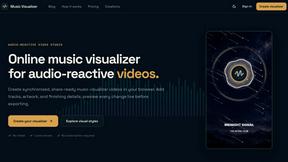
Turn music into stunning beat-synced visuals in a browser-based studio for releases, social content, live sets, and campaigns.
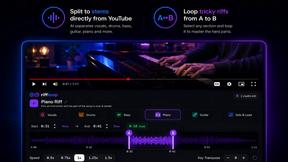
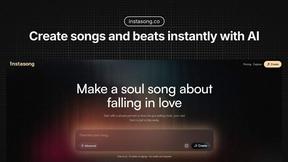
InstaSong - AI song and beat maker
InstaSong converts text prompts into complete royalty-free songs with vocals and instruments in under a minute using advanced AI models.
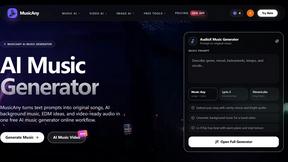
MusicAny AI Music Generator
MusicAny converts text prompts into original songs, instrumentals, and video-ready audio with a free AI music generator workflow.
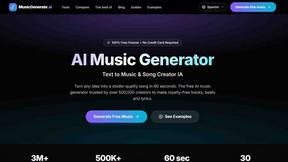
AI Music Generator
Instantly transform any text into studio-quality, royalty-free music tracks with our fast and user-friendly AI Music Generator.
The Audio Stuff
The Audio Stuff delivers honest, independent reviews of audiophile gear, ensuring you make informed choices for your hi-fi system.