

Perkoon
Perkoon enables free, unlimited peer-to-peer file transfers with no signup, ensuring your files remain private and.
tool Details
Explore More
Alternatives

About Perkoon
Perkoon is an innovative file transfer service designed to simplify the process of moving files from one location to another without the complications often associated with traditional services. It is built for individuals and businesses who are frustrated by artificial limitations, mandatory sign-up processes, and the commercialization of their data. Perkoon operates primarily through peer-to-peer (P2P) technology, allowing users to send files directly between browsers when both parties are online. This unique approach eliminates size restrictions, accounts, and the risk of data interception, ensuring privacy and security. For instances where the recipient is offline, Perkoon offers encrypted cloud storage, which is a paid feature that transparently covers server costs. What distinguishes Perkoon is its native integration for AI applications, allowing for automation and direct interaction with AI agents. With a Command Line Interface (CLI) tool, Perkoon positions itself as a straightforward, robust, and privacy-centric solution for real users and their digital assistants.
Features
Peer-to-Peer File Transfer
Perkoon utilizes advanced peer-to-peer technology to facilitate direct file transfers between users' browsers. This method ensures there are no size limits or account requirements, making it an effortless way to share files securely and privately.
Encrypted Cloud Storage
For situations where the recipient is offline, Perkoon provides an encrypted cloud storage option. This paid feature ensures that files are securely stored until the recipient is available to download them, guaranteeing that sensitive information remains protected.
AI Integration
Perkoon is designed with AI in mind, featuring built-in tools that allow AI agents to interact directly with the service. This eliminates the need for screen scraping, making file transfers more efficient for automated systems and enhancing user experience.
Command Line Interface (CLI) Tool
For tech-savvy users, Perkoon offers a simple CLI tool that allows for advanced file transfer operations. This feature caters to developers and users who prefer command line interactions, providing a powerful way to manage file transfers programmatically.
Use Cases
Personal File Sharing
Individuals can use Perkoon to share large files, such as videos or high-resolution images, with friends and family without worrying about size restrictions or the need to create accounts. This makes it ideal for personal use.
Business Document Transfer
Businesses can leverage Perkoon for seamless document sharing between team members, ensuring that important files are transferred quickly and securely without the hassle of corporate file-sharing platforms.
AI-Driven Automation
Developers and businesses can integrate Perkoon with their AI services, allowing for automated file transfers without manual intervention. This use case is particularly beneficial for companies relying on AI for data processing and management.
Offline File Delivery
When a recipient is not online, Perkoon’s encrypted cloud storage comes into play, allowing users to send files without worrying about whether the recipient is available to receive them at that moment.
Frequently Asked Questions
How does Perkoon keep my files private?
Perkoon ensures your files remain private by utilizing peer-to-peer transfers where data never passes through central servers. For cloud storage, files are encrypted on the servers, protecting them from unauthorized access.
Is there a limit to the file size I can send?
No, there are no size limits when using the peer-to-peer transfer option as it directly connects browsers. However, the cloud storage feature may have limitations based on your subscription plan.
Can I use Perkoon on different browsers?
Perkoon is compatible with Chrome, Edge, and Brave without limits. Users of Firefox and Safari may encounter some restrictions, so it is advisable to use a supported browser for the best experience.
How does the referral program work?
Users can share a unique referral link to invite others to join Perkoon. When someone signs up through this link and transfers files, both the referrer and the new user receive bonus storage, creating a mutually beneficial network.
Similar to Perkoon

Novastart
Apps and files on an infinite canvas where people and AI agents work together.

Memorable Contact
AI-powered relationship memory that helps you remember people, the context behind your connections, and reconnect

Panzoe
Panzoe is an all-in-one AI platform for personal productivity, business automation, AI assistants, content creation, and custom AI solutions.
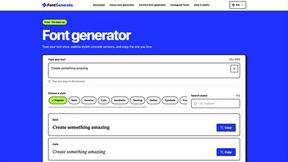
FontGenerate
Stylish Font Generator: 150+ Stylish Fonts to Copy & Paste (Free)
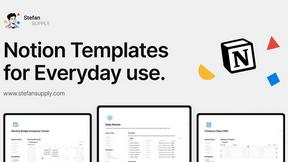
Stefan Supply
Ready-to-use Notion templates for personal planning and small business workflows, with realistic example data.
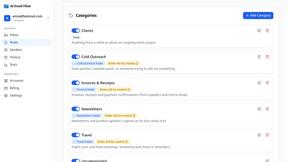
AI Email Filter
AI Email Filter sorts incoming mail into folders using plain-language prompts you write. Works with any IMAP mailbox; bring your own LLM if you want.

Egmatic
No-code 2D game editor: visual node logic, drag-and-drop scenes, live preview. Exports to Windows, macOS, Linux, Android, iOS, Web.
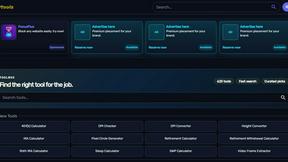
Kody Tools
Free collection of online developer utilities, code formatters, and digital converters designed to streamline your daily workflow.