

PNG to Cursor
PNG to Cursor transforms images into interactive cursor designs, enhancing user engagement with personalized visuals.
tool Details
Explore More
Alternatives
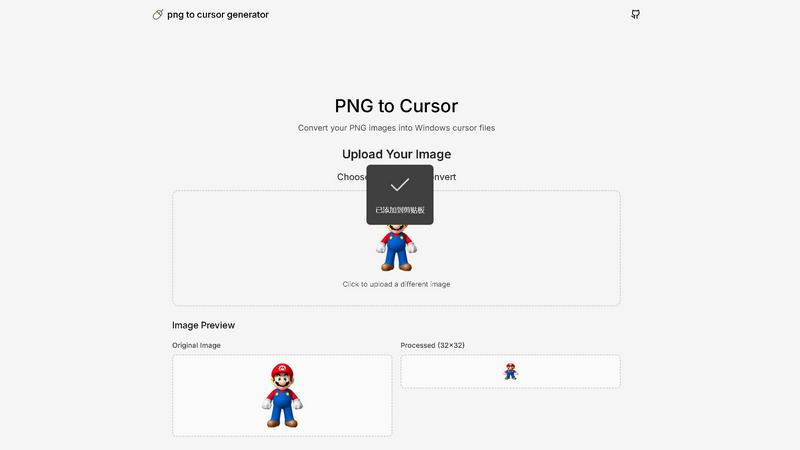
About PNG to Cursor
PNG to Cursor is a web-based software utility that specializes in converting standard PNG and JPEG images into fully functional Windows cursor files. This tool serves as a bridge between static graphic design and dynamic system customization, allowing users to create both static (.cur) and animated (.ani) cursor formats. It caters to a diverse audience, including desktop customizers, streamers, gamers, software developers, and digital artists who wish to personalize their computing interfaces without the need for complex icon editing software or manual pixel-by-pixel creation.
The main value proposition of PNG to Cursor lies in its ability to automate the entire cursor creation pipeline. Users can upload a single image and leverage integrated AI-powered effects for optimization, resulting in a complete and installation-ready cursor pack. This significantly lowers the technical barriers and time investment typically associated with custom cursor creation, making professional-grade personalization accessible to everyone. Whether you are a novice or an experienced designer, PNG to Cursor simplifies the customization process, allowing you to enhance your desktop or gaming experience effortlessly.
Features
User-Friendly Interface
The intuitive design of PNG to Cursor makes it easy for users of all skill levels to navigate the tool. With straightforward upload and conversion steps, users can quickly create custom cursors without needing prior experience.
Automated Cursor Creation
This feature automates the tedious process of creating multiple cursor states. Users can upload a single image, and the software generates all necessary cursor variations, eliminating manual adjustments and saving time.
AI-Powered Optimization
PNG to Cursor employs advanced AI algorithms to enhance uploaded images, ensuring that the final cursor files are high quality and visually appealing. The AI analyzes images and applies effects that improve clarity and detail in the cursor file.
Support for Multiple Formats
The software supports both static (.cur) and animated (.ani) cursor formats, giving users flexibility in their customization options. Whether you want a simple pointer or a lively animated cursor, PNG to Cursor can accommodate your needs.
Use Cases
Custom Desktop Themes
Users can easily create personalized cursors to match their desktop themes or wallpapers. By converting favorite images into cursors, they can add a unique touch to their computing environment.
Gaming Enhancements
Gamers can utilize PNG to Cursor to design custom cursors that enhance gameplay. Whether for personal use or to share with the gaming community, these custom cursors can improve the overall aesthetic of the game interface.
Digital Art Projects
Digital artists can leverage this tool to create cursors that reflect their artistic style. By turning their artwork into functional cursors, they can enhance their creative projects, making them more engaging and visually appealing.
Streamer Branding
For streamers and content creators, custom cursors can be a part of their brand identity. PNG to Cursor allows them to create unique cursors that align with their streaming themes, helping them stand out in a crowded market.
Frequently Asked Questions
What types of image files can I use with PNG to Cursor?
PNG to Cursor supports both PNG and JPEG image formats for conversion into cursor files, providing flexibility in the types of images you can use.
Is there a limit on the image size for uploads?
While specific size limitations may vary, it is generally recommended to use images that are optimal for cursor creation. Larger images may require resizing or optimization before conversion.
Can I create animated cursors with PNG to Cursor?
Yes, PNG to Cursor allows users to create animated cursors in .ani format, enabling you to add dynamic elements to your custom cursor designs.
Do I need advanced design skills to use PNG to Cursor?
No, PNG to Cursor is designed for users of all skill levels. The user-friendly interface and automated features make it easy for anyone to create custom cursors without technical expertise.
Similar to PNG to Cursor

AIdorable
Adopt a virtual baby who grows, learns, and remembers you.
Peekviewer
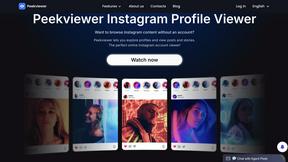
Anonymous Instagram viewer. Browse profiles, stories, and posts without an account or leaving a trace.
GeoRank
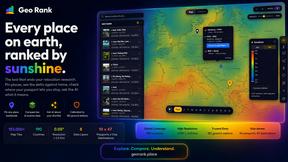
GeoRank combines 9 calibrated data layers covering 190 countries with AI analysis to rank locations by crypto capital gains tax and compare them.
AI Fruit
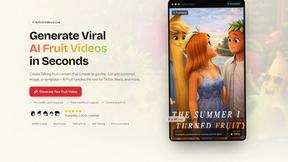
AI Fruit uses advanced AI models like Kling and Veo to generate viral talking fruit, ASMR cuts, and surreal hybrid videos in 1080p from a prompt or.
Caesura
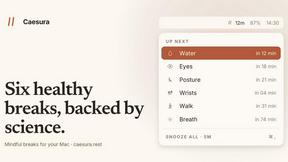
Caesura is a macOS menu-bar app that reminds you to drink water, stretch, rest your eyes, and breathe on science-backed intervals.

PrettyScale
PrettyScale analyzes 468 facial landmarks entirely in-browser to score attractiveness, detect face shape, find celebrity look-alikes, and estimate.

Burge Coffee
Burge Coffee provides free, browser-based tools and field guides for home roasting, batch tracking, and discovering small roasters without accounts.