tool Details
Explore More
Alternatives

About Push My App
Push My App is an all-in-one platform designed specifically for indie developers and small studios to prepare, optimize, and submit App Store and Play Store listings without the traditional launch-week grind. This comprehensive tool consolidates what used to be days of manual work into a streamlined, guided process that takes minutes. At its core, Push My App leverages artificial intelligence to generate search-optimized metadata including app names, keywords, descriptions, and release notes, all optimized for App Store Optimization (ASO) in seconds. The platform goes beyond simple text generation by providing a Pre-Flight Rejection Scanner that checks your build and listing against over 80 known Apple and Google rejection reasons before you submit, dramatically reducing the risk of rejection. Additional capabilities include automatic screenshot resizing across all required device sizes for both stores, full listing translation into 14 languages with keywords re-optimized per locale, and direct one-click submission to both App Store Connect and Google Play Console. Push My App also allows users to generate a website and support mailbox for their app using existing metadata and screenshots with just a few clicks. Built for developers who would rather be coding than dealing with store submission busywork, the platform supports builds from Xcode, Android Studio, Expo, Fastlane, and GitHub Actions, making it a versatile addition to any development workflow. The product ships with a free Starter tier that requires no credit card and a 30-day Growth trial for users who want to explore full capabilities.
Features
AI-Generated ASO Metadata
The platform uses artificial intelligence to write your app name, subtitle, keywords, and description optimized for App Store and Play Store discoverability. This feature generates high-conversion metadata in seconds, scoring each element against ASO best practices with visible metrics such as title score out of 30, keywords score out of 100, and subtitle score out of 30. Release notes are also generated automatically, ensuring every textual component of your listing is optimized for search visibility and user engagement.
Pre-Flight Rejection Scanner
This critical feature scans your binary and listing against over 80 known Apple and Google rejection reasons before you submit. The scanner identifies potential blockers such as missing privacy manifests, compliance issues, and other common rejection triggers. By catching these issues pre-submission, developers save significant time and frustration that would otherwise result from rejection cycles. The scanner provides clear, actionable feedback on what needs to be fixed.
App Translator
Push My App translates your full listing into 14 languages with keywords re-optimized per locale. This is not a simple machine translation of your original text; the system re-optimizes keywords for each target language and region to maintain ASO effectiveness across all markets. Supported languages include English, Spanish, German, French, Japanese, Portuguese, and eight additional languages, giving your app genuine international reach without requiring manual translation work.
Screenshot Resizer
Upload one set of screenshots and the platform automatically generates every required device size for both the App Store and Play Store. This eliminates the tedious manual process of resizing and reformatting screenshots for different screen sizes and aspect ratios. The tool also supports device frames and dynamic marketing text overlays, ensuring your screenshots look professional and consistent across all required formats.
Direct Submission
Push My App enables one-click submission to App Store Connect and Google Play Console with pre-submission validation. Simply drop your .ipa, .apk, or .aab file and the platform extracts the bundle ID, version, and icon, validates compliance, and submits directly. The system tracks submission status automatically, providing visibility into whether your app is ready, submitted, or approved across both stores from a single dashboard.
Use Cases
Indie Developer Weekly Releases
An indie developer shipping weekly updates to their productivity app can use Push My App to generate release notes, update keywords based on trending search terms, resize new screenshots, and submit to both stores in under 30 minutes. The Pre-Flight Rejection Scanner catches any issues introduced by new code changes, ensuring each weekly release goes smoothly without the traditional multi-hour submission process.
Studio Launching a New App
A small studio preparing to launch their first mobile app can leverage the AI-generated ASO metadata to optimize their listing from day one. They can translate their listing into 14 languages simultaneously, generate all required screenshot sizes from one set of designs, and use the rejection scanner to ensure compliance before their critical launch date. The direct submission feature eliminates the learning curve of navigating App Store Connect and Google Play Console separately.
Cross-Platform App Management
A developer maintaining both iOS and Android versions of their app can use Push My App as a single dashboard to manage both listings. They can view iOS and Android metadata side by side, ensure consistency across platforms, and submit updates to both stores from one interface. The automatic version history tracking replaces manual spreadsheet management, providing a clear record of what was submitted when and to which store.
International Expansion
A developer looking to expand their existing app into new international markets can use the App Translator feature to quickly localize their entire listing. The re-optimization of keywords per locale ensures the app remains discoverable in each new market, while the screenshot resizer ensures all visual assets meet each store's specific requirements. This use case is particularly valuable for developers who want to test new markets without investing heavily in manual localization.
Pricing
Push My App operates on a tiered pricing model starting with a free Starter plan that requires no credit card. The Starter plan provides access to basic features, allowing developers to test the platform before committing. For users who need full capabilities, there is a 30-day Growth trial that unlocks all features including AI-generated metadata, rejection scanning, translation, screenshot resizing, and direct submission. Specific pricing for paid tiers beyond the trial period is available on the Push My App pricing page. The platform also offers a range of free tools that require no account, allowing users to try specific features like metadata generation or rejection scanning before signing up.
Frequently Asked Questions
What file formats does Push My App support for direct submission?
Push My App supports .ipa files for iOS submissions and .apk or .aab files for Android submissions. When you drop your file, the platform automatically extracts the bundle ID, version number, and app icon, validates compliance against store requirements, and prepares the submission. The system handles the technical details of connecting to App Store Connect and Google Play Console, so you do not need to manually configure those services.
How does the Pre-Flight Rejection Scanner work?
The scanner analyzes both your binary file and your listing metadata against a database of over 80 known rejection reasons from Apple and Google. It checks for common issues such as missing privacy manifests, incorrect permissions, metadata inconsistencies, and compliance violations. The scanner provides a score for both App Store and Play Store readiness, along with specific, actionable feedback on any blockers it identifies. This allows you to fix issues before submission, avoiding the time-consuming rejection and resubmission cycle.
Can I use Push My App if I already have my metadata written?
Yes, Push My App supports both AI-generated and manually entered metadata. You can use the AI tools to generate initial drafts and then manually refine them, or you can input your existing metadata directly and use the platform's validation, screenshot resizing, translation, and submission features. The platform is designed to be flexible, allowing you to use as many or as few features as needed for your specific workflow.
Is Push My App suitable for teams using CI/CD pipelines?
Yes, Push My App is built for teams shipping with Xcode, Android Studio, Expo, Fastlane, and GitHub Actions. The platform integrates into existing development workflows, allowing teams to incorporate store submission as part of their automated release process. The direct submission API and pre-submission validation make it possible to add store deployment to your CI/CD pipeline, reducing manual intervention and ensuring consistent, compliant submissions with every release.
Similar to Push My App
LaunchIntel
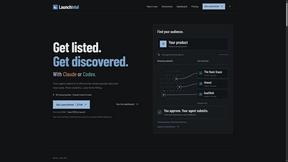
Your AI agent picks relevant directories, submits your product in your browser and tracks every step. One-time purchase.
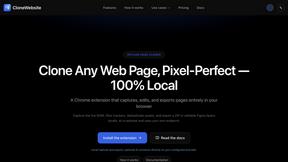
CloneWebsite
Clone any webpage pixel-perfect, export HTML/CSS/ZIP or React/Vue components.
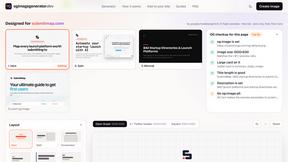
ogimagegenerator.dev
Paste a URL and AI designs on-brand Open Graph images from your page's colours, fonts and logo. Free, no sign-up.
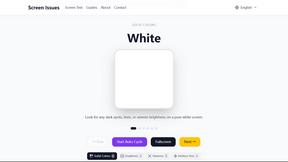
Screen Issues
Free Online Screen Test Tool - Instantly diagnose dead pixels, lines, color issues, and flickering. Multiple test modes, no download needed.
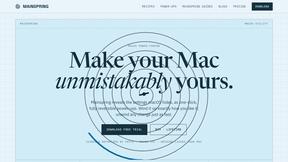
Mainspring
Mainspring turns the settings macOS hides into 90+ one-click, fully reversible power-ups for Finder, Dock, screenshots and more. $29 once.