

QuickTextTools
QuickTextTools provides over 76 free online utilities designed to streamline text processing and boost productivity for writers and creators.
tool Details
Explore More
Alternatives

About QuickTextTools
QuickTextTools is a powerful and accessible online platform that offers a robust suite of over 76 free text utilities aimed at boosting productivity for a wide range of users, including writers, marketers, developers, students, SEO professionals, and content creators. The platform is designed to simplify various text-related tasks by providing instant access to an array of browser-based tools without the need for downloads or complicated setups. With a focus on privacy and speed, QuickTextTools allows users to process text directly in their browsers, ensuring a secure and efficient experience. The toolkit encompasses features such as text formatting tools, SEO analysis utilities, writing assistants, and keyword management tools, all developed to streamline workflows and enhance overall productivity. Whether you need to format text, optimize SEO elements, or analyze content metrics, QuickTextTools delivers practical solutions that help users accomplish their tasks swiftly and effectively.
Features
Word Counter
The Word Counter tool enables users to quickly determine the number of words, characters, and sentences in any given text. This feature is essential for writers and content creators who need to adhere to specific word limits, whether for articles, essays, or social media posts. It provides instantaneous results, enhancing the writing process by eliminating manual counting.
Keyword Density Checker
The Keyword Density Checker analyzes the frequency and distribution of keywords within your content. This feature is crucial for SEO professionals aiming to optimize their articles for search engine ranking. By understanding keyword usage, users can make informed adjustments to improve visibility and relevancy in search engine results.
Meta Tag Analyzer
The Meta Tag Analyzer allows users to preview and assess the effectiveness of their webpage's meta tags. This feature is vital for digital marketers and SEO specialists, as it helps ensure that meta descriptions and title tags are compelling and optimized for search engines, ultimately driving better click-through rates.
Text Formatter
The Text Formatter tool is designed to clean and enhance messy text by removing unwanted formatting, extra spaces, and special characters. This feature is particularly useful for writers and content creators who need to prepare text for publication or further editing, streamlining the content preparation process.
Use Cases
Content Creation
Writers can utilize QuickTextTools to streamline their content creation process by using tools like the Word Counter and Text Formatter. This helps ensure that their work meets specific requirements and is polished before publishing, saving time and enhancing quality.
SEO Optimization
SEO professionals can leverage the Keyword Density Checker and Meta Tag Analyzer to refine their content for better search engine performance. By analyzing keywords and meta tags, they can make data-driven decisions to improve their content's visibility and ranking.
Academic Writing
Students can benefit from tools like the Character Counter and Reading Time Calculator to manage their assignments efficiently. These tools help ensure that academic papers meet formatting guidelines and are appropriate for the intended audience, facilitating a smoother writing experience.
Development and Coding
Developers can use QuickTextTools for various coding tasks, such as encoding URLs and formatting JSON. The developer utilities save time and effort by providing quick solutions for common programming challenges, allowing developers to focus on more complex coding issues.
Frequently Asked Questions
Is QuickTextTools really free to use?
Yes, QuickTextTools is completely free to use without any hidden charges. Users do not need to sign up or create an account to access the tools.
Do I need to download any software to use QuickTextTools?
No, QuickTextTools operates entirely within your web browser, meaning there is no need to download or install any software. This convenience allows for instant access to all tools.
Is my data safe when using QuickTextTools?
Absolutely. QuickTextTools prioritizes user privacy and security. No data is stored on the server, so all processing is done directly in your browser, ensuring a safe experience.
How can I access the tools on QuickTextTools?
You can access the tools by visiting the QuickTextTools website. Simply choose the tool you need, paste your text, and get instant results without any hassle.
Similar to QuickTextTools
Novastart
Apps and files on an infinite canvas where people and AI agents work together.

Memorable Contact
AI-powered relationship memory that helps you remember people, the context behind your connections, and reconnect

Panzoe
Panzoe is an all-in-one AI platform for personal productivity, business automation, AI assistants, content creation, and custom AI solutions.
FontGenerate
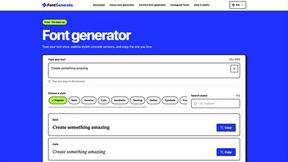
Stylish Font Generator: 150+ Stylish Fonts to Copy & Paste (Free)
Stefan Supply
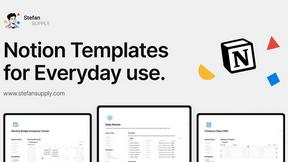
Ready-to-use Notion templates for personal planning and small business workflows, with realistic example data.
AI Email Filter
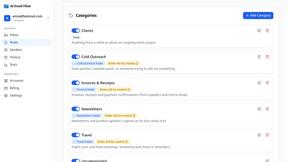
AI Email Filter sorts incoming mail into folders using plain-language prompts you write. Works with any IMAP mailbox; bring your own LLM if you want.

Egmatic
No-code 2D game editor: visual node logic, drag-and-drop scenes, live preview. Exports to Windows, macOS, Linux, Android, iOS, Web.

Kody Tools
Free collection of online developer utilities, code formatters, and digital converters designed to streamline your daily workflow.