RoomCreator
RoomCreator transforms any photo into stunning, realistic interior designs instantly, requiring no design skills or expensive resources.
tool Details
Explore More
Alternatives

About RoomCreator
RoomCreator is an innovative AI-powered room design tool designed specifically for homeowners, real estate agents, and individual investors who want to visualize and transform spaces effortlessly. By simply uploading a photo of any room—be it a kitchen, living room, bedroom, or even an exterior view—users can receive realistic redesigns in just 10 seconds, eliminating the need for advanced design skills. RoomCreator's intuitive interface allows users to experiment with layout changes, colors, and furniture arrangements, making it an ideal solution for quick renovations, small spaces, or for testing design ideas before making purchases. With its hyper-realistic 3D previews and natural lighting effects, RoomCreator empowers users to make informed design decisions, transforming their spaces into dream environments quickly and easily.
Features
AI Room Design in Seconds
With RoomCreator, users can transform a single photo into a professionally designed space within just 10 seconds. The AI analyzes the uploaded image, applying smart layouts, color schemes, and furniture arrangements that enhance the flow and functionality of the room.
Instant Customization Options
The tool allows users to make instant changes to wall colors, flooring, and furniture arrangements. This feature provides a versatile platform for experimenting with various styles and designs, ensuring that every user can find the perfect aesthetic for their space.
Realistic 3D Previews
RoomCreator offers hyper-realistic 3D previews that showcase designs with accurate natural lighting. This feature helps users visualize how their redesigned spaces will look in real life, facilitating better design choices and enhancing overall confidence in their decisions.
Precision Editing Capabilities
Users can brush over specific areas of an image to make targeted changes without regenerating the entire room. This precision editing capability allows for seamless adjustments, whether it is removing furniture, replacing decor, or modifying specific elements for a more tailored design.
Use Cases
Home Renovation Planning
Homeowners can utilize RoomCreator to visualize how their space could look before committing to renovations. By seeing different styles and layouts instantaneously, they can make informed decisions that reflect their personal tastes and functional needs.
Real Estate Marketing Enhancement
Real estate agents can create stunning visuals that elevate their property listings. By transforming empty or outdated spaces into beautifully staged interiors, they can attract potential buyers and increase the appeal of their listings significantly.
Investment Property Visualization
Individual investors can evaluate renovation potential effectively by generating realistic visuals for properties intended for flipping or renting. This feature helps them present future value convincingly without incurring the costs associated with traditional staging or rendering techniques.
Concept Visualization for Designers
Interior designers can leverage RoomCreator to quickly visualize concepts and ideas. By uploading sketches or layout plans, they can transform these into realistic interior images, aiding in client presentations and design discussions.
Frequently Asked Questions
How does RoomCreator generate designs so quickly?
RoomCreator utilizes advanced AI algorithms that analyze uploaded images and apply pre-defined design templates and styles within seconds. This technology streamlines the design process while ensuring high-quality visual results.
Can I use RoomCreator for exterior designs?
Absolutely! RoomCreator includes an exterior paint color visualizer that allows users to test different styles and colors on the exterior of homes, making it ideal for homeowners looking to enhance curb appeal.
Is there a limit to how many designs I can create?
RoomCreator offers 10 free credits for users to explore its features. Beyond that, users can choose from various pricing plans to continue using the service for additional designs and features.
Do I need any design skills to use RoomCreator?
No, RoomCreator is designed for users of all skill levels. The intuitive interface and instant visual feedback empower anyone to create stunning room designs without prior experience in interior design.
Similar to RoomCreator

Memorable Contact
AI-powered relationship memory that helps you remember people, the context behind your connections, and reconnect

SightRadar
Face recognition API, a drop-in replacement for AWS Rekognition. Index, search, compare and detect faces, billed per photo with no subscription.

Orlyn
Privacy-first, cookieless web analytics that connects website traffic to real revenue.

Egmatic
No-code 2D game editor: visual node logic, drag-and-drop scenes, live preview. Exports to Windows, macOS, Linux, Android, iOS, Web.
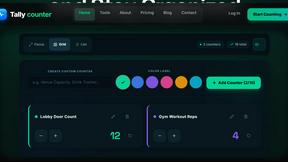
Tally Counter
Online tally counter for tracking attendance, workouts, inventory, visitors, sports scores, habits, and everyday counting tasks.

SnitchFeed
SnitchFeed is an agentic social listening tool that surfaces high-intent conversations on LinkedIn, X, Hackernews, and more for GTM and product teams.