

Typebar
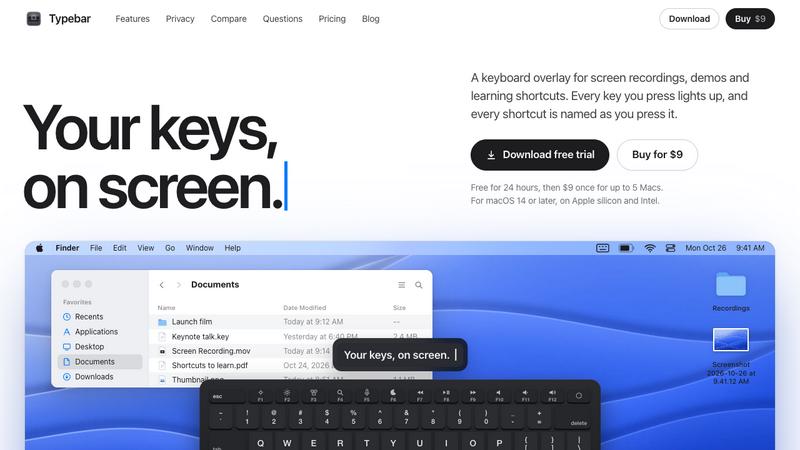
Every key you press lights up on an on-screen keyboard, and each shortcut is named. For screen recordings, demos and learning shortcuts.
tool Details
Explore More
Alternatives
About Typebar
Typebar is a keyboard overlay for the Mac, made for screen recordings, demos and learning shortcuts. Every key you press lights up on an on-screen keyboard, and a pill names each shortcut from the app's own menus, like Screenshot Selection for Shift Command 4.
Hold a modifier and the keys show what they do in the app in front. There are cheatsheets for every app, 20 hand-made packs and your own keybindings from 11 apps. Click ripples, a cursor halo, Spotlight, six switch sounds and 40 themes with a theme editor are built in.
Password fields stay private, and nothing you type is saved or sent anywhere. Typebar can show itself when a recording starts and hide when it stops.
Free for 24 hours, then $9 once for up to 5 Macs. macOS 14 or later, on Apple silicon and Intel.
Similar to Typebar

How Long How Many Tool
Timers and hourly checks to figure how out long until a certain time or how many days away.
PavoAI
PavoAI brings 20+ leading AI video models into one workspace for text-to-video, image-to-video, editing, avatars, music, subtitles, and upscaling.

Outstanding Tiny Desk AI
Upload photos of you and up to 4 friends and get a 15-second Outstanding Tiny Desk AI video with AI-generated sound, in 9:16 for TikTok and Reels.

Tip Toeing in My Jordans
Star in the viral tip toe meme: upload a photo to play Rumpelstiltskin in a 12-second AI video, and a friend can be the woman in the hay.
AnyRedact
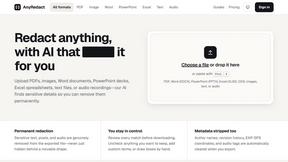
Free online auto redaction tool with AI for PDFs, images, Word, PowerPoint, Excel, text and audio. Files are never stored.

Hop Hop Hop Dance AI
AI: 1–2 photos → 8s Hop Hop Hop squash-and-swap (pets OK).