

Vowen
Vowen is a private offline voice app that streamlines dictation and voice commands for seamless desktop workflows.

About Vowen
Vowen is a cutting-edge, privacy-first voice interface application designed to revolutionize the productivity landscape for both macOS and Windows users. By transforming speech into a primary input method, Vowen enables seamless interaction with various applications, allowing users to dictate, command, and automate workflows with effortless voice commands. The application operates as a system-wide voice layer, ensuring that all audio is processed locally on the user's device. This design choice not only guarantees ultra-fast transcription but also enhances security by eliminating the need for internet connectivity. Supporting over 99 languages, Vowen caters to a diverse range of professionals, including developers, writers, students, content creators, and accessibility users. Its core value proposition lies in enabling users to work at the speed of thought by converting spoken words into actionable items, thus overcoming the constraints of traditional keyboard input. With features like context-aware command execution and smart meeting note generation, Vowen stands out as an essential tool in the modern AI-powered productivity stack, providing powerful capabilities without compromising user data privacy.
Features
Local Processing
Vowen processes audio locally on the user's device, ensuring that all dictation and command executions are performed without an internet connection. This feature not only enhances the speed of transcription but also significantly boosts security and user privacy by keeping sensitive data off the cloud.
Multi-Language Support
Vowen boasts support for over 99 languages and dialects, allowing users to operate in their preferred language. This feature includes real-time translation capabilities, making it a versatile tool for global professionals and multilingual environments.
Custom Vocabulary
The application offers a custom vocabulary feature that allows users to add specialized terms, names, and abbreviations. This personalized dictionary ensures that Vowen accurately recognizes and transcribes industry-specific jargon, enhancing overall efficiency and user experience.
Seamless Integration
Vowen is designed to work with a wide range of applications, including popular tools such as Slack, Google Docs, GitHub, and more. This seamless integration allows users to dictate and command actions across their entire workflow, making it an invaluable asset for productivity.
Use Cases
Dictation for Writers
Writers can leverage Vowen's dictation capabilities to convert their thoughts into text quickly. This feature eliminates the need for traditional typing, allowing for a more natural flow of ideas and enhancing creativity.
Meeting Note-Taking
During meetings, Vowen can be used to generate smart notes automatically. Users can dictate key points and action items, ensuring that important information is captured accurately and efficiently without interrupting the flow of discussion.
Coding and Development
Developers can utilize Vowen to write code by dictating commands and code snippets. This use case not only speeds up the coding process but also reduces the physical strain associated with prolonged typing sessions.
Accessibility for Users with Disabilities
Vowen serves as an essential tool for users with disabilities, providing an alternative input method that enhances accessibility. By allowing users to navigate applications and dictate text through voice commands, Vowen empowers individuals to engage with technology more effectively.
Frequently Asked Questions
How does Vowen ensure user privacy?
Vowen processes all audio locally on the user's device, ensuring that no data is sent to the cloud. This design choice protects user privacy and guarantees that sensitive information remains secure.
Can Vowen be used offline?
Yes, Vowen is designed to function offline, processing audio and executing commands without the need for an internet connection. This capability ensures that users can work in any environment without compromising performance.
What applications does Vowen integrate with?
Vowen integrates seamlessly with a variety of applications, including Slack, Google Docs, GitHub, and many more. This extensive compatibility allows users to dictate and automate tasks across their entire workflow.
Is Vowen suitable for multilingual users?
Absolutely. Vowen supports over 99 languages and dialects, making it an ideal tool for multilingual users. It also offers real-time translation capabilities, enabling users to operate efficiently in diverse linguistic environments.
Similar to Vowen
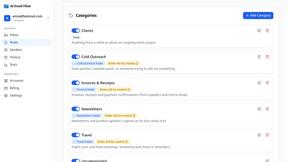
AI Email Filter
AI Email Filter sorts incoming mail into folders using plain-language prompts you write. Works with any IMAP mailbox; bring your own LLM if you want.
Egmatic
No-code 2D game editor: visual node logic, drag-and-drop scenes, live preview. Exports to Windows, macOS, Linux, Android, iOS, Web.
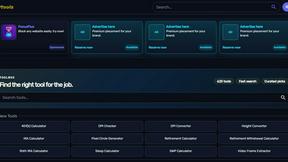
Kody Tools
Free collection of online developer utilities, code formatters, and digital converters designed to streamline your daily workflow.
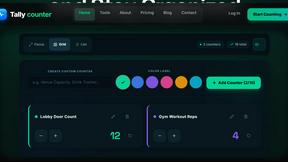
Tally Counter
Online tally counter for tracking attendance, workouts, inventory, visitors, sports scores, habits, and everyday counting tasks.
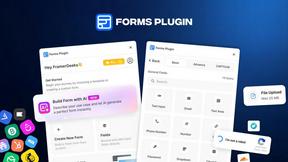
Forms Plugin
The #1 Native Form Builder Plugin for Framer - No Code, No Embeds, No External Platforms.

Product Launch Checklist
A free launch checklist for SaaS, apps, AI tools and more. Every step says why it matters and when you can skip it.

HomeAnswerBook
Practical, independent guides to home repairs, maintenance, costs, troubleshooting, and everyday fixes.
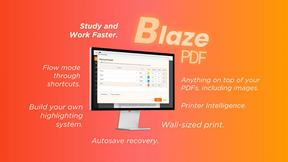
BlazePDF
Highlight faster. Study in flow with custom shortcuts and a workflow built around you. Print smarter, or turn any page into a tiled poster.