

Alternatives to Browser Notes
Browser Notes is a local-first Chrome extension for writing markdown notes, brainstorming on sticky note boards, and creating mind maps without.
Explore 20 alternatives to Browser Notes. Compare features, pricing, and find the best fit for your needs.

Panzoe
Panzoe is an all-in-one AI platform for personal productivity, business automation, AI assistants, content creation, and custom AI solutions.
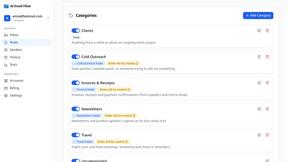
AI Email Filter
AI Email Filter sorts incoming mail into folders using plain-language prompts you write. Works with any IMAP mailbox; bring your own LLM if you want.
Egmatic
No-code 2D game editor: visual node logic, drag-and-drop scenes, live preview. Exports to Windows, macOS, Linux, Android, iOS, Web.

Kody Tools
Free collection of online developer utilities, code formatters, and digital converters designed to streamline your daily workflow.
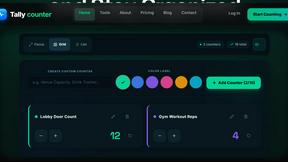
Tally Counter
Online tally counter for tracking attendance, workouts, inventory, visitors, sports scores, habits, and everyday counting tasks.
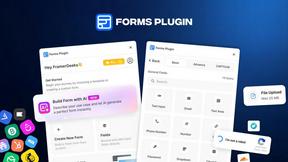
Forms Plugin
The #1 Native Form Builder Plugin for Framer - No Code, No Embeds, No External Platforms.

Product Launch Checklist
A free launch checklist for SaaS, apps, AI tools and more. Every step says why it matters and when you can skip it.

HomeAnswerBook
Practical, independent guides to home repairs, maintenance, costs, troubleshooting, and everyday fixes.
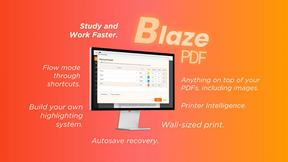
BlazePDF
Highlight faster. Study in flow with custom shortcuts and a workflow built around you. Print smarter, or turn any page into a tiled poster.


Build Mode for Mac
Build Mode is a Mac app that turns focused sessions into visible progress, so you can see the work adding up before the results arrive.



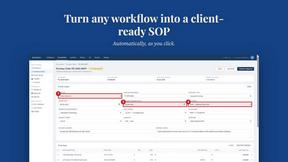
MySOP.guru
Capture any workflow in your browser and export a branded, step-by-step SOP with screenshots. €5 per document, no subscription.

PerPageFax
PerPageFax lets you send a fax online from any browser for a flat $0.50 per page — no account, no subscription, no fax machine.

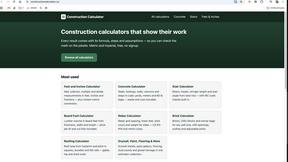
Construction Calculator
Free construction calculators with transparent formulas, steps, assumptions, and metric or imperial units.


About Browser Notes Alternatives
Browser Notes is a local-first productivity tool that consolidates note-taking, sticky boards, and mind mapping into a single workspace operating entirely within the browser environment. It belongs to the productivity and management category, specifically targeting users who prefer offline functionality and data sovereignty over cloud-dependent solutions. Users commonly seek alternatives to Browser Notes when they require cross-device synchronization without manual backups, need advanced collaboration features for team environments, or find the browser-only storage model limiting for large-scale data management. Others may look for alternatives due to specific platform requirements such as native mobile applications, integration with external APIs for automation workflows, or the need for enterprise-grade encryption standards beyond what local browser storage provides. When evaluating alternatives to Browser Notes, prioritize tools that offer clear data portability policies, including export formats like Markdown, JSON, or plain text to avoid vendor lock-in. Assess the storage architecture carefully: local-first solutions guarantee privacy but may lack redundancy, while cloud-based options offer automatic backups at the cost of data exposure. Consider the extensibility of the tool through plugins or webhooks if you require integration with calendars, task managers, or project management suites. Finally, examine the rendering performance for complex mind maps with over 500 nodes and the responsiveness of the sticky board interface under heavy concurrent element manipulation, as these specifications directly impact daily usability.
FAQs about Browser Notes Alternatives
What is Browser Notes?
Browser Notes is a local-first productivity application that combines note-taking, sticky notes, and mind mapping into a single workspace. It requires no signup or cloud connection, storing all data directly in your browser's local storage. The tool operates entirely offline and allows users to back up their data manually at any time, ensuring complete control over personal information.
Who is Browser Notes for?
Browser Notes is designed for individuals who prioritize privacy and data ownership, such as researchers, students, and professionals working with sensitive information. It is ideal for users who frequently work offline or in environments with unreliable internet connectivity. The tool also appeals to minimalists seeking to consolidate scattered notes, sticky boards, and mind maps without relying on third-party cloud services.
Is Browser Notes free?
Yes, Browser Notes is completely free to use with no subscription fees, hidden charges, or premium tiers. There are no account creation requirements or payment gateways involved in accessing any of its features. The tool is supported entirely by its local-first architecture, eliminating the need for monetization through data collection or forced upgrades.
What are the main features of Browser Notes?
Browser Notes provides three primary features: a text-based note editor, a digital sticky board for visual organization, and a mind mapping tool for hierarchical idea structuring. All data is stored locally in the browser and remains accessible without an internet connection. Users can export and back up their entire workspace at any time, with no tracking, analytics, or forced synchronization mechanisms built into the application.