

Browser Notes
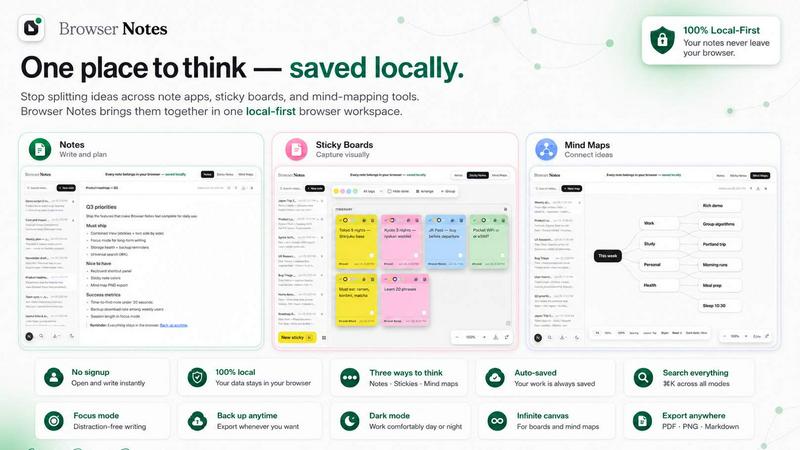
Browser Notes is a local-first Chrome extension for writing markdown notes, brainstorming on sticky note boards, and creating mind maps without.
tool Details
Explore More
Alternatives
About Browser Notes
Browser Notes is a local-first, browser-based workspace that consolidates note-taking, sticky note brainstorming, and mind mapping into a single, unified application. It operates entirely within the Chrome browser as an extension, eliminating the need for external accounts, cloud synchronization, or third-party tracking. All data is stored locally in the browser's storage, ensuring that private ideas and sensitive information remain under the user's direct control. The application is designed for individuals who require a lightweight, offline-capable tool for capturing and organizing thoughts without reliance on internet connectivity or subscription services. Browser Notes supports three distinct modes of thinking: markdown-formatted notes for structured writing, a free-form canvas for sticky note brainstorming, and radial mind maps for branching ideas from a central concept. Each mode is accessible from a central interface, and users can start from pre-built templates to accelerate their workflow. The application also provides a manual backup and import system, allowing users to export their entire workspace as a file for safekeeping or migration. Browser Notes is ideal for students, researchers, writers, and professionals who value privacy, simplicity, and local data sovereignty. It offers a comprehensive set of keyboard shortcuts, including a global search function (CtrlK) and a shortcuts overview (Ctrl/), to enhance productivity. By removing the overhead of account management and cloud dependencies, Browser Notes delivers a focused, privacy-respecting environment for all forms of personal knowledge management.
Features
Markdown Notes with Formatting Support
Browser Notes provides a dedicated notes mode that supports full markdown syntax, enabling users to write and format text with headings, lists, bold, italics, code blocks, links, and more. The editor renders markdown in real-time, allowing for a distraction-free writing experience. Users can create multiple notes, each stored locally and organized within the browser's storage. The markdown engine is optimized for performance, handling large documents without lag. This feature is suitable for drafting articles, taking lecture notes, or maintaining technical documentation. The local storage ensures that all content persists across browser sessions, and the backup function allows for easy export of all notes as a single file.
Sticky Note Canvas for Free-Form Brainstorming
The sticky note feature provides an infinite canvas where users can place virtual sticky notes freely. Each sticky note supports text input, color coding, and repositioning via drag-and-drop. This mode is ideal for brainstorming sessions, project planning, or visual organization of ideas. Users can resize the canvas by scrolling and panning, and the entire board state is preserved locally. The canvas does not impose any grid or layout constraints, allowing for organic clustering of thoughts. Notes can be grouped by color or position, and the interface supports quick creation of new notes with a single click. This feature replicates the tactile experience of physical sticky notes while adding digital permanence and backup capabilities.
Mind Mapping with Radial Branching
Browser Notes includes a mind mapping tool that allows users to create radial diagrams starting from a central idea. Users can add child nodes, branch sub-ideas, and rearrange the map structure through an intuitive interface. Each node supports text labels and can be expanded or collapsed to manage complexity. The mind map is rendered dynamically, with automatic layout adjustments as nodes are added or moved. This feature is particularly useful for outlining projects, organizing research topics, or breaking down complex problems into manageable components. The entire mind map is stored locally, and users can export it as part of the overall workspace backup.
Local Storage with Manual Backup and Import
All notes, sticky boards, and mind maps are stored exclusively in the browser's local storage, ensuring zero data transmission to external servers. Browser Notes provides a manual backup function that exports the entire workspace as a single JSON file. Users can download this file to their local machine for safekeeping or transfer it to another browser. The import function allows users to restore a previous backup, effectively migrating their entire workspace to a different device or browser session. This approach gives users complete control over their data, eliminating reliance on cloud services and third-party storage providers. The backup process is transparent and does not require any account authentication.
Use Cases
Academic Research and Note Organization
Students and researchers can use Browser Notes to compile lecture notes, research findings, and literature reviews using the markdown editor. The sticky note canvas can be employed to visually map out connections between different papers or concepts, while the mind map feature helps in structuring thesis outlines or project proposals. Since all data is stored locally, sensitive research data remains private and is not exposed to cloud servers. The manual backup function ensures that years of academic work can be securely archived and transferred between devices.
Creative Writing and Story Development
Writers can leverage the markdown editor for drafting chapters, articles, or scripts with full formatting control. The sticky note canvas is ideal for character development, plot brainstorming, and scene sequencing, where notes can be color-coded by character or plot arc. The mind map feature assists in structuring narrative branches, tracking subplots, or mapping character relationships. The offline capability allows writers to work in environments without internet access, such as during travel or in remote locations.
Project Management and Task Planning
Project managers and team leads can use Browser Notes to outline project goals using mind maps, break down tasks into sticky notes on the canvas, and document requirements or meeting minutes in the markdown editor. The local storage ensures that project plans are not subject to cloud service outages or data breaches. The backup and import feature facilitates easy sharing of project templates among team members, as the entire workspace can be exported and imported on different machines without account setup.
Personal Knowledge Management and Idea Capture
Individuals can use Browser Notes as a personal knowledge base, capturing ideas, bookmarks, and reflections in the markdown editor. The sticky note canvas serves as a digital bulletin board for reminders, goals, or inspirational quotes. The mind map feature helps in organizing personal interests, learning paths, or long-term goals. The zero-account requirement means users can start capturing ideas immediately without any registration friction, making it an ideal tool for quick thought capture during daily browsing.
Frequently Asked Questions
Is my data stored on any external server?
No. All data created in Browser Notes is stored exclusively in your browser's local storage. There is no account system, no cloud synchronization, and no data transmission to any external server. Your notes, sticky boards, and mind maps remain on your device at all times. You can manually export your data as a backup file if you wish to save it externally.
Can I use Browser Notes offline?
Yes. Because Browser Notes operates entirely within your browser and stores data locally, it works fully offline. You do not need an internet connection to create, edit, or view your notes, sticky notes, or mind maps. The only feature that requires internet access is the initial installation of the Chrome extension.
How do I back up my data?
Browser Notes includes a manual backup function. You can export your entire workspace as a single JSON file by selecting the backup option from the interface. This file can be saved to your local drive, cloud storage, or external media. To restore data, use the import function to load a previously saved backup file. This process overwrites the current workspace with the imported data.
Does Browser Notes support keyboard shortcuts?
Yes. Browser Notes provides a comprehensive set of keyboard shortcuts to enhance productivity. Press CtrlK to open the global search function, which allows you to quickly find notes, sticky notes, or mind map nodes. Press Ctrl/ to view a complete list of all available shortcuts. These shortcuts are designed to minimize mouse usage and speed up common actions like creating new notes or navigating between modes.
Similar to Browser Notes
Panzoe
Panzoe is an all-in-one AI platform for personal productivity, business automation, AI assistants, content creation, and custom AI solutions.
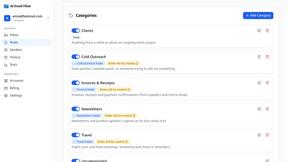
AI Email Filter
AI Email Filter sorts incoming mail into folders using plain-language prompts you write. Works with any IMAP mailbox; bring your own LLM if you want.
Egmatic
No-code 2D game editor: visual node logic, drag-and-drop scenes, live preview. Exports to Windows, macOS, Linux, Android, iOS, Web.
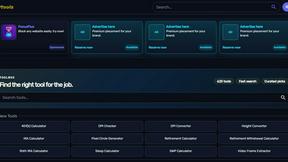
Kody Tools
Free collection of online developer utilities, code formatters, and digital converters designed to streamline your daily workflow.
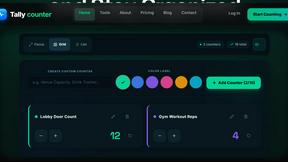
Tally Counter
Online tally counter for tracking attendance, workouts, inventory, visitors, sports scores, habits, and everyday counting tasks.
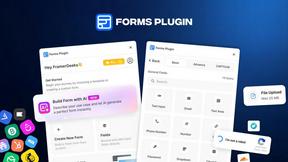
Forms Plugin
The #1 Native Form Builder Plugin for Framer - No Code, No Embeds, No External Platforms.

Product Launch Checklist
A free launch checklist for SaaS, apps, AI tools and more. Every step says why it matters and when you can skip it.

HomeAnswerBook
Practical, independent guides to home repairs, maintenance, costs, troubleshooting, and everyday fixes.