

Alternatives to Caesura
Caesura is a macOS menu-bar app that reminds you to drink water, stretch, rest your eyes, and breathe on science-backed intervals.
Explore 20 alternatives to Caesura. Compare features, pricing, and find the best fit for your needs.
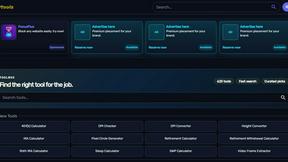
Kody Tools
Free collection of online developer utilities, code formatters, and digital converters designed to streamline your daily workflow.
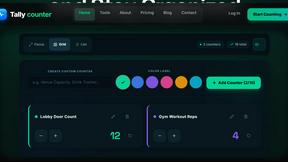
Tally Counter
Online tally counter for tracking attendance, workouts, inventory, visitors, sports scores, habits, and everyday counting tasks.

Forms Plugin
The #1 Native Form Builder Plugin for Framer - No Code, No Embeds, No External Platforms.
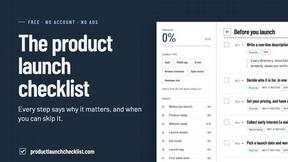
Product Launch Checklist
A free launch checklist for SaaS, apps, AI tools and more. Every step says why it matters and when you can skip it.

HomeAnswerBook
Practical, independent guides to home repairs, maintenance, costs, troubleshooting, and everyday fixes.

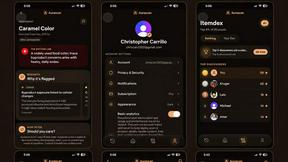
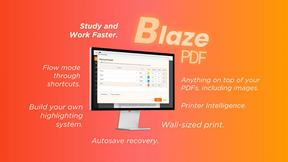
BlazePDF
Highlight faster. Study in flow with custom shortcuts and a workflow built around you. Print smarter, or turn any page into a tiled poster.

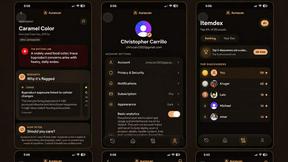
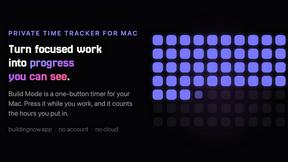
Build Mode for Mac
Build Mode is a Mac app that turns focused sessions into visible progress, so you can see the work adding up before the results arrive.




MySOP.guru
Capture any workflow in your browser and export a branded, step-by-step SOP with screenshots. €5 per document, no subscription.

PerPageFax
PerPageFax lets you send a fax online from any browser for a flat $0.50 per page — no account, no subscription, no fax machine.
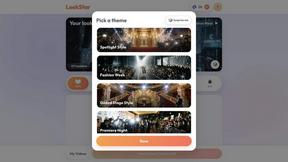

VeloRand
Generate random cycling routes at your target distance – from your front door, with wind optimization, elevation profiles and GPX export.

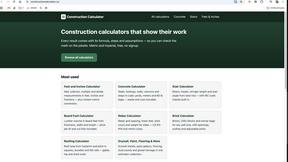
Construction Calculator
Free construction calculators with transparent formulas, steps, assumptions, and metric or imperial units.
About Caesura Alternatives
Caesura is a macOS menu-bar application categorized within the health, productivity, and personal development software domains, specifically designed to mitigate the physical strain of prolonged desk work. It functions as a break manager by issuing independent, customizable reminders for hydration, stretching, eye rest, posture checks, and breathing exercises, with a unique coalescing feature that merges overlapping reminders into a single, uninterrupted break. Users commonly seek alternatives due to specific constraints such as the platform limitation (macOS-only), the preference for a different pricing model beyond the 14-day free trial, or the need for more granular control over reminder types, such as integration with external peripherals or more aggressive interruption schedules. When evaluating alternatives, key specifications to examine include support for cross-platform compatibility (Windows, Linux), the granularity of scheduling intervals (e.g., per-minute vs. per-hour), the availability of a permanent free tier versus a one-time purchase model, and the depth of ergonomic guidance, such as animated exercise demonstrations or posture tracking via webcam. Additionally, assess whether the software offers silent operation modes, deep system integration for focus states, or data export capabilities for health tracking. For users prioritizing a non-intrusive, minimalist interface, the primary criteria should be the application's ability to coalesce notifications and its memory footprint in the menu bar. Technical considerations include whether the alternative supports Apple Silicon natively, offers a dark mode, and provides keyboard shortcuts for dismissing or postponing breaks without mouse interaction. Users should also verify if the software operates entirely offline, as some alternatives may require cloud accounts for synchronization or feature unlocks, which contradicts the clutter-free ethos of the original. Finally, confirm that the alternative includes independent schedules for each break type, as many generic timer apps cannot differentiate between a water reminder and a wrist stretch prompt, leading to less effective ergonomic routines.
FAQs about Caesura Alternatives
What is Caesura?
Caesura is a macOS menu-bar application that functions as a break manager for individuals who spend extended hours at a desk. It operates by issuing independent, customizable reminders for drinking water, walking, stretching wrists, resting eyes, checking posture, and breathing exercises. A core technical feature is its coalescing logic, which merges two or more reminders that fall close together into a single, gentle break to prevent workflow interruption. The application requires no user accounts and is designed to operate with minimal clutter in the system menu bar.
Who is Caesura for?
Caesura is specifically designed for professionals who work long hours at a desk, such as software developers, graphic designers, writers, and data analysts, who are susceptible to repetitive strain injuries and eye fatigue. It targets users who need a non-intrusive system that can be configured to remind them of multiple health-maintenance tasks on independent schedules without breaking their focus. The application is ideal for individuals who prefer a minimalist tool over feature-bloated health suites, as it prioritizes timely nudges over gamification or social features.
Is Caesura free?
Caesura offers a 14-day free trial that allows full access to all features, including all reminder types and the coalescing functionality. After the trial period, a purchase is required to continue using the application. There is no permanent free tier available, and the pricing model is based on a one-time purchase rather than a subscription, though specifics on the price point should be confirmed on the official product page.
What are the main features of Caesura?
The primary feature set includes six independent reminder schedules for drinking water, walking, stretching wrists, resting eyes, checking posture, and breathing. A key technical capability is the coalescing engine, which automatically detects when two reminders fall within a close temporal window and merges them into a single break notification to avoid double interruptions. The application runs exclusively from the macOS menu bar, requires no user registration or account creation, and operates without any cloud connectivity or data collection, ensuring privacy and offline functionality.