

Alternatives to EditTextImage
EditTextImage seamlessly replaces text in images online while preserving font, color, lighting, and perspective in under 30 seconds.
Explore 20 alternatives to EditTextImage. Compare features, pricing, and find the best fit for your needs.
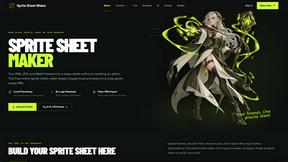
Sprite Sheet Maker
A free browser-based toolkit for creating, cutting, converting, and previewing sprite sheet animations.

Wan Video
Create Wan video content from text, images, references, or clips with Wan Video, a flexible Wan 2.7 video generator.

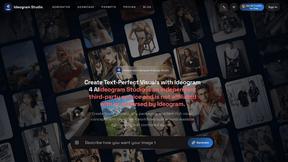
Ideogram Studio
Create text-rich logos, posters, ads, packaging, and ecommerce visuals with Ideogram 4 AI workflows.
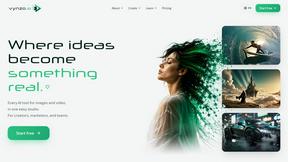
Vynzo
AI image and video studio. Generate from a prompt, animate stills, swap faces, restyle clips and edit — one credit pool, no subscription.

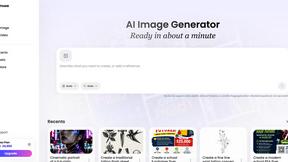
Vismuse
Create polished AI images and videos from prompts or references for social posts, ads, flyers, album covers, and campaigns.
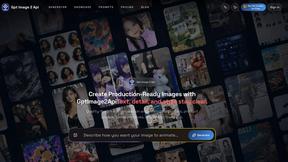
GPT Image 2 API
Generate and edit production-ready images with GPT Image 2 API, detailed prompts, reference images, clear text, and developer-friendly workflows.
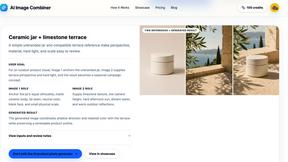
AI Image combinder
Create professional product images with AI. Upload your product photo and transform it into stunning marketing visuals, lifestyle scenes, and e-commer
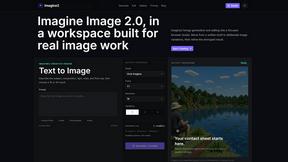
Imagine2
Private browser-based AI image generation and editing with text-to-image, targeted edits, and multi-image references.
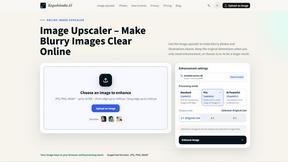
Kogashitsuka AI
An online AI image tool that enhances photos and illustrations at their original size or upscales them by 2x or 4x.
Trushot AI
TruShot creates ultra-realistic AI dating photos from just 4 selfies. Generate natural-looking, verification-friendly profile pictures for Tinder, Hin
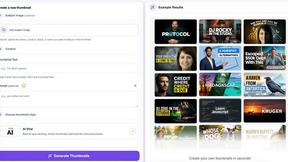
StopScroll
StopScroll helps YouTube creators generate AI thumbnails and improve images for higher-click videos.

HubVanta
HubVanta is an AI image toolkit for creating, editing, enhancing, and transforming visual assets in the browser.

Headshot.ltd AI Headshot Generator
Turn a few phone selfies into professional headshots in ~5 minutes. 200+ backgrounds, one-time payment starting from $8.

IsThisAIImage
Ask is this AI image? Free online checker: upload a photo for AI-generated and deepfake scores plus a clear verdict band.
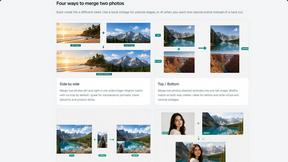
Merge Two Photos
Merge two photos free in browser: side by side, stacked, overlay, or AI fusion. Private local modes; download clean PNG, no watermark.

Modellix
Modellix provides a single API key for transparent pay-as-you-go access to leading AI image, video, and audio models with full logs.
Picture Enhancer
Picture Enhancer uses AI to deblur, upscale, and restore photos in your browser with three intensity levels for sharp, watermark-free results.
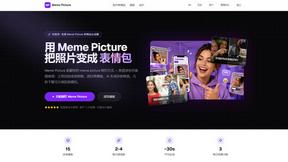
Meme Picture
Meme Picture uses AI to transform selfies and pet photos into classic memes with 15 templates, generating 3 free candidates daily in under 30 seconds.
About EditTextImage Alternatives
EditTextImage is a specialized AI-powered tool that falls under the broad category of image generation and editing, specifically focused on text manipulation within rasterized graphics. It solves a highly specific problem: replacing or editing existing text in a finished image file, such as a PNG or JPEG, without access to the original layered design file or the specific fonts used. Users commonly look for alternatives to EditTextImage for a variety of reasons, including a need for a free or lower-cost solution for high-volume work, a requirement for batch processing capabilities, or a desire for a tool that integrates into a larger desktop workflow rather than a standalone web service. Others may seek alternatives that offer more granular control over the AI’s output, such as manual kerning adjustments or the ability to handle complex multi-line text blocks with different alignments, which can be challenging for automated pixel-sampling algorithms. When evaluating an alternative to EditTextImage, you should prioritize the core technical capability: the accuracy of the AI in sampling and recreating the original typography from pixel data. Look for specifications regarding the maximum output resolution, as some tools may downscale images or limit the DPI of the final edit. Assess the tool’s handling of complex visual effects like drop shadows, gradients, and perspective distortions, as these are often the first elements to break during a text swap. Additionally, consider the licensing model—whether it is a one-time purchase, a subscription, or a credit-based system—and how that aligns with your editing frequency. For professional use, the ability to process images without uploading them to a third-party server is a critical security and speed consideration that separates web-based tools from local desktop applications.
FAQs about EditTextImage Alternatives
What is EditTextImage?
EditTextImage is a specialized AI-powered online tool designed to edit or replace text within existing image files without requiring the original design source files or installed fonts. It belongs to the image generation and editing category, specifically focusing on text manipulation. The tool uses AI to sample the typography, color, drop shadow, and perspective directly from the image pixels, allowing for seamless text replacement on finished posters, screenshots, or product photos. It processes edits in approximately 10 seconds and outputs at a 2K resolution.
Who is EditTextImage for?
EditTextImage is primarily designed for marketers, designers, content creators, and business professionals who frequently need to make quick text corrections on finalized images. It is ideal for users who have lost the original design file (such as a PSD or AI file) for a poster, social media graphic, or product photo. The tool is also suitable for anyone who needs to fix a typo, swap a date, or A/B test a headline on a finished visual asset without the overhead of launching Photoshop or subscribing to a full design suite.
Is EditTextImage free?
EditTextImage offers a free tier that allows users to perform one text edit without requiring a credit card. This first edit provides a full 2K output, allowing you to test the AI's capabilities on your own images. After the initial free edit, the tool operates on a one-time payment model: a single purchase of $9.90 grants you 30 edits. This is a pay-per-use structure rather than a subscription, meaning you do not need to commit to a recurring monthly or annual fee.
What are the main features of EditTextImage?
The primary feature is AI-driven text replacement that samples the typeface directly from the image pixels, enabling it to replicate paid fonts, hand-lettering, and custom typography without needing the font files installed. The tool preserves the original font style, color, layout, drop shadows, and perspective distortions, ensuring the edit blends seamlessly. It processes edits in approximately 10 seconds and delivers the final output at a 2K resolution. The workflow is entirely web-based, requiring no software installation, and operates without a subscription model, charging a one-time fee of $9.90 for 30 edits after the first free edit.