

Explore 20 alternatives to Opal. Compare features, pricing, and find the best fit for your needs.

Memorable Contact
AI-powered relationship memory that helps you remember people, the context behind your connections, and reconnect

Panzoe
Panzoe is an all-in-one AI platform for personal productivity, business automation, AI assistants, content creation, and custom AI solutions.
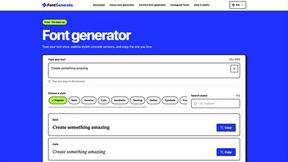
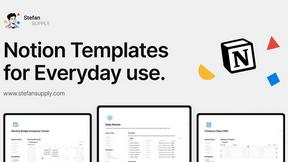
Stefan Supply
Ready-to-use Notion templates for personal planning and small business workflows, with realistic example data.
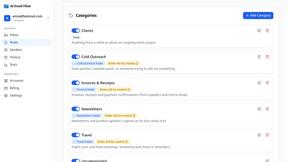
AI Email Filter
AI Email Filter sorts incoming mail into folders using plain-language prompts you write. Works with any IMAP mailbox; bring your own LLM if you want.
Egmatic
No-code 2D game editor: visual node logic, drag-and-drop scenes, live preview. Exports to Windows, macOS, Linux, Android, iOS, Web.
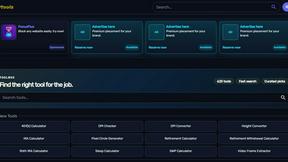
Kody Tools
Free collection of online developer utilities, code formatters, and digital converters designed to streamline your daily workflow.
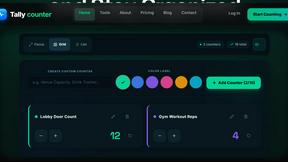
Tally Counter
Online tally counter for tracking attendance, workouts, inventory, visitors, sports scores, habits, and everyday counting tasks.
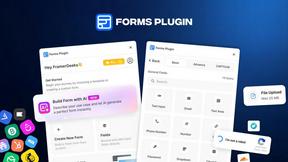
Forms Plugin
The #1 Native Form Builder Plugin for Framer - No Code, No Embeds, No External Platforms.
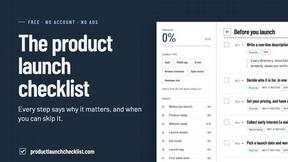
Product Launch Checklist
A free launch checklist for SaaS, apps, AI tools and more. Every step says why it matters and when you can skip it.

HomeAnswerBook
Practical, independent guides to home repairs, maintenance, costs, troubleshooting, and everyday fixes.
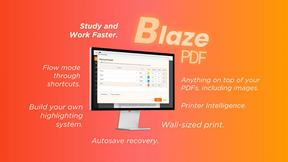
BlazePDF
Highlight faster. Study in flow with custom shortcuts and a workflow built around you. Print smarter, or turn any page into a tiled poster.

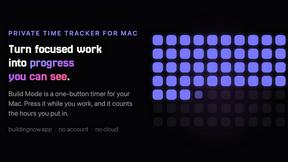
Build Mode for Mac
Build Mode is a Mac app that turns focused sessions into visible progress, so you can see the work adding up before the results arrive.



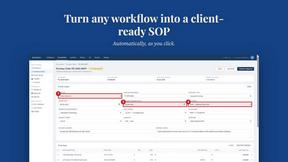
MySOP.guru
Capture any workflow in your browser and export a branded, step-by-step SOP with screenshots. €5 per document, no subscription.

PerPageFax
PerPageFax lets you send a fax online from any browser for a flat $0.50 per page — no account, no subscription, no fax machine.
About Opal Alternatives
Opal is a visual workspace that streamlines project management and note organization, catering specifically to users who prefer a spatial approach to their workflow. This platform allows users to create an infinite digital canvas where they can organize notes, documents, files, and links in a manner reminiscent of a physical desk. By utilizing a spatial memory system, Opal enhances the retrieval of information by focusing on the visual context rather than solely on textual labels, making it ideal for solopreneurs, consultants, agency owners, and writers who thrive on creativity and detail. Users often seek alternatives to Opal due to various factors such as pricing, specific feature sets, or compatibility with their preferred platforms. As businesses evolve, user needs may shift, prompting the search for tools that offer better integrations, more robust functionalities, or cost-effectiveness. When selecting an alternative to Opal, it is crucial to consider factors such as ease of use, the ability to visually manage information, integration capabilities with existing tools, and customer support. The right choice will ultimately depend on individual workflow preferences and specific project management requirements.
FAQs about Opal Alternatives
What is Opal?
Opal is a visual knowledge and project management workspace that helps users organize their projects and notes in an intuitive manner. It provides an infinite digital canvas where users can drag and drop various elements, making it simple to visualize and manage information. This approach enhances retrieval speed and reduces the frustration often associated with traditional note-taking apps.
Who is Opal for?
Opal is designed for individuals and small teams, particularly solopreneurs, consultants, agency owners, and writers who manage multiple projects and require a streamlined way to keep track of details. It caters to users who think spatially and prefer a visual method of organization that reflects their creative processes. Opal is ideal for anyone looking to enhance their productivity and maintain clarity in their workflow.
Is Opal free?
Opal offers a range of pricing options to accommodate different user needs, but it is not entirely free. Users can typically access a trial period or limited features at no cost, allowing them to evaluate the platform before committing to a subscription. For full access to all features, users will need to choose a pricing plan that suits their requirements.
What are the main features of Opal?
The main features of Opal include a visual workspace for organizing notes, documents, files, and links, all on an infinite canvas. This allows users to manage projects spatially, facilitating quicker retrieval of information based on visual context. Opal also supports collaboration, enabling users to share their workspace with teams or clients, ensuring that everyone stays informed and aligned on project details.